
Hello, I'm an employee of a small company that uses Zendesk as a consumer-facing ticketing system for Tech Support.
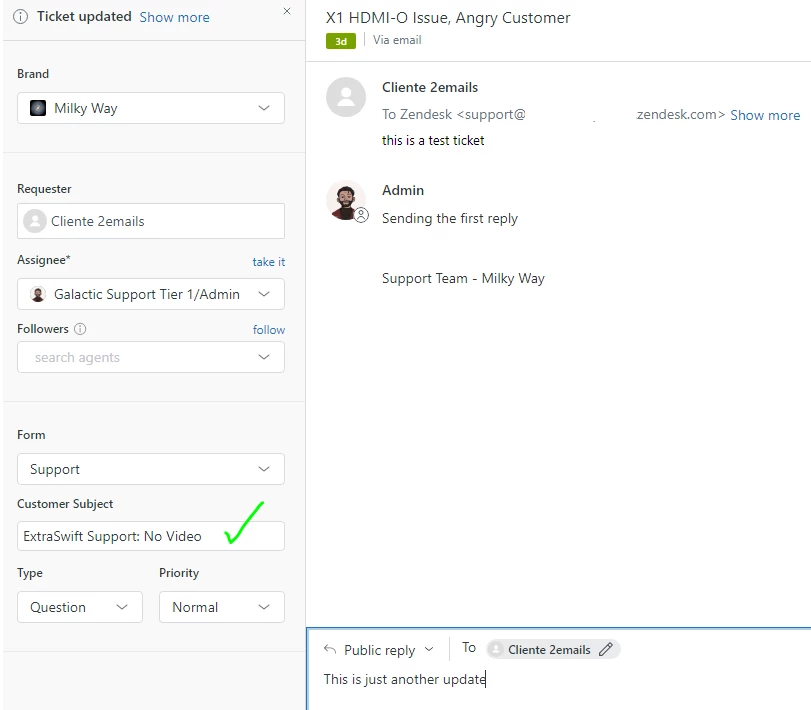
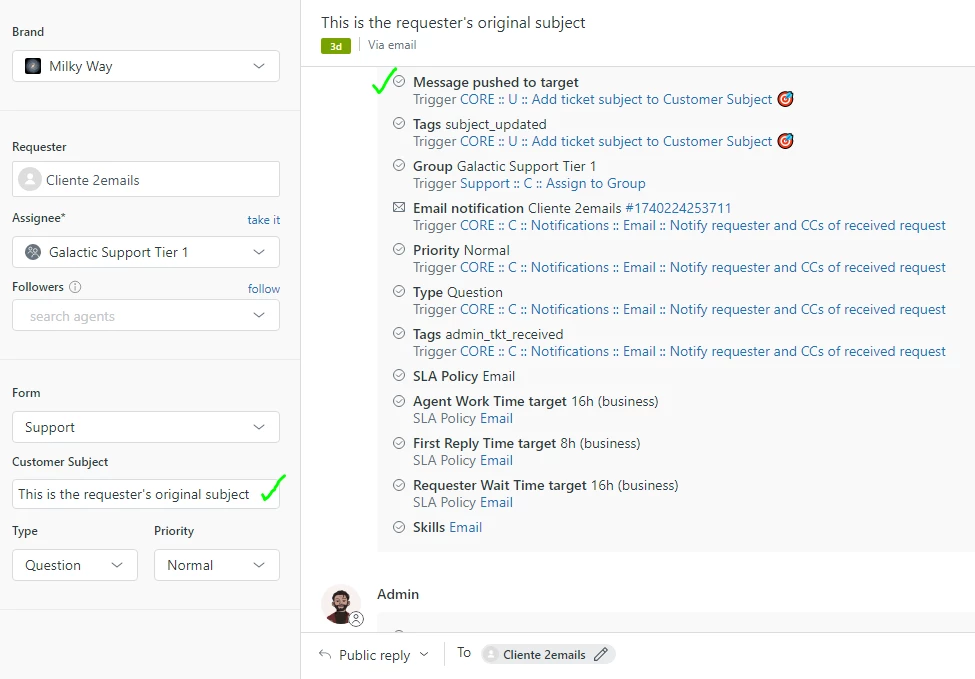
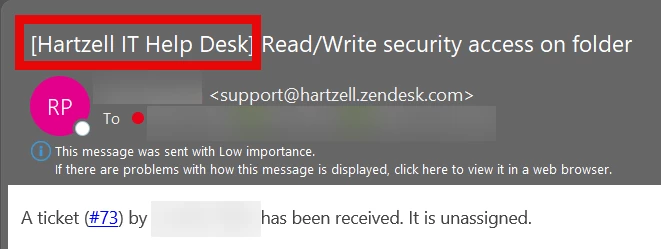
We frequently run into a problem: When sending a Public Reply (which sends an email to the Requester, which in our case is a customer) Zendesk uses the Title of the ticket as the Email Subject.
We often click on a requester's "Org." tab and review all of the tickets that this organization has on file in their past. This means that it's extremely useful for a ticket to have a technical internal title that indicates at a glance the type of problems that they've had with their equipment in the past. This is of top priority.
Which means customers are frequently getting emails from us with a Subject that makes no sense to them, since the title was intended to explain to future tech support representatives what happened within the ticket, not intended to be used as a consumer-facing email subject. We try to copy and paste an email title each time to swap the title each time we send an email, but our primary modes of communication are call and text, so sometimes an employee forgets to do so, and we either end up with a consumer who gets a confusing email subject, or a ticket title that doesn't help us identify what the ticket is about.
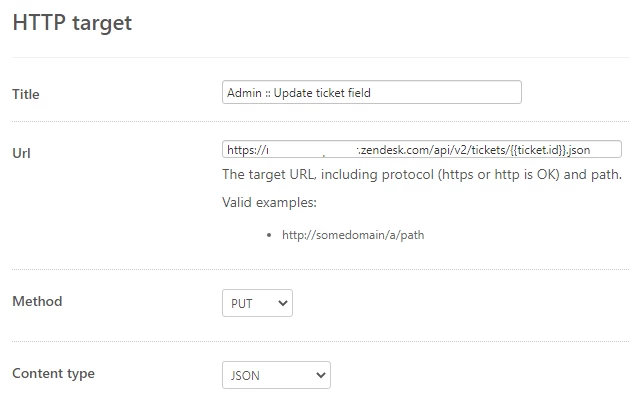
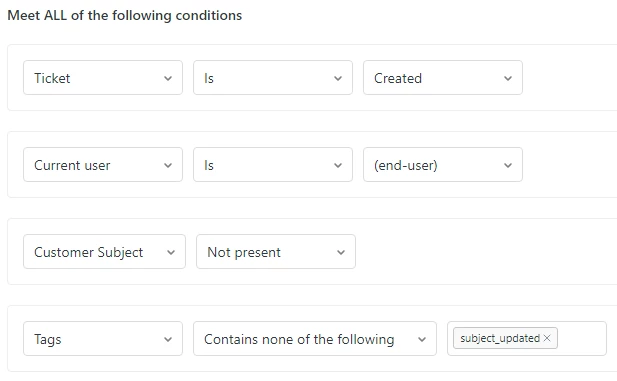
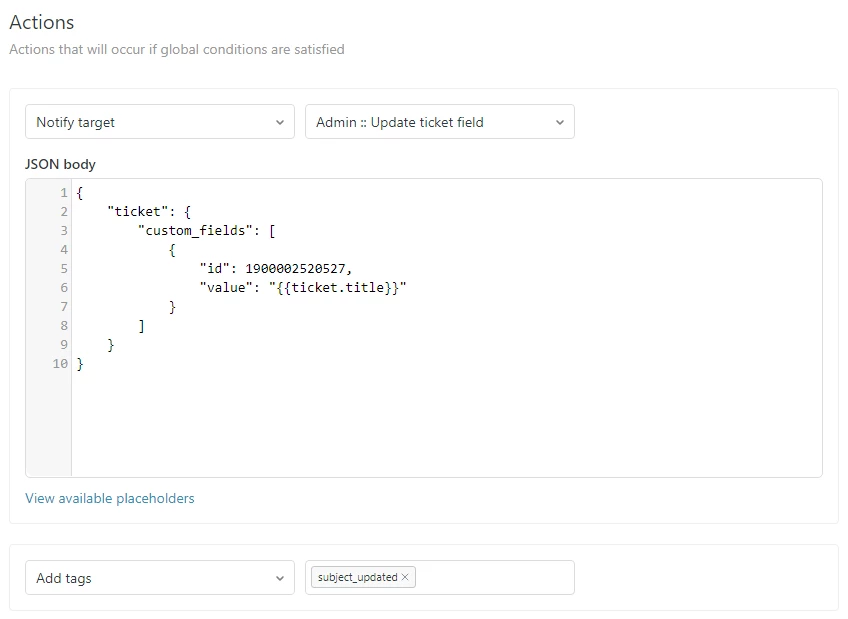
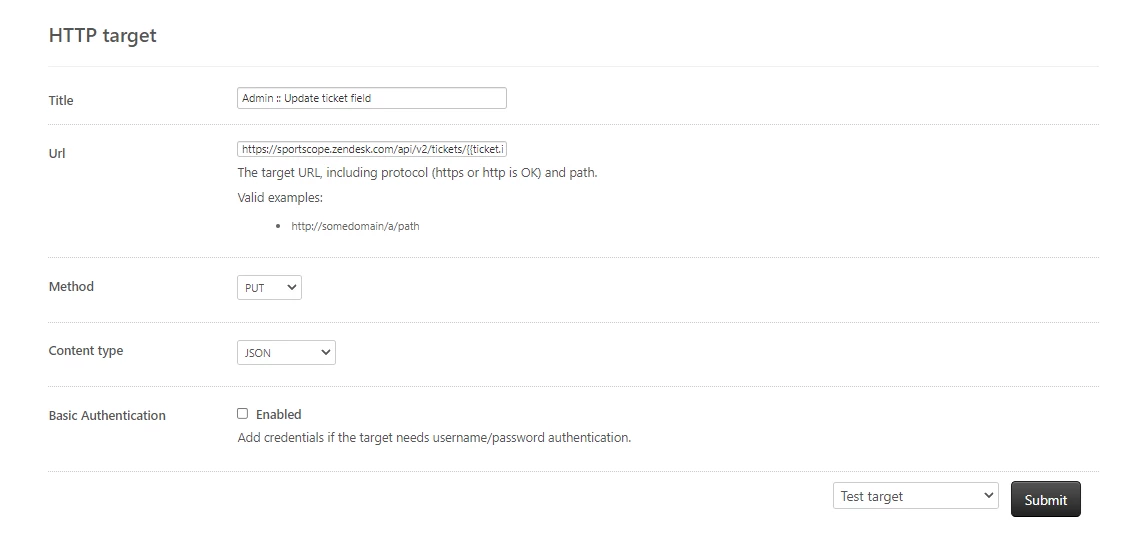
What I'm wondering is if there's any kind of functionality, integration, tip/trick, anything that might allow the system to function as we want it to in this regard. We're on our first year of using Zendesk and we're hitting the offseason, so we're ready to make some changes and optimize our use of this amazing tool. We already have Zapier integrations, Textline and Aircall functionality, and a lot of really neat workarounds that we've been getting used to. We're up for changing things around to suit our needs, and getting creative with implementing a fix.
Any Suggestions would be greatly appreciated by me and the team <3

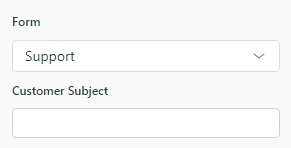
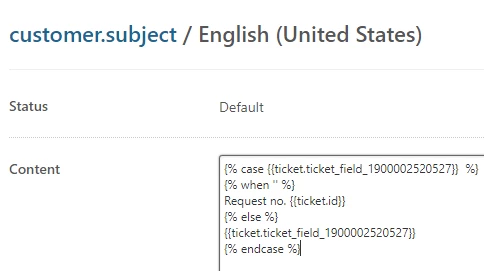
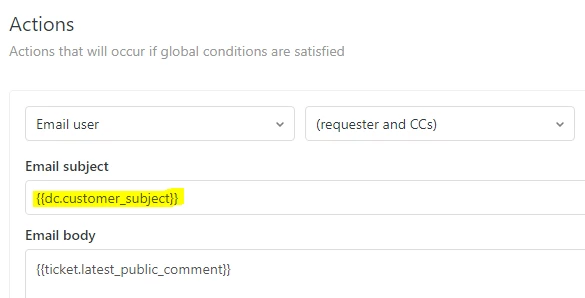
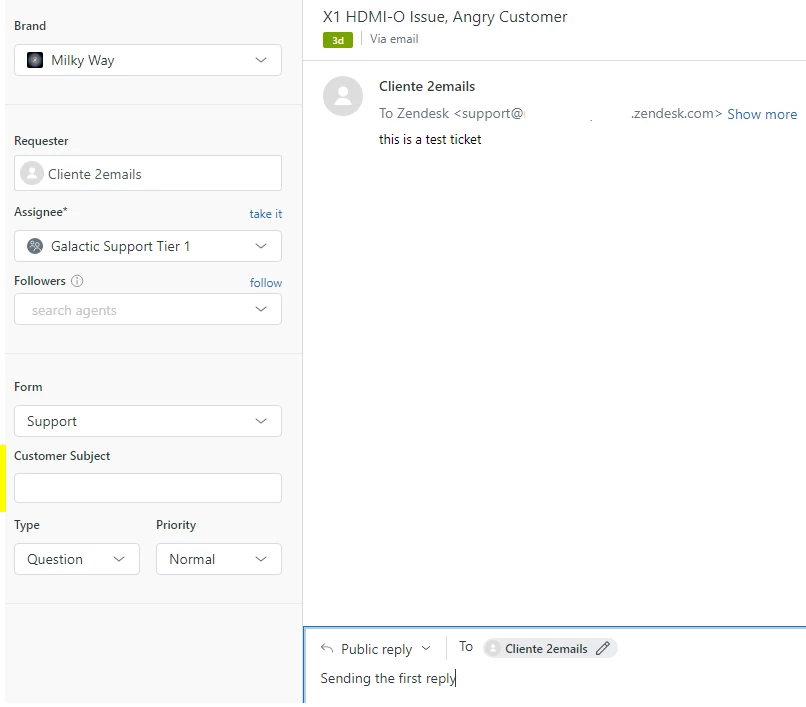



If you're looking for a space to ask questions on Explore, you can do so in this community topic: Q&A - Reporting and analytics
I hope this helps!