One of our Agents can't access certain tickets | Community
Skip to main content

One of our Agents can't access certain tickets

  • January 3, 2024
  • 11 replies
  • 0 views

Kevin45

Any ideas on this one folks please?

One of our when viewing a standard ticket is being met with the following error message:
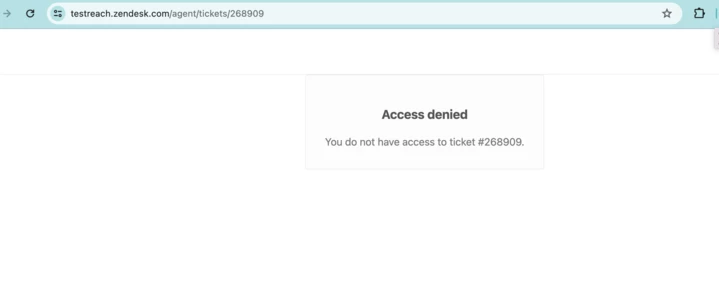
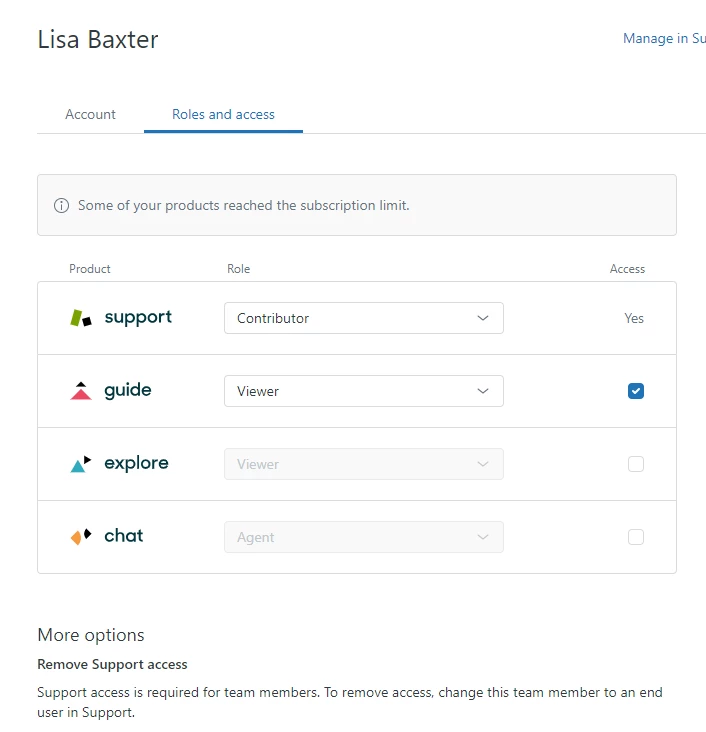
We have checked their profile and all seems to be in order Image below:
Any Ideas greatly appreciated,

Thanks all,

Kevin. 

 

11 replies

Ifra
  • January 3, 2024

Hey Kevin, I'm attaching a post below, please take a look, it's related to your query and I hope it will help you.

https://support.zendesk.com/hc/en-us/community/posts/4991547964314-Access-denied-when-trying-to-View-a-ticket


If any issue feel free to ask :)

Thanks


Baibhav
  • January 3, 2024

Hey Kevin,

This issue is due to the limited permission/role of the user.

You can refer to the article below.

https://support.zendesk.com/hc/en-us/community/posts/4991547964314-Access-denied-when-trying-to-View-a-ticket


Brandon12
  • January 3, 2024

Hey Kevin,


Adding on here that the Contributor role is legacy and the user should be upgraded to either a full agent or a light agent for proper classification.  The links above should also help!

Brandon


Stephan12
  • January 4, 2024

Dear Kevin, 

The above mentioned comments are already great. Please have also in mind that there could be an access limitation due to IP restrictions you agreed on. We also faced the problem in the past, that the agents have to get access via VPN before we managed SSO. 

For further information do not hesitate in contacting me.

Regards, Stephan


Samantha31
  • January 8, 2024

Hello, 

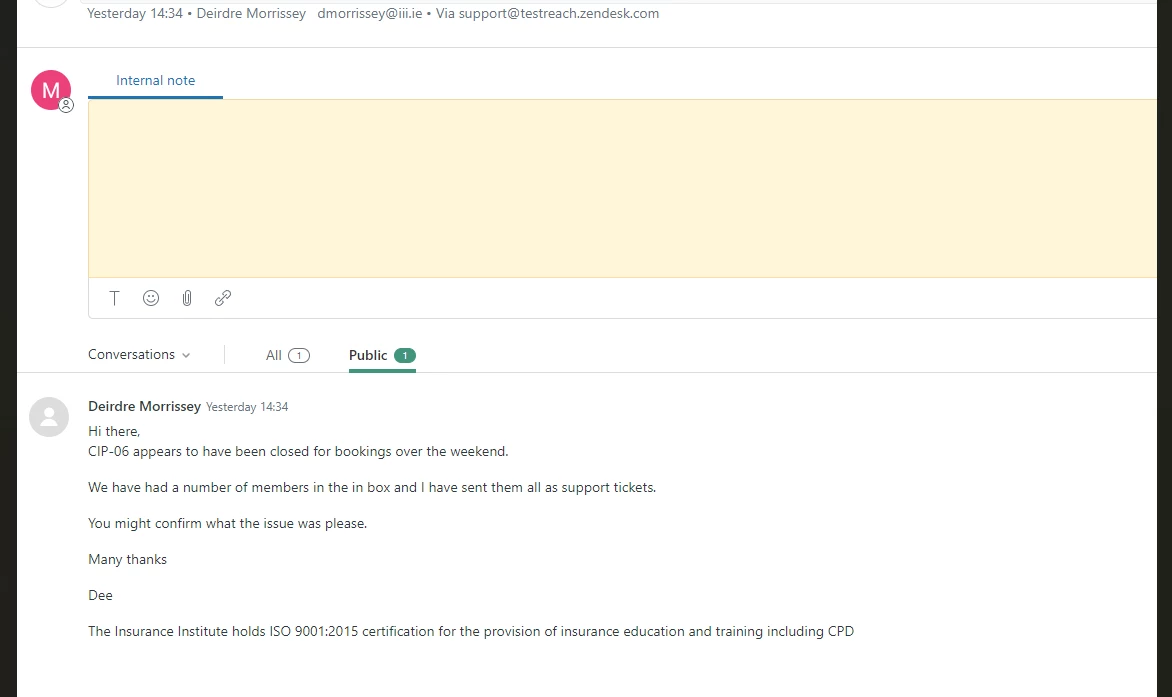
Still having the same issue, plus one of my team has also stopped seeing internal notes? Any advice? Thanks


Kevin45
  • Author
  • January 8, 2024

HI all, I noticed on the other ticket they provided the suggestion:

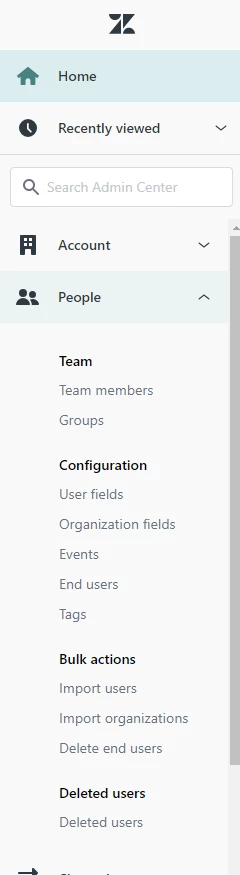
"Open Admin Center. Go to People>Team>Roles and select the role you want to see You'll see their permissions there."

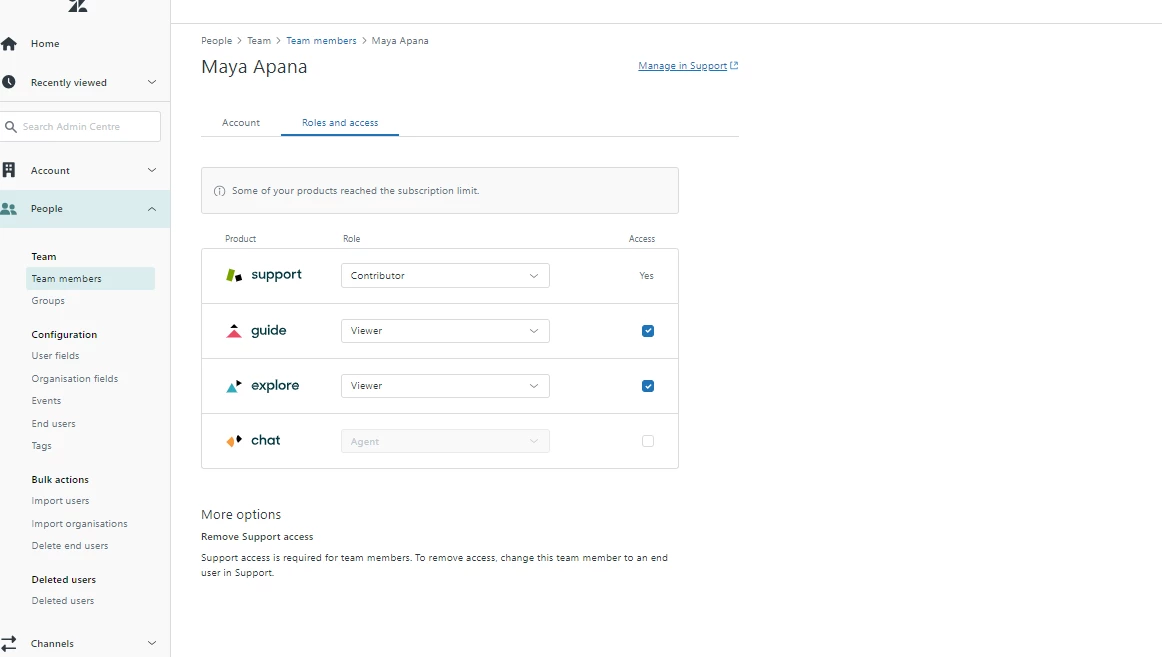
see screenshot below: We don't seem to have that facility, any suggestions? We also seem to have another agent facing the same issue.

just to clarify, should these agents have the roles 'Agent' or 'contributor'?

Thanks again all.  


Brett13
  • Community Manager
  • January 8, 2024
Hey Kevin,
 
The contributor role will only give agents access to tickets that are assigned to them or their group. If you would like for them to have access to all tickets in your account then you would need to set their role to Agent. 
 
This article should help clarify things a bit: About team member product roles and access
 
I hope this helps1

Kevin45
  • Author
  • January 11, 2024

Hi all,

I have commented my findings here:https://support.zendesk.com/hc/en-us/community/posts/6560506676762/comments/6578723764890

Would anyone be able to advise please? This is highly important as it is paramount that our affected agents have viewing access to all tickets.

Thanks all,

Kevin.  


Brett13
  • Community Manager
  • January 16, 2024

@kevin45 thanks for sharing that screenshot and apologies for the delay. My guess is that you don't see that Role tab because of your plan level. I believe you need to be on the Enterprise plan to see that Roles tab which includes the custom roles functionality.

In your case, you should be able to set the agents individual role from the Team Members page. If you click on Team Members, and then click on the individual agent you'd like to adjust, do you see the option to change their Support role there? 

@samantha31 looking at your screenshot, it looks like the agent has only Public comments toggled right below the comment box. Can you have them toggle All instead? 


Patrick29
  • June 24, 2025

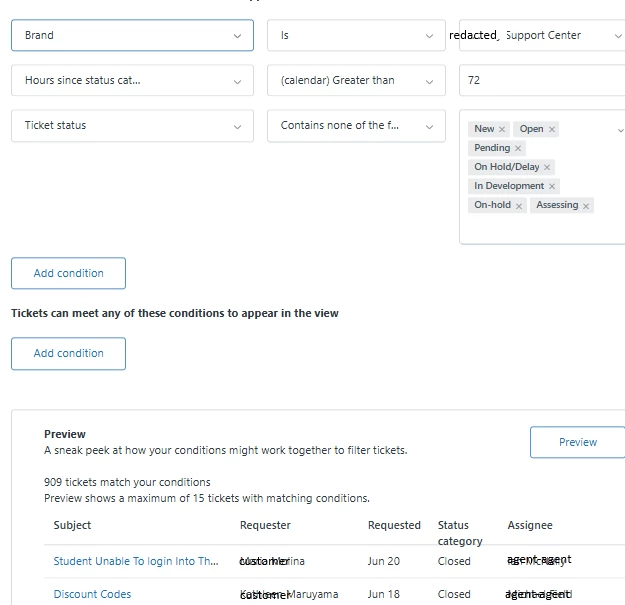
incorrect information. Agent role is defined and view access confirmed with 32 other agents. I have one agent who can only view 57 tickets from the group (there are over 909 tickets in all other agent views), checked that all agents are in same group, view conditions and all appear uniform: 

setting view of Solved and Closed tickets in a Group

ZD wants me to grant permissions to access my environment.

I do not make changes without a change management control process and ZD does not comply with this basic ITIL policy


Brandon12
  • June 25, 2025

Hey @patrick29 -


Sorry to hear you're having trouble - I would recommend viewing the new Department Spaces to ensure that the offending Agent is associated with the appropriate brand, and that they are able to see ‘all tickets’ vs just ‘tickets in their group' at either the Role or Agent level.


Regarding Zendesk Assumption to gain access to your account - this setting is done for your privacy, but once assumption is granted they do not make changes to your instance, as they are granted assumption for visibility into your current querey.  Hope this helps!


Brandon