CSAT is a crucial metric to evaluate the performance of your customer support. With this EAP we are kicking off the series of improvements to the Zendesk CSAT feature. We're beginning with an update to the CSAT question configuration. As we move forward, we'll add branding capabilities to the CSAT survey and introduce multiple questions.
CSAT functionality
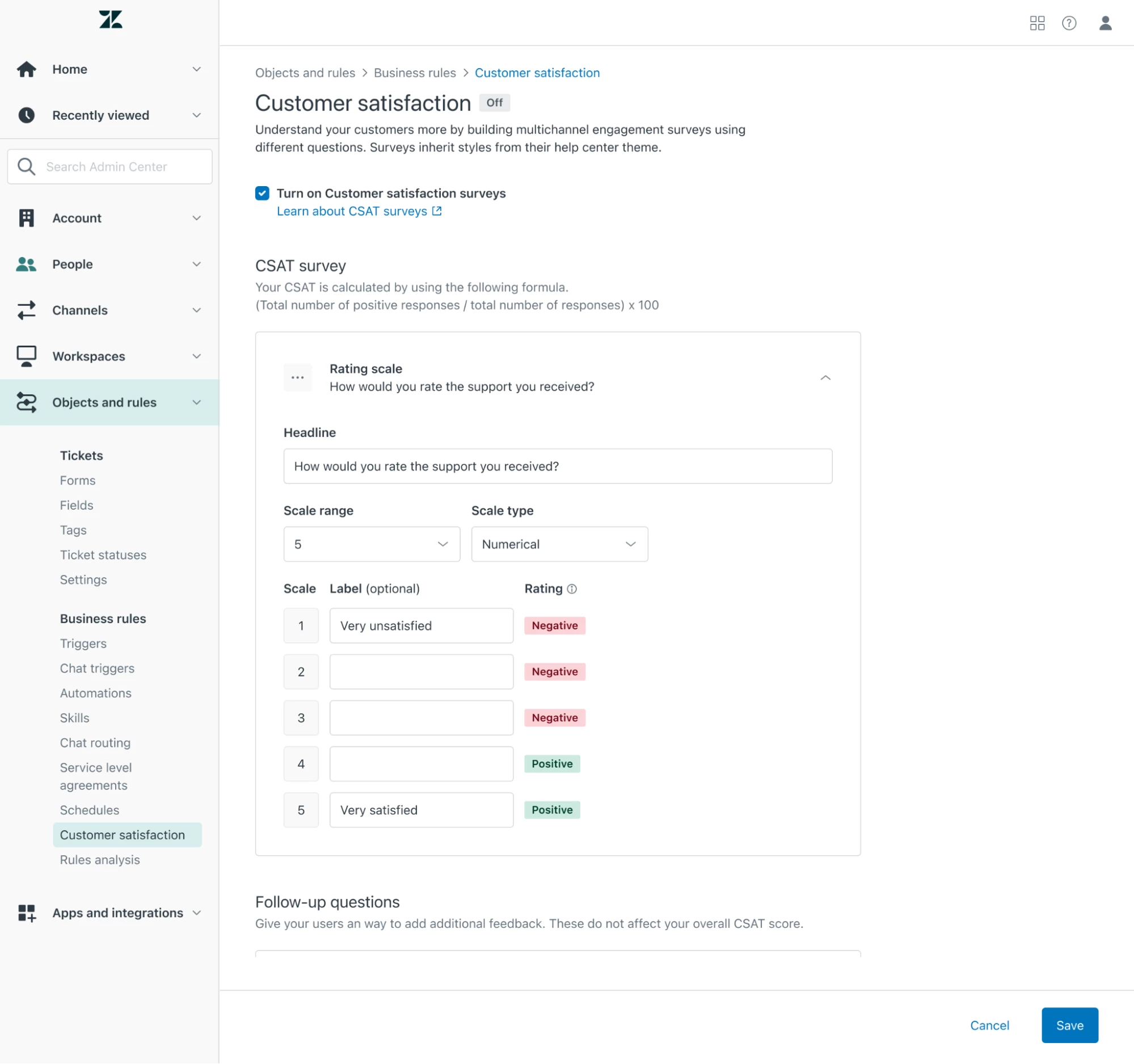
When you are enrolled in the EAP, you will see a new Customer Satisfaction page in Admin Center to configure the CSAT experience for ticketing channels (Web form, Email, API). You can use the new Admin center experience to:
- Edit the CSAT survey question to tailor it to your needs
- Select a rating scale range with either 1-2, 1-3, or 1-5 scale increments
- Edit the label text for each rating
- Select the rating type (numerical, emoji, or custom text)
As with the current experience, you can also configure optional open-ended or drop-down follow up questions for users who submit a negative rating. However with this EAP, you can also change the question text used for the open-ended question or remove the open-ended question if you don’t want it to be part of the survey.
When you save the CSAT survey for the first time, we will create a default automation for you. You can update it or configure your own using {{satisfaction.survey_section}} placeholder. You will need to deactivate any existing automation or triggers for ticketing channels yourself.
EAP limitation
The EAP is only available for ticketing channels (Web form, Email, API). Other channels will continue to use the old CSAT experience when you are enrolled in the EAP.
Although you can configure a more granular scale (e.g. 1-3, 1-5) for your customers to select any value, the results will be correspondingly mapped to the Good/Bad scale. These mapped results can be viewed both in Explore (Zendesk Support->Satisfaction) and on the ticket view.
We're giving you the ability to rephrase the questions in the CSAT survey. We don’t support localization of custom text for now but we plan to add this feature in a few weeks.
You will also need to manually deactivate automation for sending the old CSAT after configuring a new CSAT.
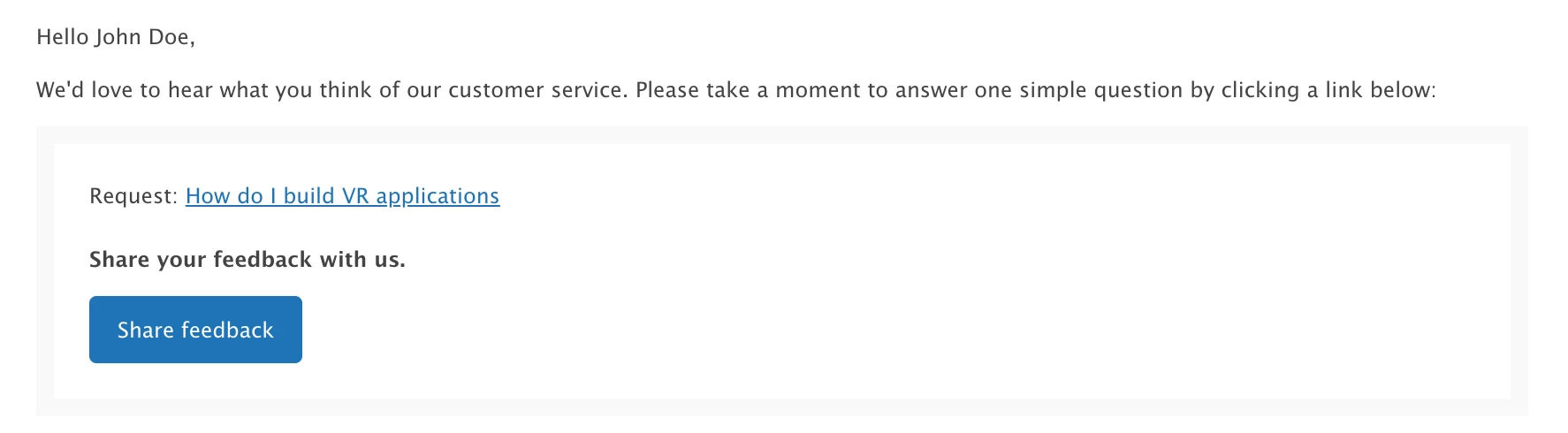
When the CSAT email is sent, your customers will see a button to rate the ticket. At the later stage we will render a CSAT scale in the email.
How do I provide feedback?
We warmly invite you to communicate any type of feedback with us, whether it is related to functionality or bug reports, within the community topic Customizable CSAT configuration.
This is an EAP feature and therefore there might be some bugs. When you describe a bug, please provide steps to replicate the problem you are experiencing. Doing so will help us to identify and resolve the issue.
How do I sign up?
To enroll in the EAP, fill out this form and if you are eligible, we will enable the feature for you in mid of October. To be eligible to enroll in the EAP, you must be an account admin and have a Support Professional or Suite Growth or higher plan.