Hiding a ticket form on the 'submit a request' page | Community
Skip to main content

Hiding a ticket form on the 'submit a request' page

  • August 12, 2021
  • 102 replies
  • 0 views

Hi!

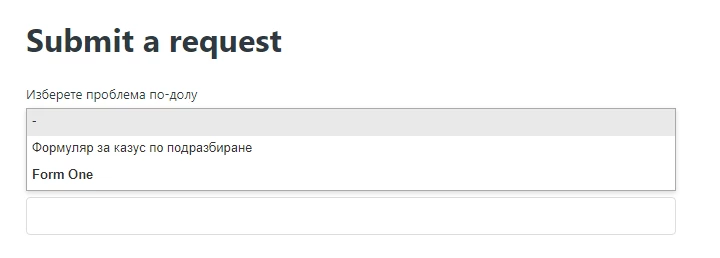
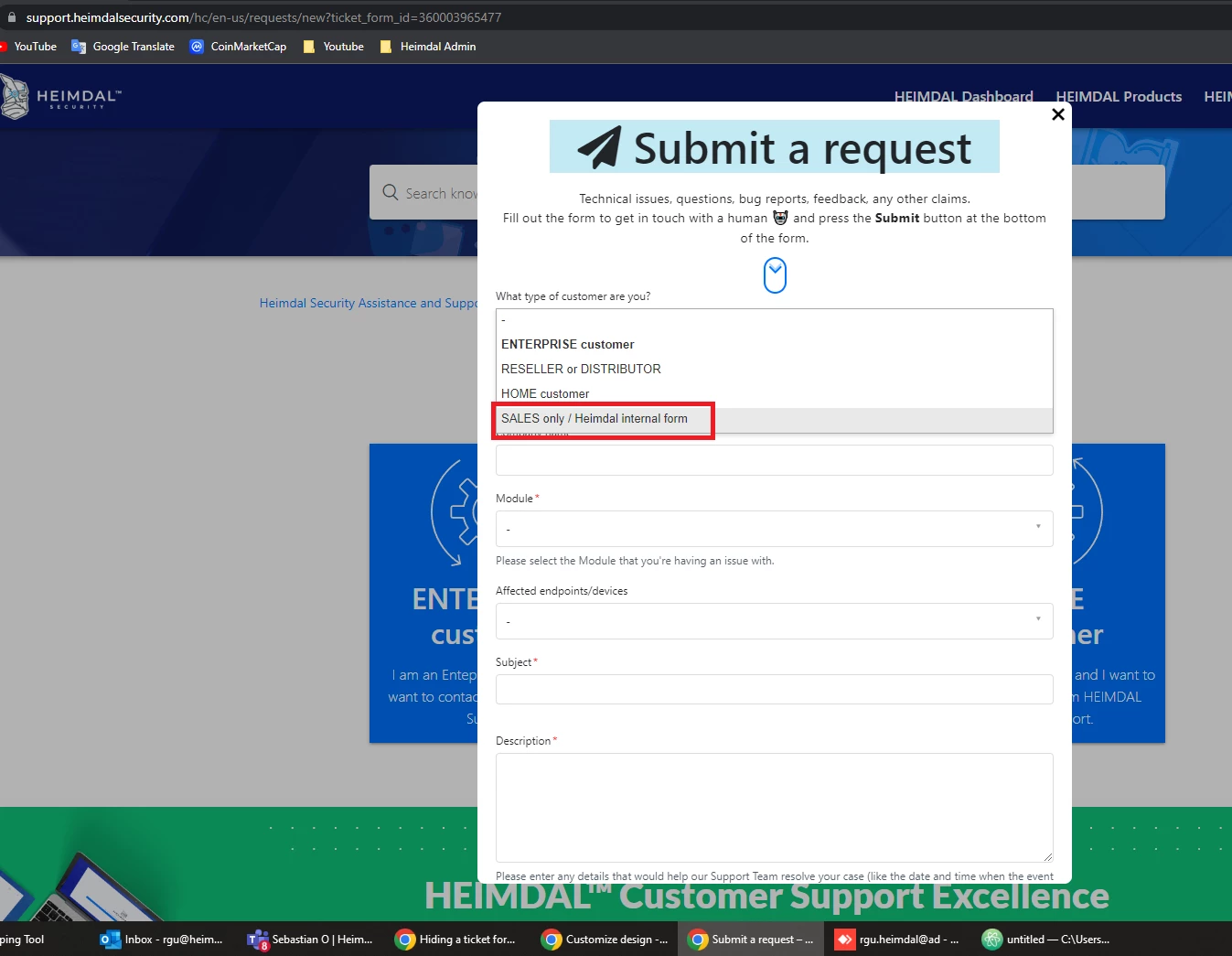
I need to know how to hide a form from the 'submit a request' page drop down option, we don't want customers able to select it from the list (we are currently doing a trial by sending them a hyperlink to it through email contact). Customers are not required to sign in to submit a form so we can't use the option of hiding dependant on organisation (saw an article recommending this).

Does anyone know how I can do this please? Newbie coder here so not sure how to go around doing this!

102 replies

Ifra
  • August 13, 2021

Hi Dawn Anderson,

Just follow the steps below:

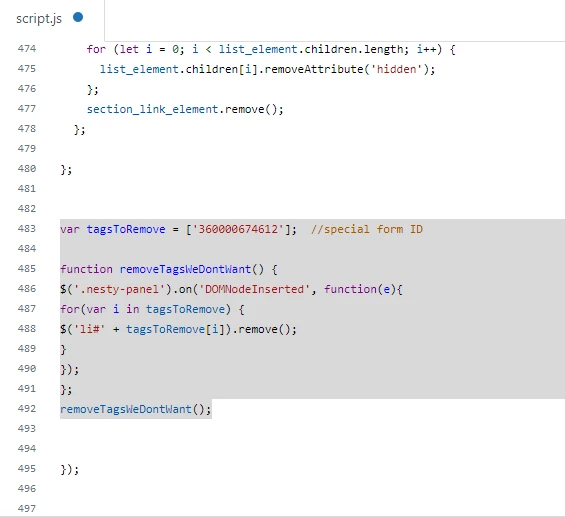
1). Copy the below script code paste it into script.js file.

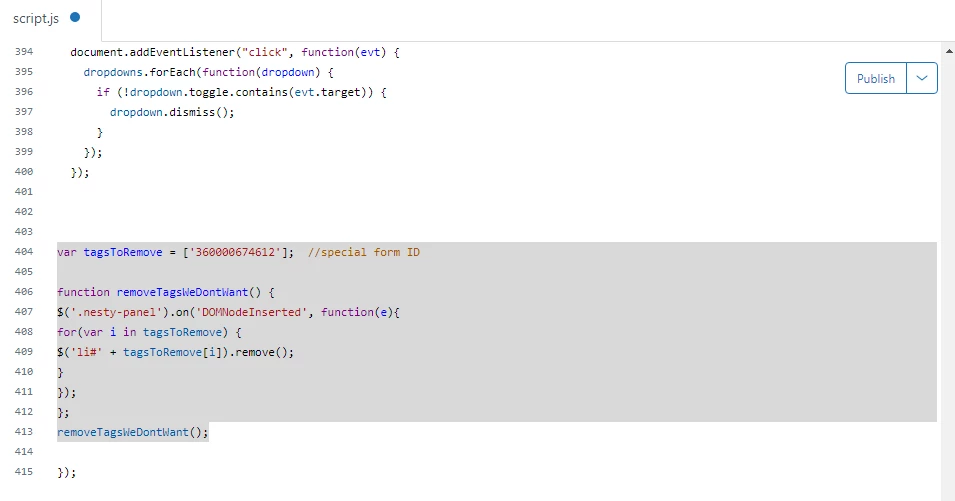
var tagsToRemove = ['360000674612'];  //special form ID

function removeTagsWeDontWant() {
$('.nesty-panel').on('DOMNodeInserted', function(e){
for(var i in tagsToRemove) {
$('li#' + tagsToRemove[i]).remove();
}
});
};
removeTagsWeDontWant();


Screenshot for the same:


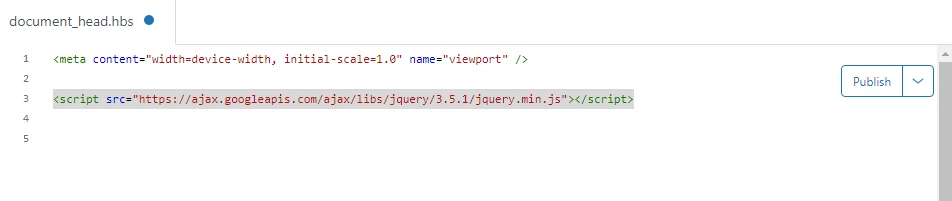
Make sure you have added the jQuery Library into document_head.hbs file.

<script src="https://ajax.googleapis.com/ajax/libs/jquery/3.5.1/jquery.min.js"></script>


Screenshot for the same:


2). The form ID inside the array - var tagsToRemove = ['360000674612']; 

360000674612 - it's my form ID, you need to remove this and add your special form ID.

special form ID - Form you want to hide from the dropdown  list.


Hope it work for you, if any issue let me know :)


Thanks

Team Diziana


  • Author
  • August 16, 2021

Hi @Ifra Saqlain

Have followed your steps but the form is still present in the drop down list?


Ifra
  • August 16, 2021

It's working perfectly for me.

Can you share the public URL of your HC after setting your working theme live?


  • Author
  • August 16, 2021

  • Author
  • August 16, 2021

When I added the code, it didn't remove the form but it removed the hero image & search bar from the help centre? Had to remove it as we need these features to be visible.


Ifra
  • August 17, 2021

Hi,

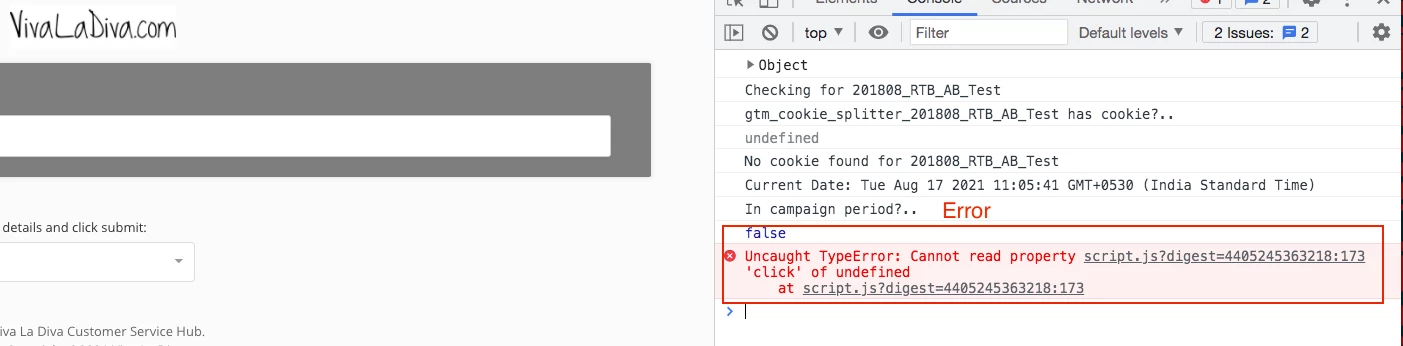
Fix the below error and then apply my code that would work.


Code has an issue.


  • Author
  • August 17, 2021

Hi @Ifra Saqlain

Should I just remove that section from the code? Not sure what it does?


Ifra
  • August 17, 2021

Yes you can remove it and then try and let me know :) so I'll find out the way for buggy setTimeOut();

but first remove that buggy function and try for the ticket code.


  • Author
  • August 24, 2021

hI 367066863047

I tried what you suggested but am now getting the below error:

When I remove that line from the document head the hero image comes back. Just tried the code and I don't need it in document head - just the bit in the code is hiding it on the page :)

Thanks for your help, got there in the end :)


  • October 25, 2021

@ifra - thank you this is great!

Could I confirm this is how would we do this for multiple forms?

var tagsToRemove = ['FORM1ID', 'FROM2ID'];  //special form ID

function removeTagsWeDontWant() {
$('.nesty-panel').on('DOMNodeInserted', function(e){
for(var i in tagsToRemove) {
$('li#' + tagsToRemove[i]).remove();
}
});
};
removeTagsWeDontWant();

Ifra
  • October 25, 2021

Yes, you can as you shared the array code, just add the ticket IDs inside the array.


  • October 28, 2021

Hi @ifra<

Would appreciate some help with how to accomplish this in our help center

var tagsToRemove = ['360000674612'];  //special form ID

function removeTagsWeDontWant() {
$('.nesty-panel').on('DOMNodeInserted', function(e){
for(var i in tagsToRemove) {
$('li#' + tagsToRemove[i]).remove();
}
});
};
removeTagsWeDontWant();


Is this all I need to add and would this be added under script.js?


Ifra
  • October 28, 2021

Hello Alaya Team

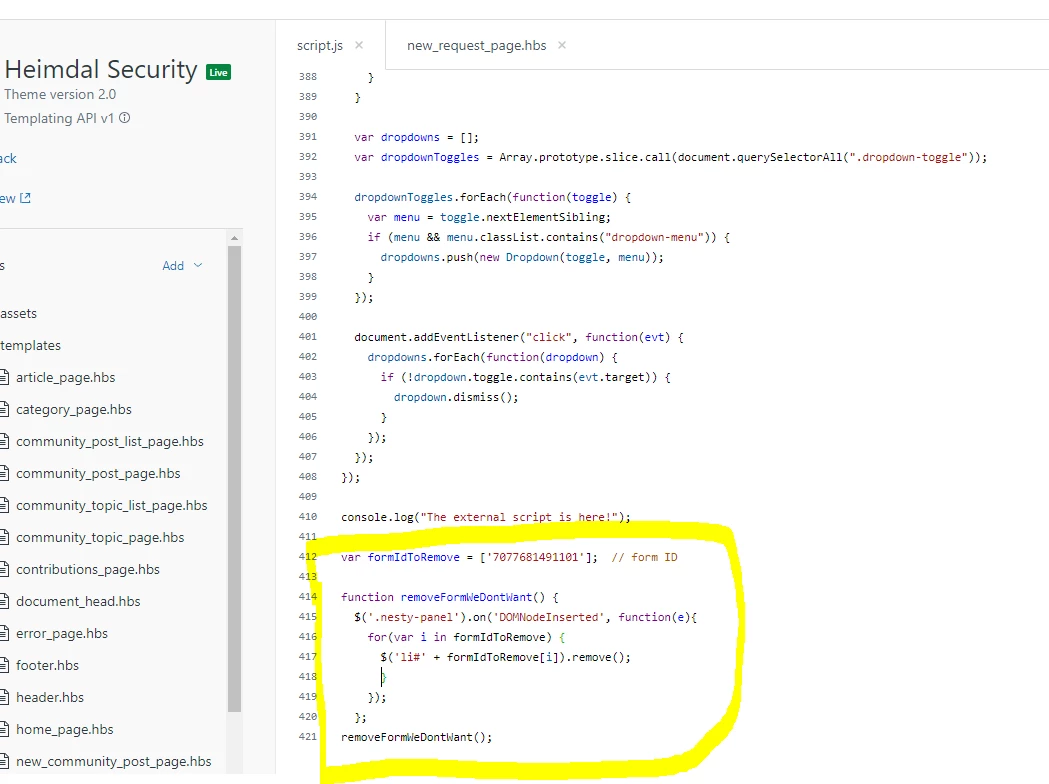
Yes, the code mentioned above would be add on script.js file at the bottom area but under the DOM function, please see the provided screenshot to reach the point easily.


document.addEventListener('DOMContentLoaded', function() {  // It's the DOM function
// Key map
var ENTER = 13;
var ESCAPE = 27;
var SPACE = 32;
var UP = 38;
var DOWN = 40;
var TAB = 9

....................

YOUR CODE WHICH IS ALREADY ADDED
....................


//Code for some specific ticket forms -- Start

var tagsToRemove = ['360000674612']; //special form ID

function removeTagsWeDontWant() {
$('.nesty-panel').on('DOMNodeInserted', function(e){
for(var i in tagsToRemove) {
$('li#' + tagsToRemove[i]).remove();
}
});
};
removeTagsWeDontWant();

// End


});

Screenshot:


If any confusion, do let me know :)

Thanks

Ifra Saqlain


Ifra
  • October 28, 2021

I think you are using jQuery so you can add script code like this:

$(document).ready(function (){

//Code for some specific ticket forms -- Start

var tagsToRemove = ['TICKET-FORM-ID-1', 'TICKET-FORM-ID-2', 'TICKET-FORM-ID-3']; //special form ID

function removeTagsWeDontWant() {
$('.nesty-panel').on('DOMNodeInserted', function(e){
for(var i in tagsToRemove) {
$('li#' + tagsToRemove[i]).remove();
}
});
};
removeTagsWeDontWant();

// End

});


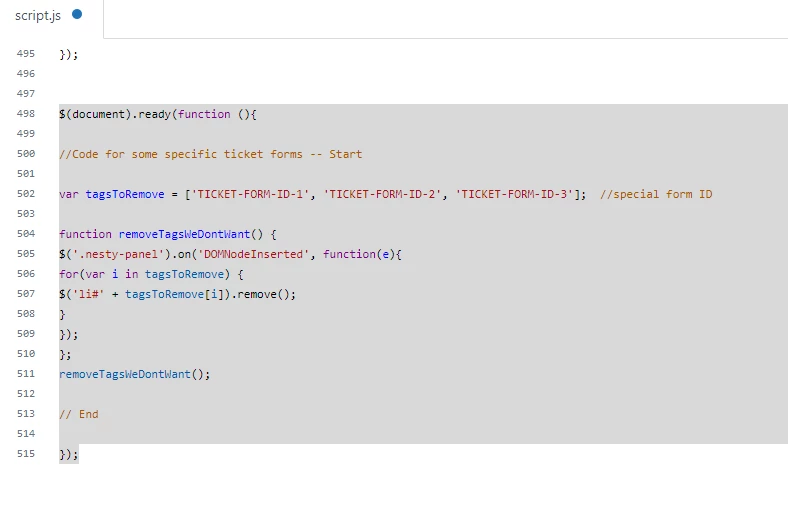
Only copy the above code and paste it at the bottom/last after all code on script.js file.


Screenshot for the same:


Replace the IDs with your ticket ID: var tagsToRemove = ['TICKET-FORM-ID-1', 'TICKET-FORM-ID-2', 'TICKET-FORM-ID-3']; 

and do nothing else.


You will get the ticket-form-ids in the searchbar:


You see the numbers are your ticket ID, same as you can get other ticket IDs.


Press the dropdown bar and select the ticket:


After that, when your selected ticket would be appear on the window you can see the ticket ID in the search-bar.


Note: If you write custom code using jQuery then please write under the DOM else your code won't work properly or throwing error.

$(document).ready (function (){

// Your custom code here


});


Hope it work for you.


  • December 7, 2021

Is it possible to add a way for a user who is a member of a specific organization can still see the ticket?

There is an article that says you can restrict forms based on organization, but I want to hide the form from users who are not signed in as well. 


  • September 1, 2022

I'd like to add to this question, please. :) 

If I have two forms, and only hide one form, then I'm left with a dropdown of 1. Is there a way to bypass a form selection dropdown when there is only one form displayed?

Thank you!


Ifra
  • September 2, 2022

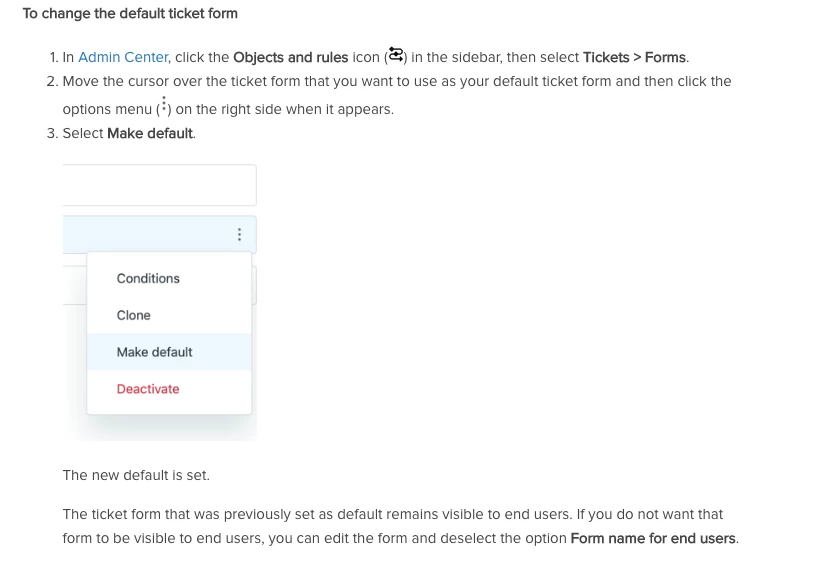
Dave why don't you hide the one form from the support instead of JS code?, and then make your rest form set as default form.


And, if you have any condition like user role, user organisation, etc., then explain more about your query.

Thanks :)


Ifra
  • September 2, 2022

@Robin Wiggins, query:

There is an article that says you can restrict forms based on organization, but I want to hide the form from users who are not signed in as well. 


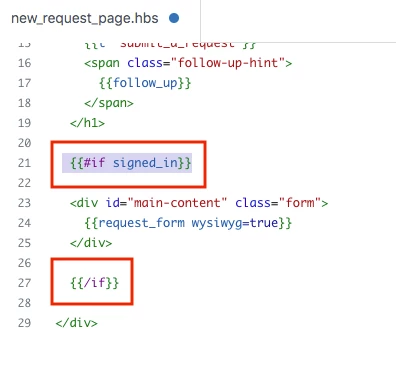
Use {{#if ...}} condition on the new_request_page.hbs file.


  • September 2, 2022

@ifra Thanks for your response. I should have been clearer. 
I have two end-user-facing forms. One form is specifically for the web widget, and the other is a general support form.

I was able to make the web widget only show the web widget form. However, when I have only the general form in the help center, it shows a dropdown of one form, the general one. I'd like to bypass this step and have the general form surface by default. Thank you!


  • September 4, 2022

Hi Dave,

To be able to target the individual forms, you have to first find the form IDs. For more information, please see this article: How do I find the ID of a ticket form?

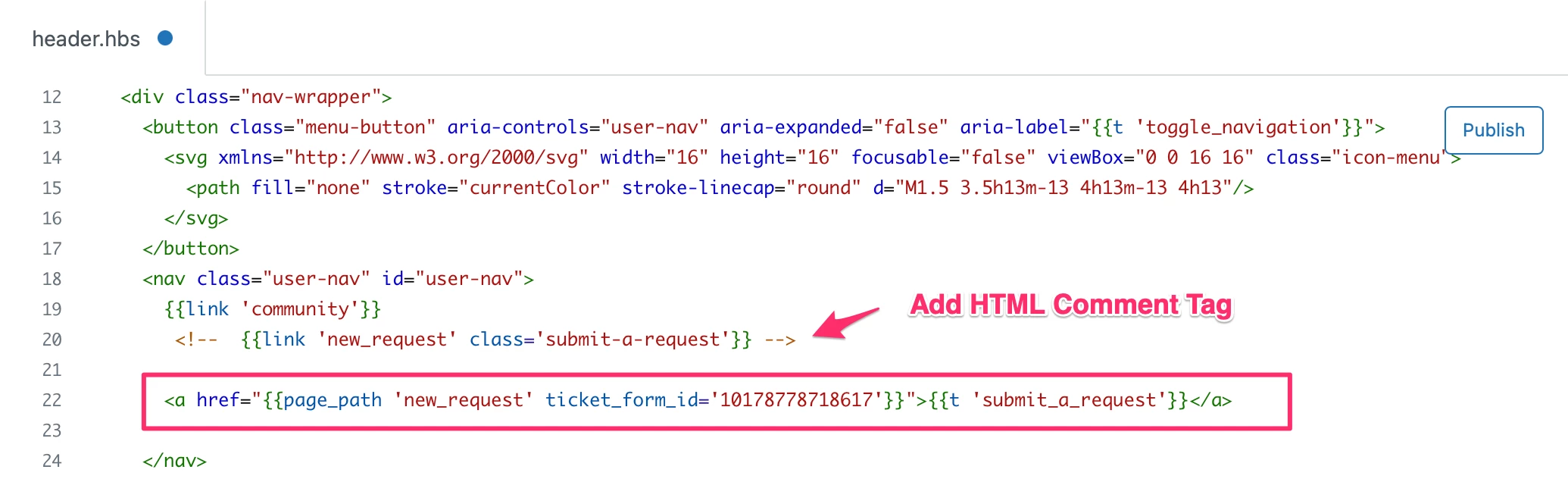
You can easily replace the 'Submit a request' link by using the Help Center templating language Curlybars. You can find some more Curlybars and templating documentation here .

You will want to place this code in the Header template where you want the 'Submit a Request' link to appear (be sure to replace the ticket_form_id with your own). This does take localization into consideration, so the link will be offered in the appropriate language if you have multiple languages offered in your Help Center:

<a href="{{page_path 'new_request' ticket_form_id='XXXXX'}}">{{t 'submit_a_request'}}</a>

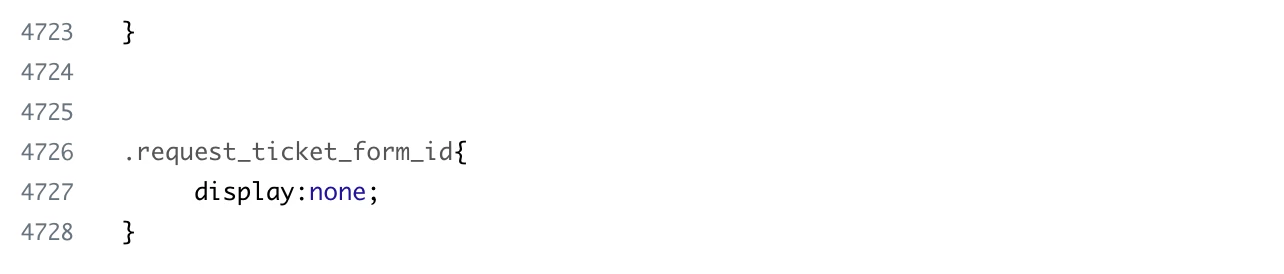
Next, you want to remove the form selection dropdown from the ticket form, so users don't select an alternate form. You will want to place this code in the style.css template of your Help Center:

.request_ticket_form_id{
     display:none;
}

Enter the CSS in the style.css template. I hope this helps! 


Romy11
  • October 4, 2022

I've added the code to the script.js file (in my theme), but it's not making the option disappear:

jQuery is also added in the head file


Ifra
  • October 5, 2022

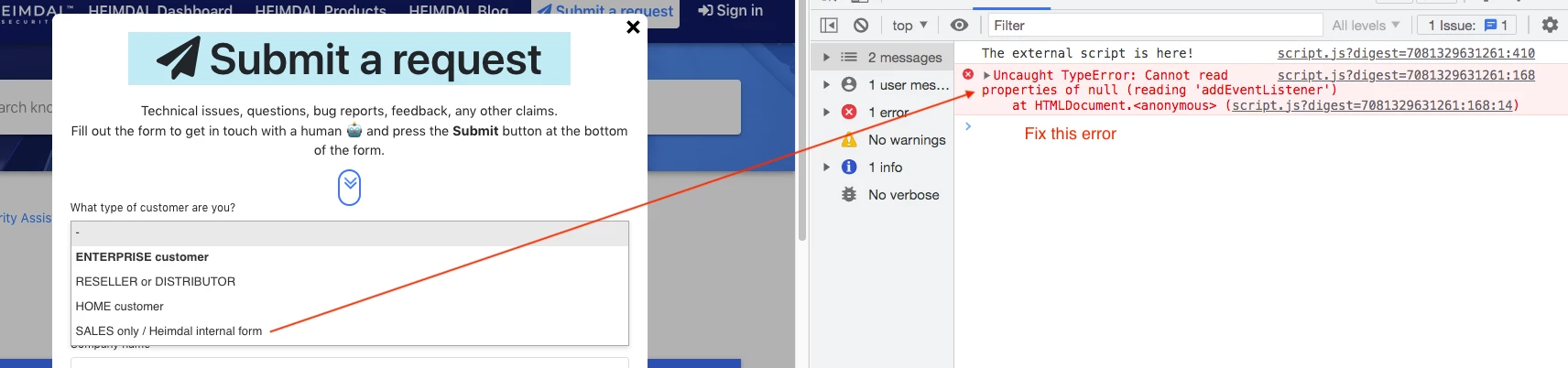
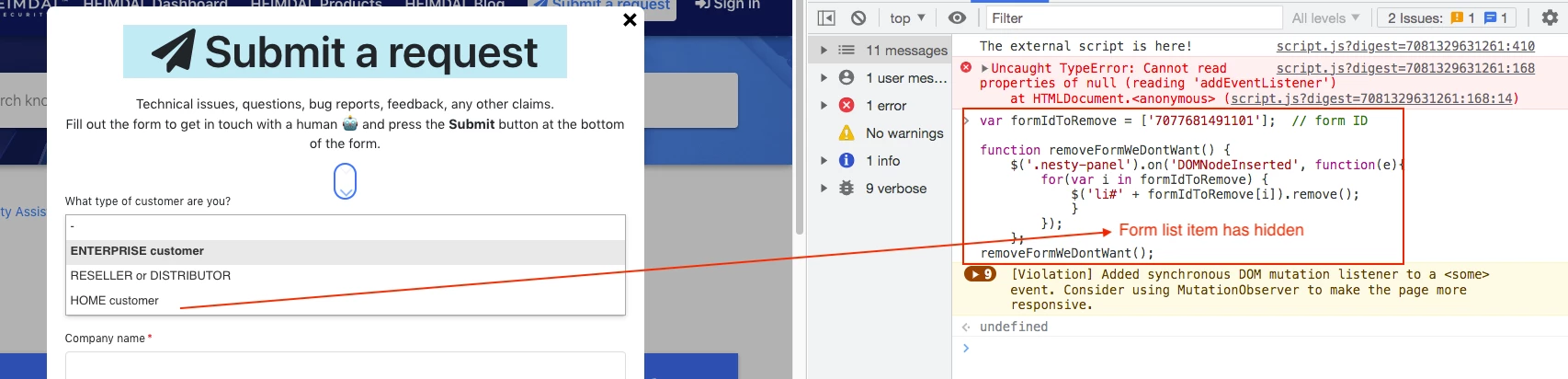
Hey Romy G, the code is working actually there is an error so code isn't working.

Error:


Code is working when I added code to the console:


James73
  • October 10, 2022

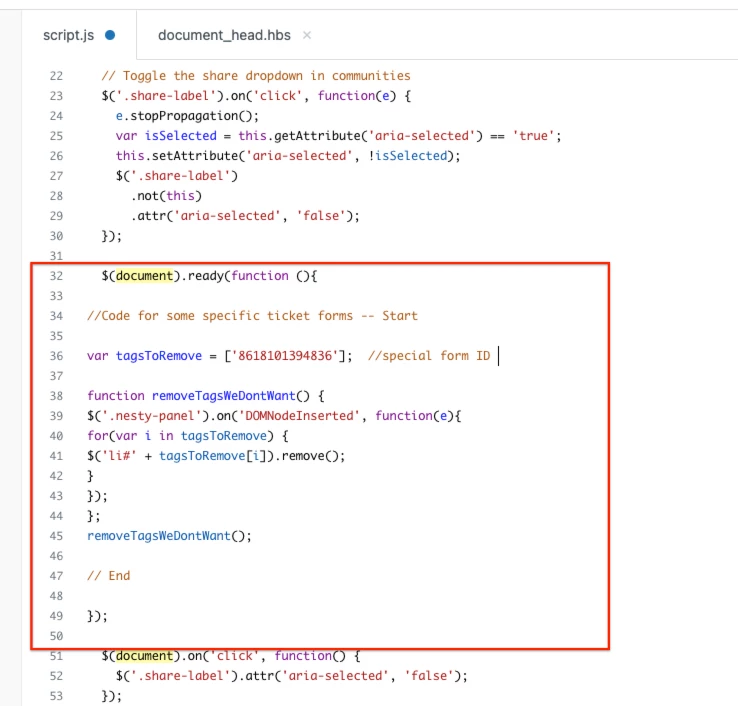
This worked great for me. I pasted the following lines 32-50 from this post above, putting in our own ID


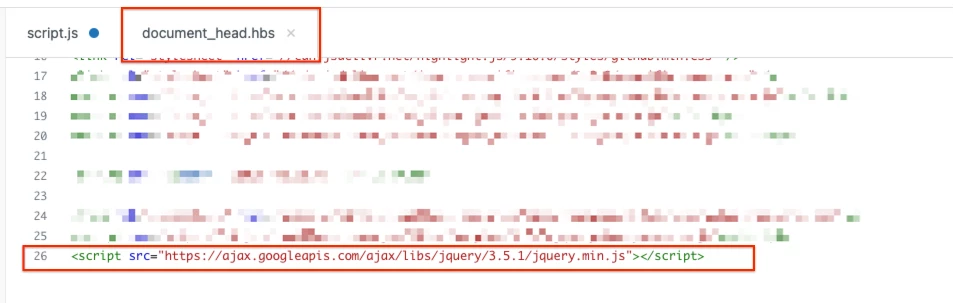
As well as this in the document_head.hbs


Ifra
  • October 11, 2022

@James Pullman, great!


  • November 29, 2022

Hi @ifra

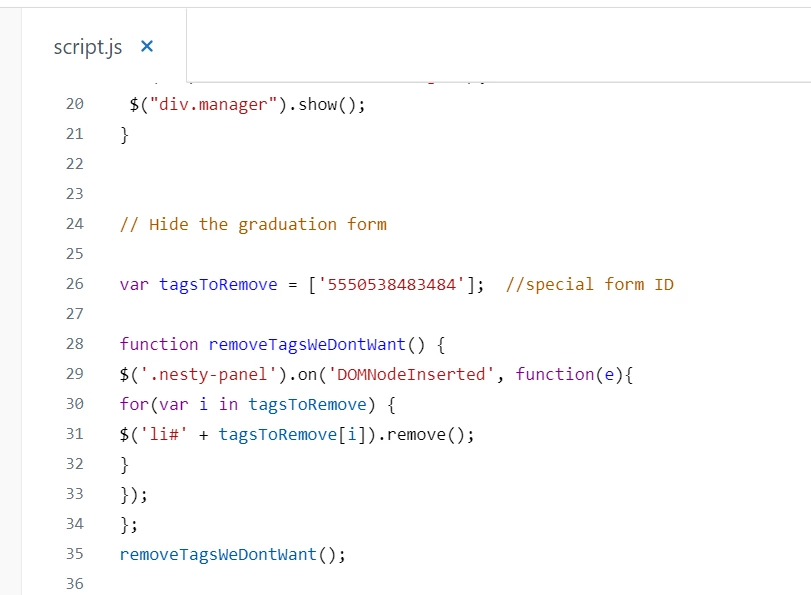
I'm having the same issue as some other users where I have added the code with my form ID and the form still appears to be showing.

I'm trying to remove the graduation form seen here: https://ncisupporthub.ncirl.ie/hc/en-ie/requests/new

Any help is appreciated.