

First thing first, all account on Zendesk are unable to login through the community posting here, so im just using google mail as proxy. Now, to get to the main point, My Zendesk Messaging Android SDK integrated into mobile game is experiencing [multiple issues], tested with multiple devices, and issue is persistent. So far the game only support Android, so we're unable to test iOS version.
Brought up the issue toward Technical Support, transferred to Senior Engineer, and is requested to get issue resolved from here in the end.
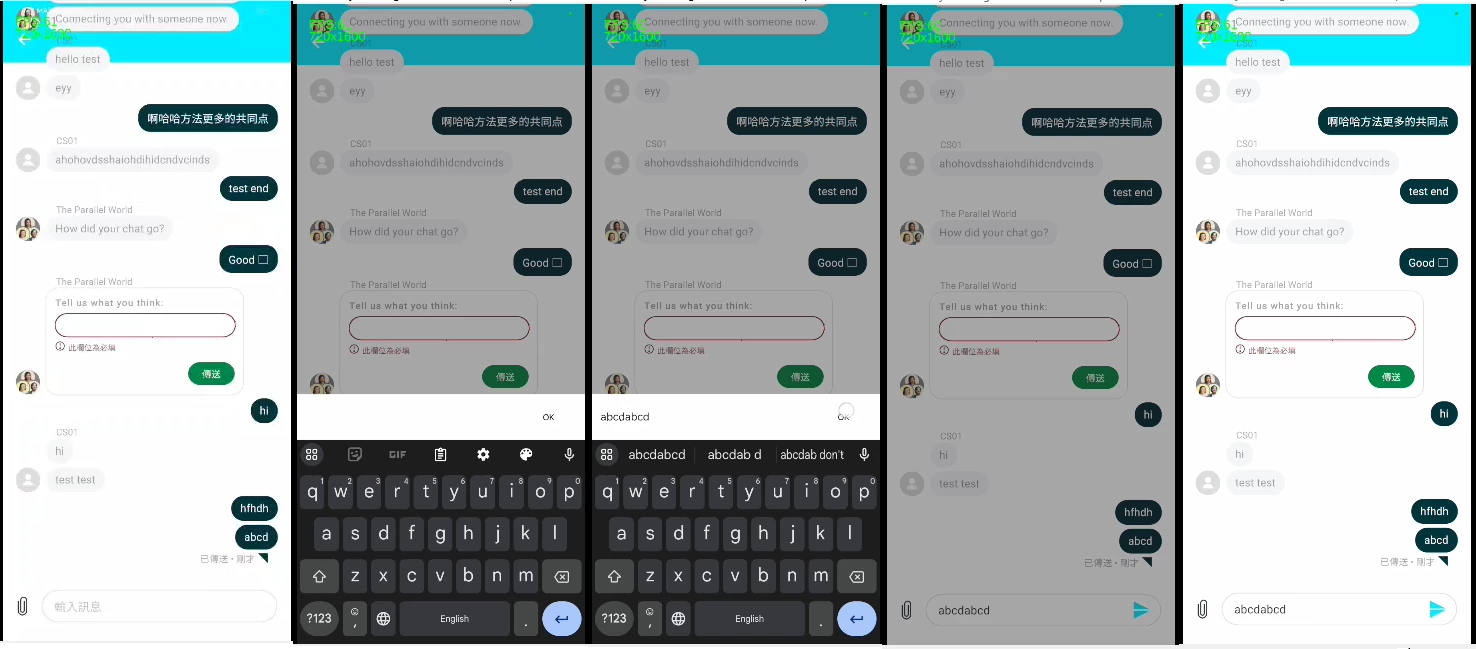
1. Using in game Customer Support function, keyboard popup and a semi translucent black layer of screen appears behind keyboard. After finish typing, keyboard is retracted, but the black layer of screen still stays there. Tester requires to tap the screen once to remove the black layer of screen, then only can send the typed message. Image reference as below.
2. UI might be broken, as Tester chat box text message keeps on rolling up and out of bound, totally ignoring Zendesk setting for top bound. Image reference as below, and above too.
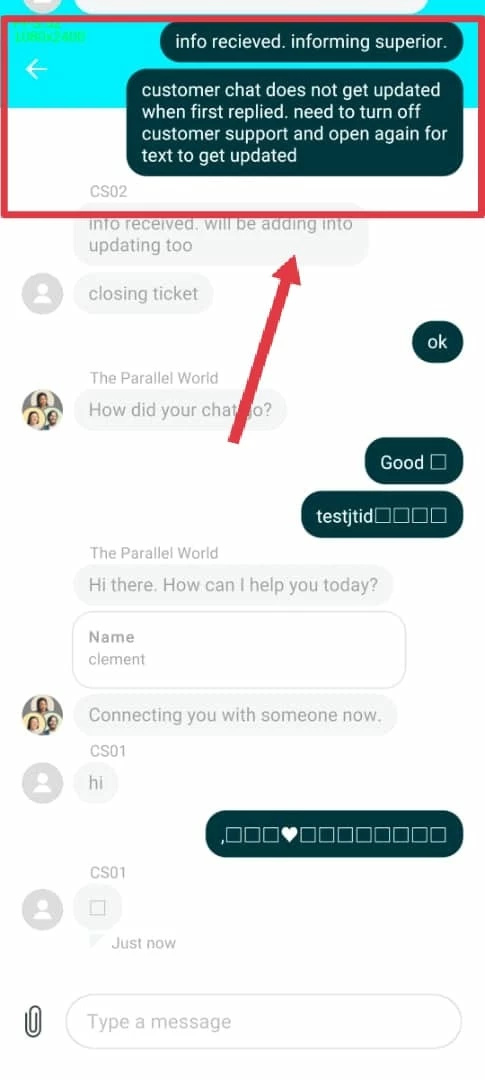
3. In the text, user are unable to send emoji icons, every emoji typed, will be shown as a box on the message box and sent message, but customer support are able to see the emoji from Zendesk.com. However, Tester is able to type and see emoji in game chat system, just not Zendesk Customer Support chat system. Image reference as above.
4. Some users are facing this issue, After typing in the name, Zendesk Chat does not get updated, which means customer support reply is not updated on Tester side. Tester requires to leave and re-enter Zendesk Customer Support to get an updated live chat.