How to change the color of the search bar placeholder in the iOS SDK | Community
Skip to main content

How to change the color of the search bar placeholder in the iOS SDK

  • July 12, 2021
  • 7 replies
  • 0 views

asa

I would like to know how to change the color of the search bar placeholder in the iOS SDK.

What should I write by creating help_center_article_style.css?

Thank you.
 

This topic has been closed for replies.

7 replies

Eric27
  • July 12, 2021

Hey Asa,

This will actually be set in your appDelegate file. You can accomplish this with the UIkit specifically the UISearchBar. I've included an example on how to accomplish below:

        UITextField.appearance(whenContainedInInstancesOf: [UISearchBar.self]).defaultTextAttributes = [NSAttributedString.Key.foregroundColor: UIColor.white]
        UITextField.appearance(whenContainedInInstancesOf: [UISearchBar.self]).attributedPlaceholder = NSAttributedString(string: "Search...", attributes: [NSAttributedString.Key.foregroundColor: UIColor.lightGray]

Hope this helps!

Have a wonderful day!

Eric Nelson | Manager - Developer Advocacy


asa
  • Author
  • July 14, 2021

Hi, Eric

Thank you for your adcive!

I try it, so I have another problem.

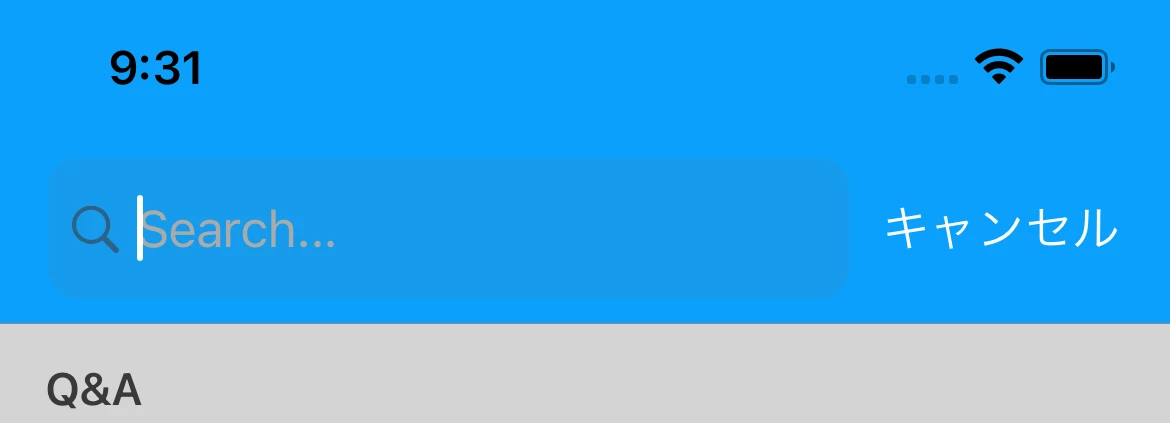
I can not show anything first, but can show after editing.

Please tell me if you know anything.

Thank you.

- First

- Editing


Eric27
  • July 14, 2021

Hey Asa,

In that case you'd just want to use this line instead of the two I provided before:

UITextField.appearance(whenContainedInInstancesOf: [UISearchBar.self]).attributedPlaceholder = NSAttributedString(string: "Search...", attributes: [NSAttributedString.Key.foregroundColor: UIColor.lightGray]

Let me know if that does the trick!

Have a wonderful day!

Eric Nelson | Manager - Developer Advocacy


Nikita16
  • April 25, 2022

Hey @eric27!

I have the same problem you mentioned earlier and I am trying to fix it according to your way, but the problem remains unresolved.

Could you please help me? 


Eric27
  • April 27, 2022
Hey Nikita,

Can you provide the corresponding code snippets so that I can take a look?

Thanks!

Никита12

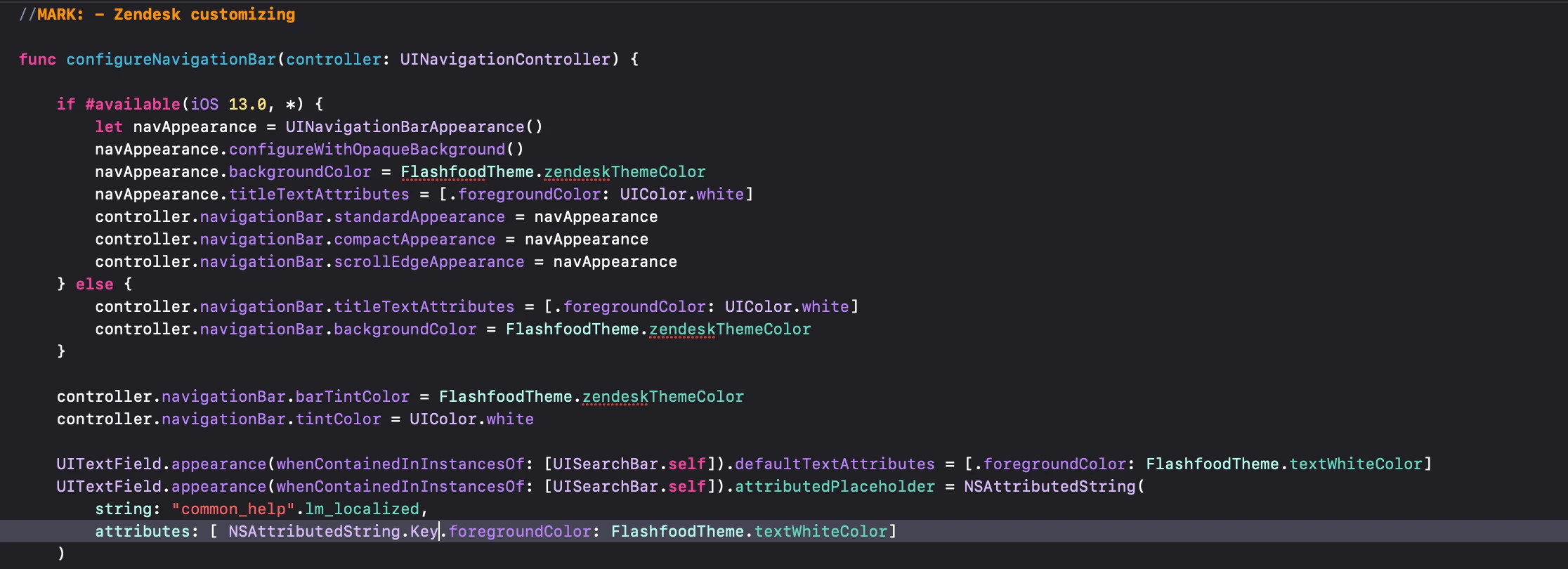
Hey @eric27, yeah, shure, there is my code on this screenshot. 

Thank you a lot. 


Eric27
  • May 10, 2022
Hey Nikita,

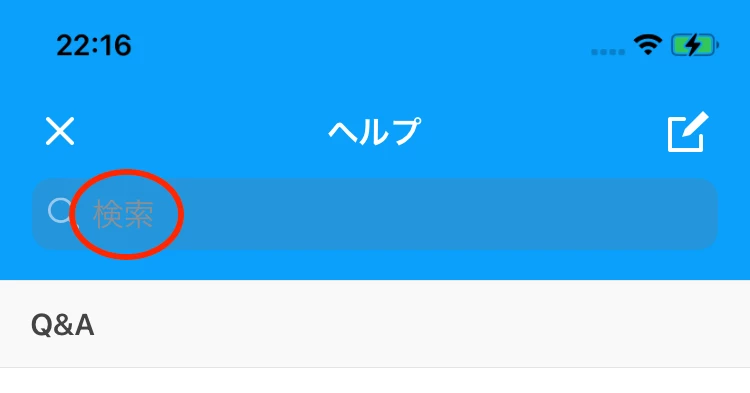
Everything looks good code-wise, what does the UI look like when using this code?