
How can i remove author name and date for article? | Community
Skip to main content

How can i remove author name and date for article?

  • July 2, 2024
  • 1 reply
  • 0 views

Yasin

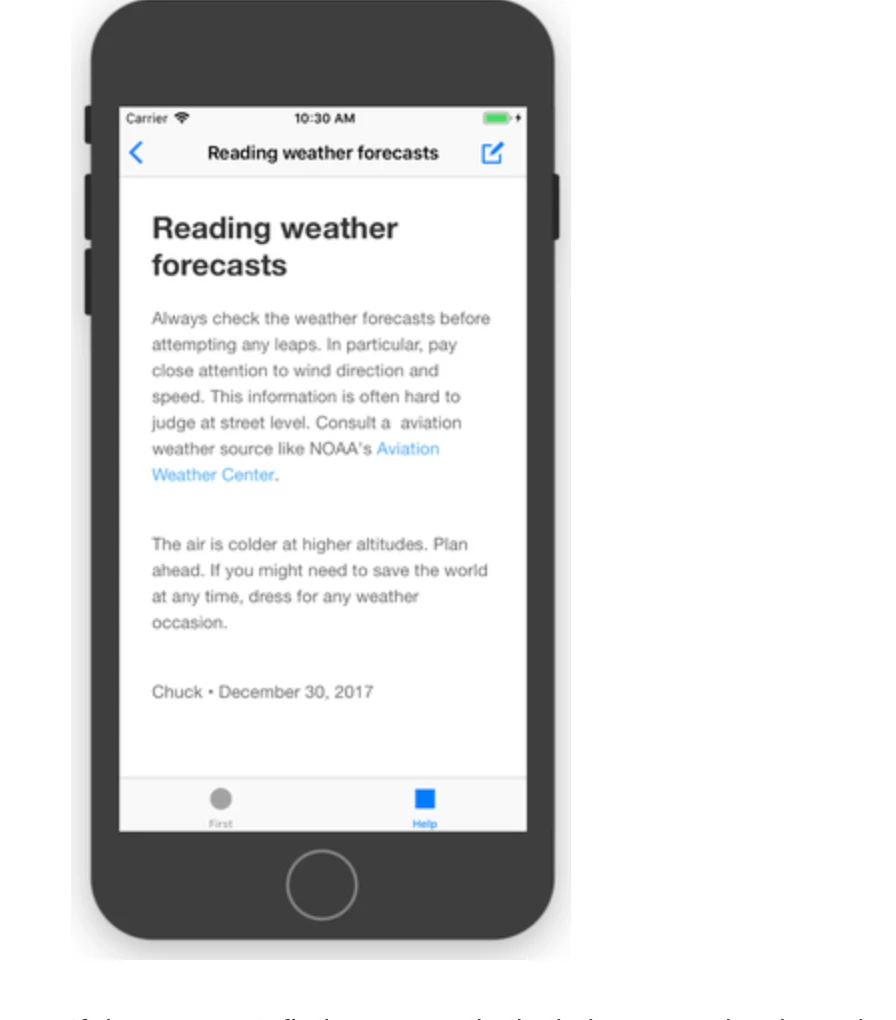
"At the bottom of the article detail page, the author's name and date are displayed (ex:Chuck- December 30,2017), but we do not want this information to be visible. How can we hide it in iOS? I couldn't find any information related to this in the documentation." 
1 reply

Yasin
  • Author
  • July 5, 2024

Hello @chriswright , Thank you for your response.


I am opening the Zendesk page with the configuration mentioned in the document, but I cannot reach the specified page ("ArticleDetailViewController") because the controller is embedded within the Zendesk SDK. Therefore, I couldn't apply your solution.


  let config = HelpCenterUiConfiguration()

                    config.showContactOptions = false

                    let articleUiConfig = ArticleUiConfiguration()

                    articleUiConfig.showContactOptions = false

                    config.showContactOptionsOnEmptySearch = false


                    if let root = App_Delegate?.getRootViewController(),

                       let tabbar = root.tabbars?.first as? TabBarController {

                        let requestVc = HelpCenterUi.buildHelpCenterOverviewUi(withConfigs: [config, articleUiConfig])

                        let navc = UINavigationController(rootViewController: requestVc)

                        tabbar.present(navc, animated: true)

                    }