

Hello,
We use the messaging SDK for Android and iOS, the settings require us to ask the customer for a name or email. On android the user cannot continue unless they input a name, but on iOS the user is able to send a message without inputting a name. If this happens, our agents don't receive the message.
We have our customer information in the app, so we don't need to have them input their information, but it's required by the settings panel.
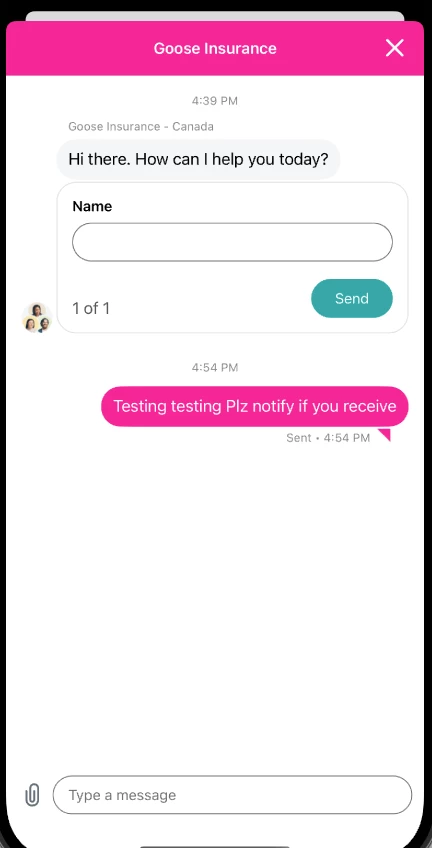
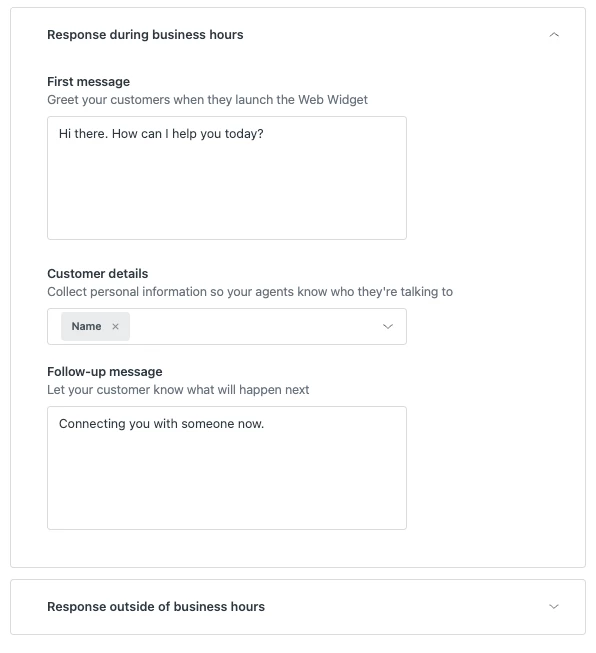
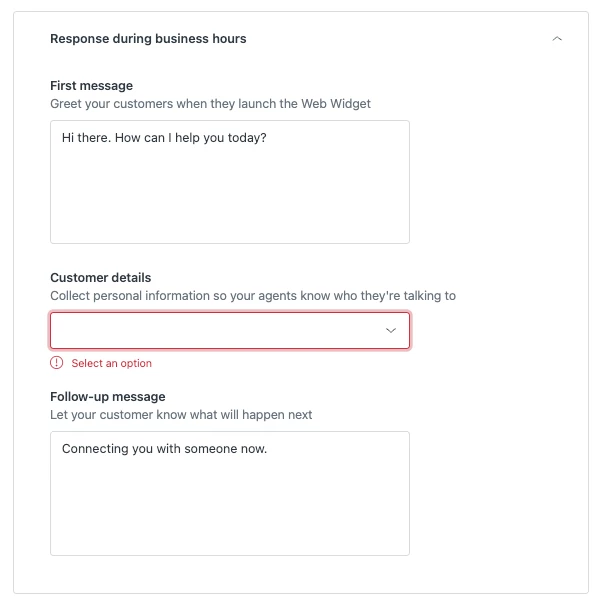
Below is the bug as logged in Xcode, it shows that there are conflicting ui commands from the SDK and swift removes the command to remove the text input box. We're also on the latest version of the SDK: ZendeskSDKMessaging (2.13.0).
2023-07-21 10:53:10.718135-0700 gooseinsurance[98398:2187694] [LayoutConstraints] Unable to simultaneously satisfy constraints.
Probably at least one of the constraints in the following list is one you don't want.
Try this:
(1) look at each constraint and try to figure out which you don't expect;
(2) find the code that added the unwanted constraint or constraints and fix it.
(
"<NSLayoutConstraint:0x600002cfb110 UIStackView:0x7feaebda1b30.bottom == ZendeskSDKUIComponents.ButtonsView:0x7feaebda1920.bottom - 10 (active)>",
"<NSLayoutConstraint:0x600002cfb160 V:|-(8)-[UIStackView:0x7feaebda1b30] (active, names: '|':ZendeskSDKUIComponents.ButtonsView:0x7feaebda1920 )>",
"<NSLayoutConstraint:0x600002c89900 'UIView-Encapsulated-Layout-Height' ZendeskSDKUIComponents.ButtonsView:0x7feaebda1920.height == 0 (active)>"
)
Will attempt to recover by breaking constraint
<NSLayoutConstraint:0x600002cfb110 UIStackView:0x7feaebda1b30.bottom == ZendeskSDKUIComponents.ButtonsView:0x7feaebda1920.bottom - 10 (active)>
Quick question about the conditions of this test: are you using user authentication?