Parameter url validation not working | Community
Skip to main content

Parameter url validation not working

  • December 19, 2023
  • 6 replies
  • 0 views

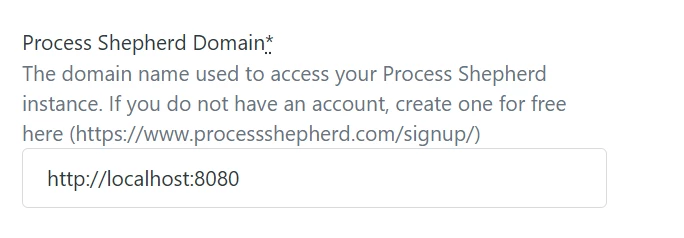
When a parameter type is url it doesn't validate the entered value and the user can enter random strings without including http, https, www. or an extension.

6 replies

Greg29
  • December 26, 2023

Hi Andrew! Could you please provide more context as to what you're referring to here? Zendesk has a lot of platform tools, so it's difficult to understand exactly where the problem is that you're referencing. The more detail about your setup, the better!


  • Author
  • January 3, 2024

Hello Greg, 
Am referring to support apps for zendesk. while installing a private app the parameter field requires a URL type but it doesn't validate the inputs
In the zendesk app

  "parameters": [
    {
      "name": "domain",
      "type": "url",
      "required": true
    }
  ],

Greg29
  • January 8, 2024
Thanks for clarifying that for me! I'm seeing the same behavior when I'm testing this, so I've reached out to the dev team that handles this area for more information. I'll drop you a line when I hear more and thanks for bringing this to our attention!

  • Author
  • January 15, 2024

Hello Greg,

Can you provide me with an update for this?


Greg29
  • January 25, 2024
Hi Andrew, nothing yet, but I just pinged that team again, so hopefully we'll hear back soon.

  • Author
  • March 14, 2024

Still waiting for the fix.