
Issue with importing a node package in the Zendesk custom app | Community
Skip to main content

Issue with importing a node package in the Zendesk custom app

  • November 18, 2021
  • 4 replies
  • 0 views

Sumitha

Hi All,

I have installed a node package which I am trying to use in a custom app.In this case let's say the package name is "test-package".When I try to run this locally it gives an error "Uncaught SyntaxError: Cannot use import statement outside a module"
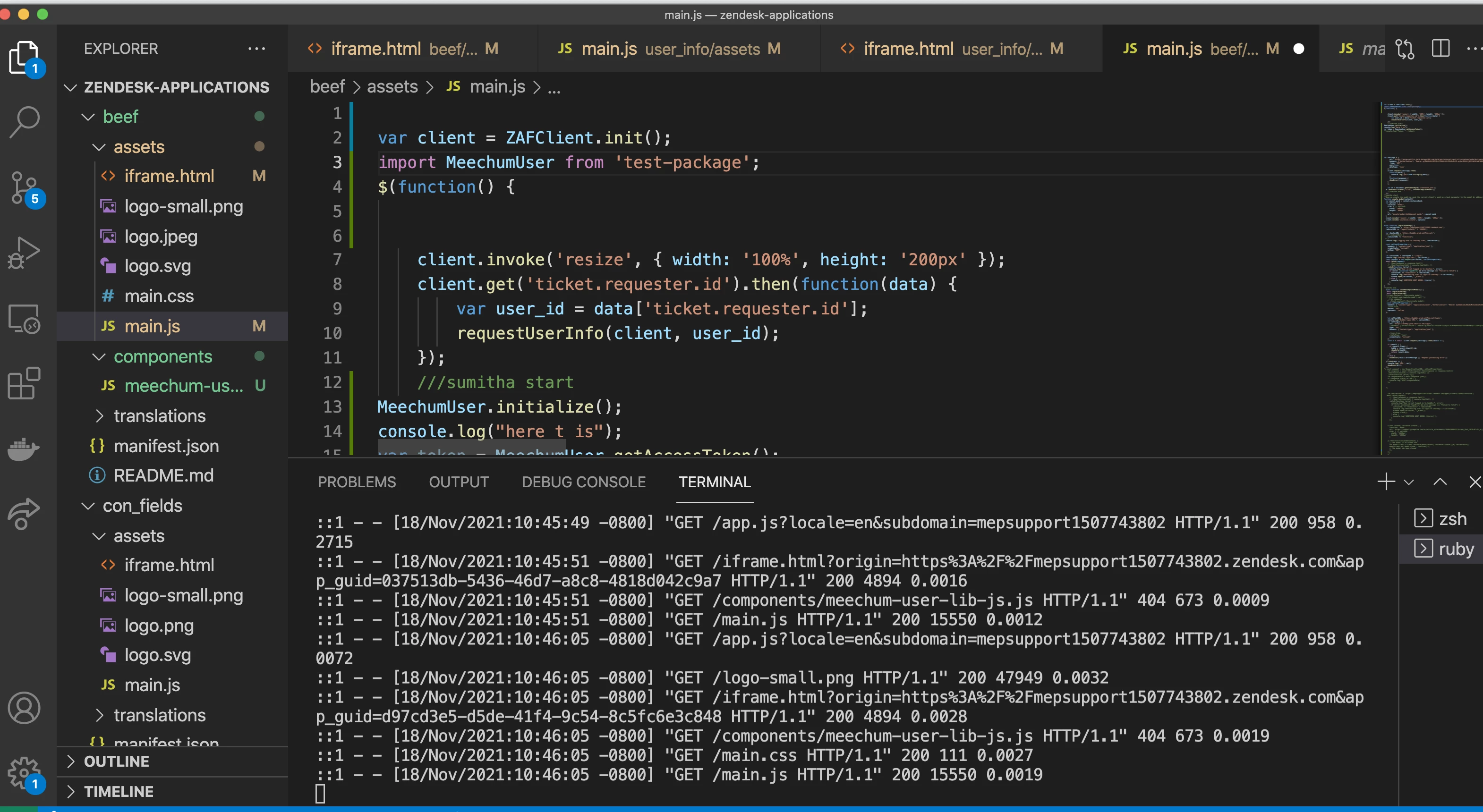
Is there a different way to import these packages?

Thanks!

4 replies

Sumitha
  • Author
  • November 19, 2021

I have tried the below code too but no luck. Require is not recognized at all.

const MeechumUser = require('test-package');

Tipene
  • November 22, 2021
Hey @sumitha,
 
Thanks for reaching out! To start with, here's a couple things you can try: 
  • Add type="module" to your package.json file. Docs
  • Try using the Browserify package which allows you to use the require method, client-side.
Let me know if you continue having issues after trying these two work arounds. If so, we can pull this into a ticket so I can look a bit more into your code. 
 
Tipene

Bryan11
  • March 16, 2023

@tipene I tried both of those suggestions, but it did not work.

Is there a guide or example app that shows us how to import/require scripts?


Tipene
  • March 20, 2023
Hey Bryan,
 
This article from MDN should be a good guide to get you moving in the right direction:

https://developer.mozilla.org/en-US/docs/Web/JavaScript/Guide/Modules