How can i create installation page on my custom app? | Community
Skip to main content

How can i create installation page on my custom app?

  • January 20, 2022
  • 3 replies
  • 0 views

Furqan11

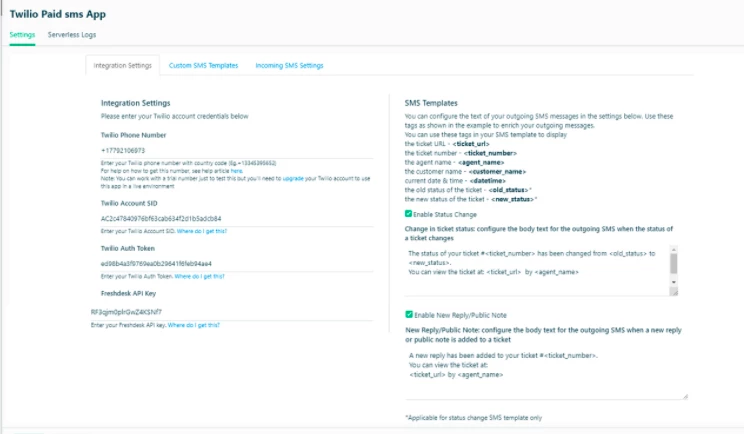
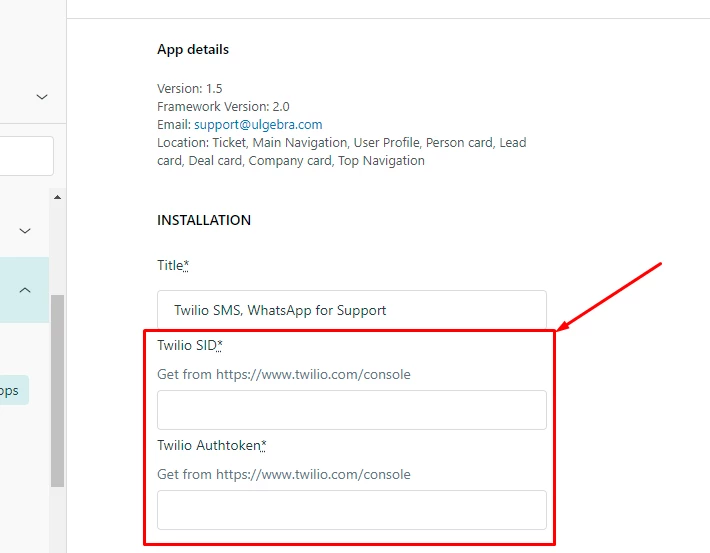
Hi, Actually I am building a custom app so I want to know how could I create an installation page as shown in the screenshot_1? 

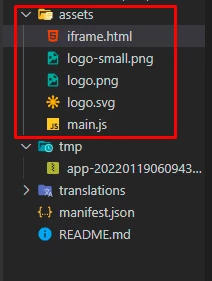
Means on my structure of code in assets folder where should I create HTML & js file for my installation page & where should I call it in manifest please guide me in detail (remember not for app side) see Screenshot_2.

Note: Screenshot_1 is only for example

Screenshot_1:
Screenshot_2:
Best Regards,

Furqan

3 replies

Eric27
  • January 25, 2022

Hey Furqan, 

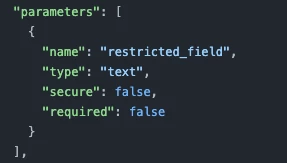
The installation page is programmatically built by the apps framework upon installation of your app. There is no need to create html or js files for this page as we handle the building of this. The only thing you need to do is declare these fields in the parameters array in the manifest file

For example this:


creates this field on the installation page:


Hope this helps,


Furqan11
  • Author
  • January 27, 2022

Hi @eric27,

Thanks for your support it works for me but I want to ask can we make a custom installation page where we can add multiple tabs and dropdowns on our own designs & structure.

See this for reference:

Cheers,


Eric27
  • January 28, 2022
Hey Furqan,

Unfortunately we do not offer custom installation pages for our apps.

Thanks!