Hide/Remove iframe column from ticket editor app | Community
Skip to main content

Hide/Remove iframe column from ticket editor app

  • November 20, 2024
  • 9 replies
  • 0 views

Bryan19

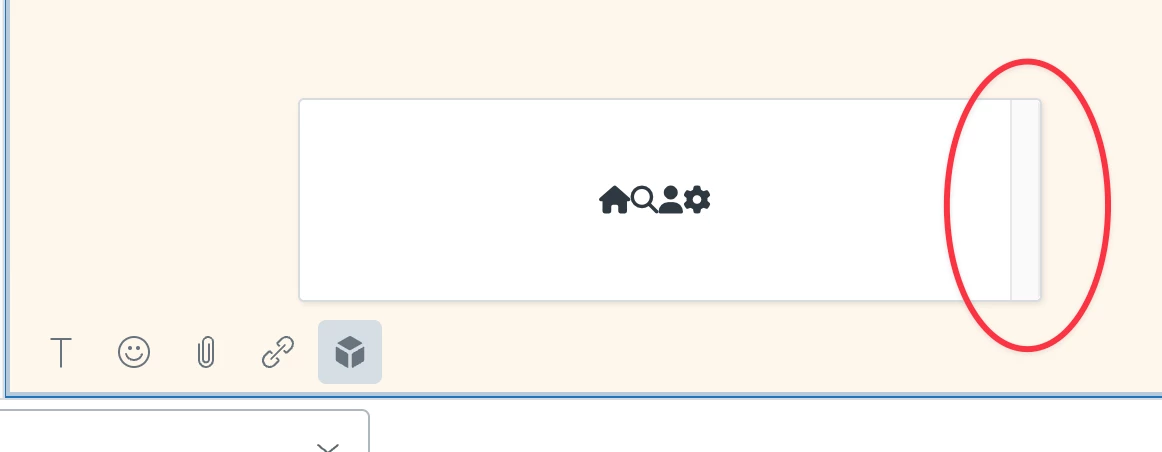
I am creating a Zendesk app with React and part of the app is in the ticket editor. I wanted to create a toolbar similar to what Zendesk has for their Text editor. But when make my toolbar there seems to be a right column next to it even if I resize it. I can't figure out how to get this ugly column out of the iframe. I have gone through all the css on the broswer with an inspector and nothing makes it go away. Is it possible to get rid of this?
 

9 replies

Bryan19
  • Author
  • November 21, 2024

I was able to get rid of this by using:

* {
overflow: hidden !important;
}

But I am still curious if there is a way to autofit the iframe to your content vs resizing it with the client instance.


Greg29
  • November 21, 2024

Hi Bryan! Could you create a sample app that just has this in it, toss it into a repo, and link it here? I'm not sure what's going on here from the screenshot, so it's impossible to diagnose or investigate as is.


Bryan19
  • Author
  • November 22, 2024

Here ya go!
https://github.com/bryangwin/zendesk-test-app

When you pull up the app in the ticket editor you will see the right column (which appears to be an unused scrollbar) in the iframe.


Bryan19
  • Author
  • November 22, 2024

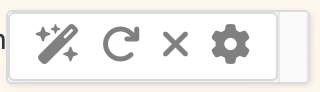
Here is what you should see:


Greg29
  • November 25, 2024
Thanks Bryan, I'll take a look at this later today and see if I can figure out what's going on. If I can't, I'll share it with the team that handles the apps framework and see if they have any ideas.

Greg29
  • November 25, 2024
Hi again!
 
It looks like you were running something locally that the app is trying to load. As such, I'm not getting anything to load, so can you provide whatever you had running locally as well?

Bryan19
  • Author
  • November 25, 2024

Hi Greg,


I am not quite sure what you mean? It is a simple app from the react scaffold provided by Zendesk.  You would clone the repo then from the root run npm install . It is currently set up to run locally if that's what you mean so you would need to run npm run dev  to start the react server then in another terminal npm start to start the zendesk server. Then include the ?zcli_apps=true tag to a Zendesk URL for testing.

I tested this on another env and it worked fine so I am not sure where you are running into issues?


Greg29
  • November 26, 2024

Good lord, I think my brain has quit on me, sorry about that. I somehow was staring at a React project and not treating it like a React project. I'll take a look now!


Bryan19
  • Author
  • November 27, 2024

Haha no problem!  It happens to the best of us. I appreciate you looking into this. Let me know if you can figure out what exactly is the class that needs overflow hidden or if you know of a clever way to auto fit the iframe.  Thanks again for taking a look.