Building Learn_more App | Community
Skip to main content

Building Learn_more App

  • August 1, 2023
  • 8 replies
  • 0 views

DSI

Hello,
I'm trying to build my first chat app but cannot show it in the chat sidebar like in the tutorial : 

https://developer.zendesk.com/documentation/apps/build-an-app/build-your-first-chat-app/part-1-laying-the-groundwork/

Please, help me.

Thanks !

8 replies

Tipene
  • August 2, 2023

Hey @dsi!

Are you seeing any errors appearing in the browser developer tools? Can you also confirm that you have the app location correctly set in the manifest.json file, as outlined in part two of the tutorial?

Thanks!

Tipene


DSI
  • Author
  • August 2, 2023

Hello @tipene

There is no error and yes the app location is correctly set in the manifest.json

"location": {
"chat": {
"chat_sidebar": "assets/iframe.html"
}
},

DSI
  • Author
  • August 2, 2023

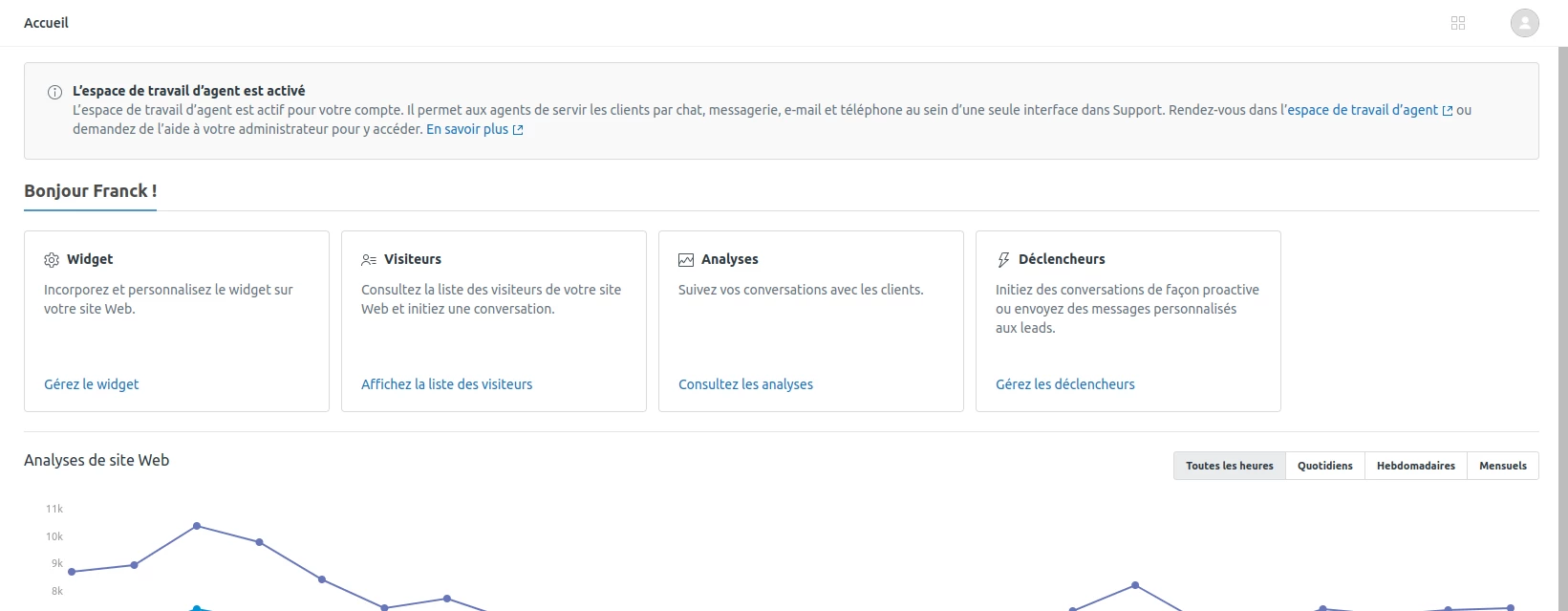
When I'm here https://<subdomain>.zendesk.com/chat/agent?zcli_apps=true#home, There's nowhere to display the app.

Have this screen:


Tipene
  • August 2, 2023
Thanks for the update! An app with the chat_sidebar location will only be visible when you're actually in a chat instance. Here's a link to the docs which go in to more detail:

https://developer.zendesk.com/api-reference/apps/apps-chat-api/chat_sidebar/

DSI
  • Author
  • August 2, 2023

Okay, but I can't see the chats, only the tickets. Where can I find them please?


Tipene
  • August 2, 2023
When a new chat is being requested, you should see an orange icon to the bottom left of your screen:


Once you click the icon, a window will appear where you can chat with the user. The sidebar on the right is where your app will appear:
 
:

DSI
  • Author
  • August 3, 2023

Thanks for your help @tipene,

I did'nt see the orange button, maybe because I'm an admin ? 


Tipene
  • August 3, 2023
You'll still be able to serve chats as an admin. It may be that the appropriate chat permission haven't been set up, though. I'd take a look through the link below to make sure everything is configured correctly: 
 
https://support.zendesk.com/hc/en-us/articles/4408820938138-Setting-up-Zendesk-Chat-in-Zendesk-Support#topic_kj5_qgq_sgb
 
Then, once you're all set up and you've set yourself to "online" in the chat interface, you'll need to start a test chat from your customer facing widget. At that point, you should see the orange button to accept the chat.
 
I hope this helps! Let me know if you have any questions.