Zendesk App get ticketFields options and optionValues incorrect | Community
Skip to main content

Zendesk App get ticketFields options and optionValues incorrect

  • October 5, 2022
  • 6 replies
  • 0 views

Today I noticed that the call to get ticket fields is returning incorrect information in an application.

Call:
client.get(['ticketFields:custom_field_{id}'])

For example, when I call

client.get('ticketFields:custom_field_24288776').then((r)=>{//do stuff}


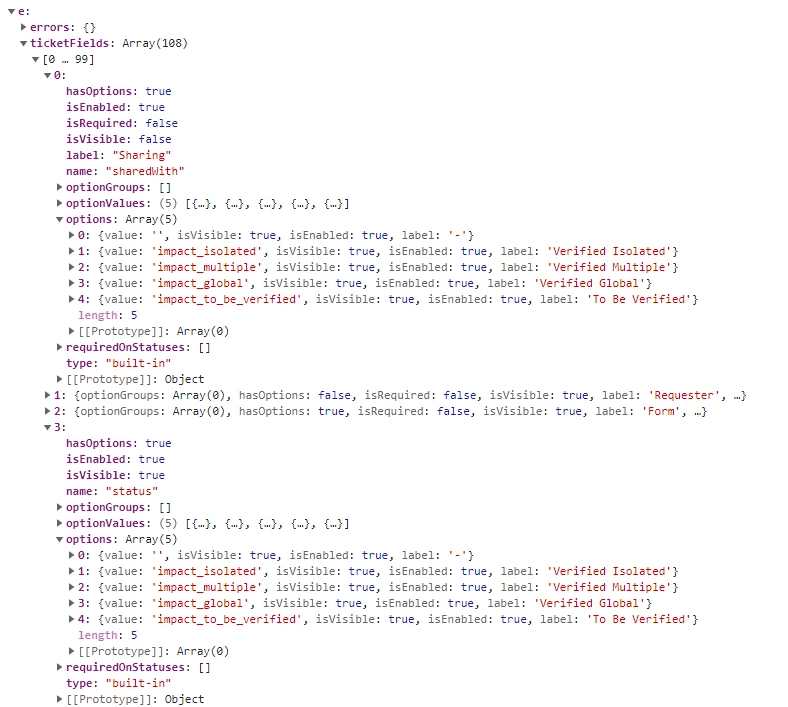
r.ticketFields:custom_field_24288776.options and r.ticketFields:custom_field_24288776.optionValues are returning values for a different custom field (ID: 23214529) created to track issue impact.

I have also tried to pull all fields using client.get('ticketFields'), and all values across all fields are returning the values for that same custom field, including built-in, non-custom fields. In the picture below, you can see the options and values are not what they should be for these built in fields.

I want to avoid hard coding in the options into my application, because if fields ever change, I don't want to also have to update my app. Is anyone else having this issue?


6 replies

Leafworks12

Hello, 

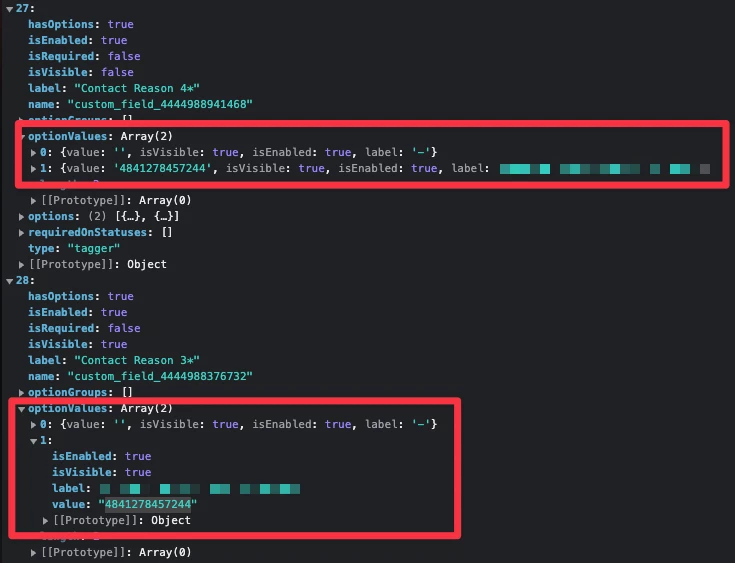
I have the same issue, but for me, options are even stranger - all fields, including custom_field, priority, etc., have only one option, and it's company name label with some id value. 

This issue is critical for us, because a lot of our customers use our app and report that their agents can't work at all! It breaks the whole agent workflow, because it depends on our app.

Best,
Andriy


Testo
  • October 5, 2022

Same Issue here.

Label and name seems correct, but options are from another customField


  • October 5, 2022

Same issue here, our agents cannot continue their oeprations because of this.

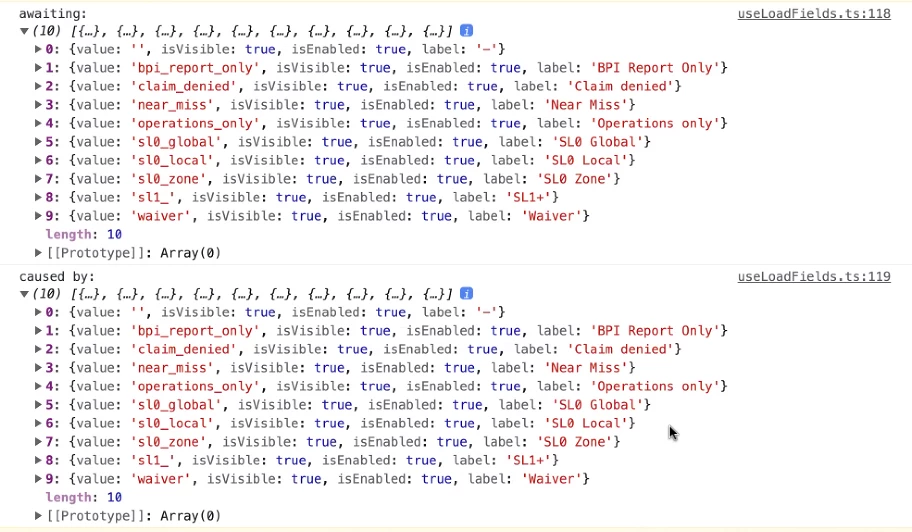
I am listing out the options of 2 dropdowen fields and both of them are having the same list (from another custom field)


  • October 5, 2022

Same problems here. I have already 4 customers which use our custom app reporting the problem and they can't work at the moment


Jessica40
  • October 5, 2022

Hello,
Thank you for raising this issue and sorry to hear you are facing it!
We're currently investigating this.


Jessica40
  • October 5, 2022

We truly appreciate your reports.

A Service Incident has been fired for this and we have shared some public details here: https://support.zendesk.com/hc/en-us/articles/5007103445530-Service-Incident-October-5th-2022.

A Postmortem shall be shared once available.