Whether or not the developing team of my company can build a CSAT fuction then embed it to Zendesk? | Community
Skip to main content

Whether or not the developing team of my company can build a CSAT fuction then embed it to Zendesk?

  • December 27, 2022
  • 5 replies
  • 0 views

Thầy

I see that Zendesk only offer the customers with 2 options relating to CSAT, these are Satisfied and Not Satisfied. 

As my company has its own developing code team, so I want to know that whether or not my company can create a CSAT function, which renders the customers be able to rate from 1 to 5 star, and then embed to Zendesk under Zendesk instructions? 

5 replies

Eric27
  • December 27, 2022
Hey Thay,

You could build in your own link to an external rating system if you'd like. You could then provide this to users via a link in your business rules. You'll want to be capturing and reporting against that data separately as we wouldn't have a way of mapping your 5 star system to our CSATs in Zendesk natively. 

Thầy
  • Author
  • December 28, 2022

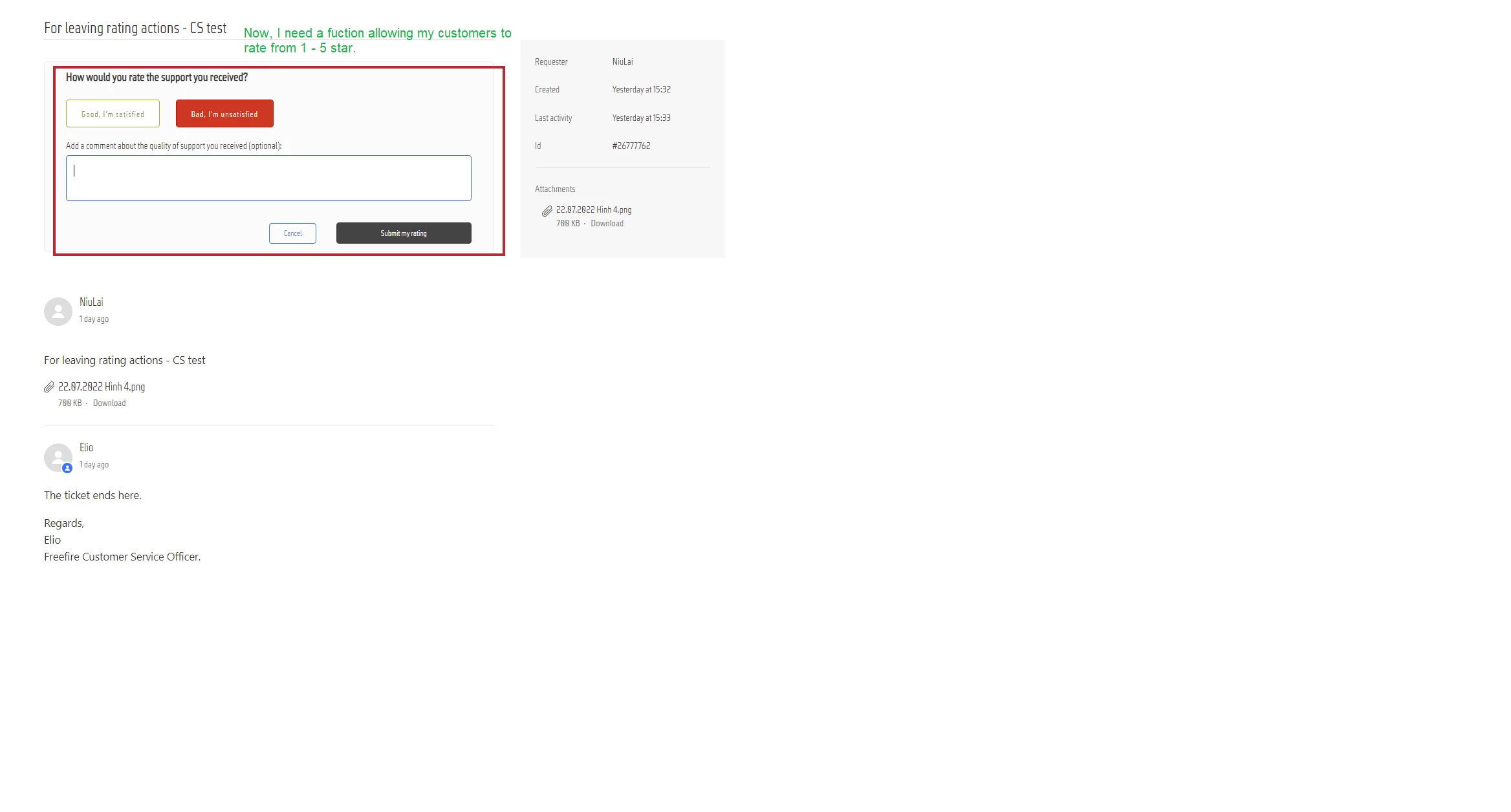
In fact, I desire my customers can rate here (rounded in my attached image), because if the customers have to click on an external link to leave their feedback, I am afraid that the needed steps will be complex, which results in a low rate of feedback from the customers. 

I also contact Nicereply and Simplesat, 2 apps allowing customers to do what I wish. However, as we have our own dev. team, I wonder that is it available for us to modify Zendesk by ourselves? Obviously, we will always follow Zendesk's Terms of Use and a fee may be taken into account if required.


Eric27
  • January 3, 2023

Hey Thầy,

Yes you can modify this part of the UI yourself. Though you'll still need to be passing and capturing this data outside of Zendesk as we wouldn't be able to report on values outside the standard satisfaction ratings. 


Thầy
  • Author
  • January 6, 2023

Thank Eric. If there is a way, could you tell me how to modify this part of the UI?

Is it possible if I create a group for both our dev team and Zendesk supporters?


Eric27
  • January 6, 2023
Hey Thầy, 
 
From the theme editor you can modify this by modifying the request_page.hbs file. You'll need to remove the {{satisfaction}} placeholder as that is what creates this portion of the UI. From there you can build your own satisfaction component using standard HTML/CSS/JS. 
 
Hope this helps!