Redirect rules not taking effect (EAP) | Community
Skip to main content

Redirect rules not taking effect (EAP)

  • June 18, 2024
  • 4 replies
  • 0 views

I've set redirect rules via the EAP API to redirect an archived article to a different article.


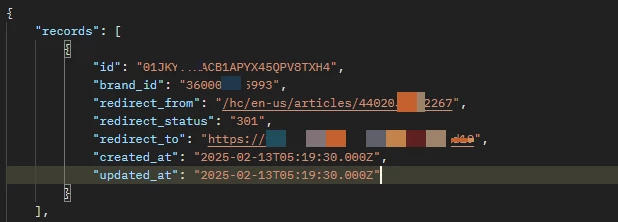
Using the Search Redirect Rules I can see the rule in place, e.g.

However, the old article still 404s, rather than redirecting.


I've tried deleting the rule and setting it again but this has made no difference.


Please could you advise on what is happening here, and how to resolve this? 

4 replies

Tipene
  • July 1, 2024
Hi Vicky,
 
Because the 'slug' part of the URL changes whenever the article title changes, you'll need to omit the slug so that the redirect works for older URLs where it may have been different. In this case, that'd mean creating a rule for “/hc/de/articles/360006191774”.
 
I've gone ahead passed this on as feedback to the product team working on the EAP.
 
If you have any questions at all, feel free to reach out.
 
Thanks!
 
Tipene

Ahmed11
  • October 19, 2024

I was going crazy over this until this post came to the rescue. Thanks @tipene 


  • February 13, 2025

i have set redirect rules for my help center articles , 
but its not redirecting to the redirect_to URL untill and unless i'm moving my
article to archived

i need my article to be listed under Knowledge Base 
(https://1sb-rohit-kotadiya.tinytake.com/msc/MTA1ODMxNDlfMjQyODYwNjM) on Support's 
Comment section, so i can't delete the article and i also want to redirect it to my 
custom Domain URL


Greg29
  • March 7, 2025

Hi Rohit! The behavior that you mention is expected…the redirect rules will only work if you archive or delete them, as we note here in our documentation.