Not able to use secure setting | Community
Skip to main content

Not able to use secure setting

  • August 16, 2022
  • 11 replies
  • 0 views

HI there,
I am trying to use secure settings but its does not working for me.
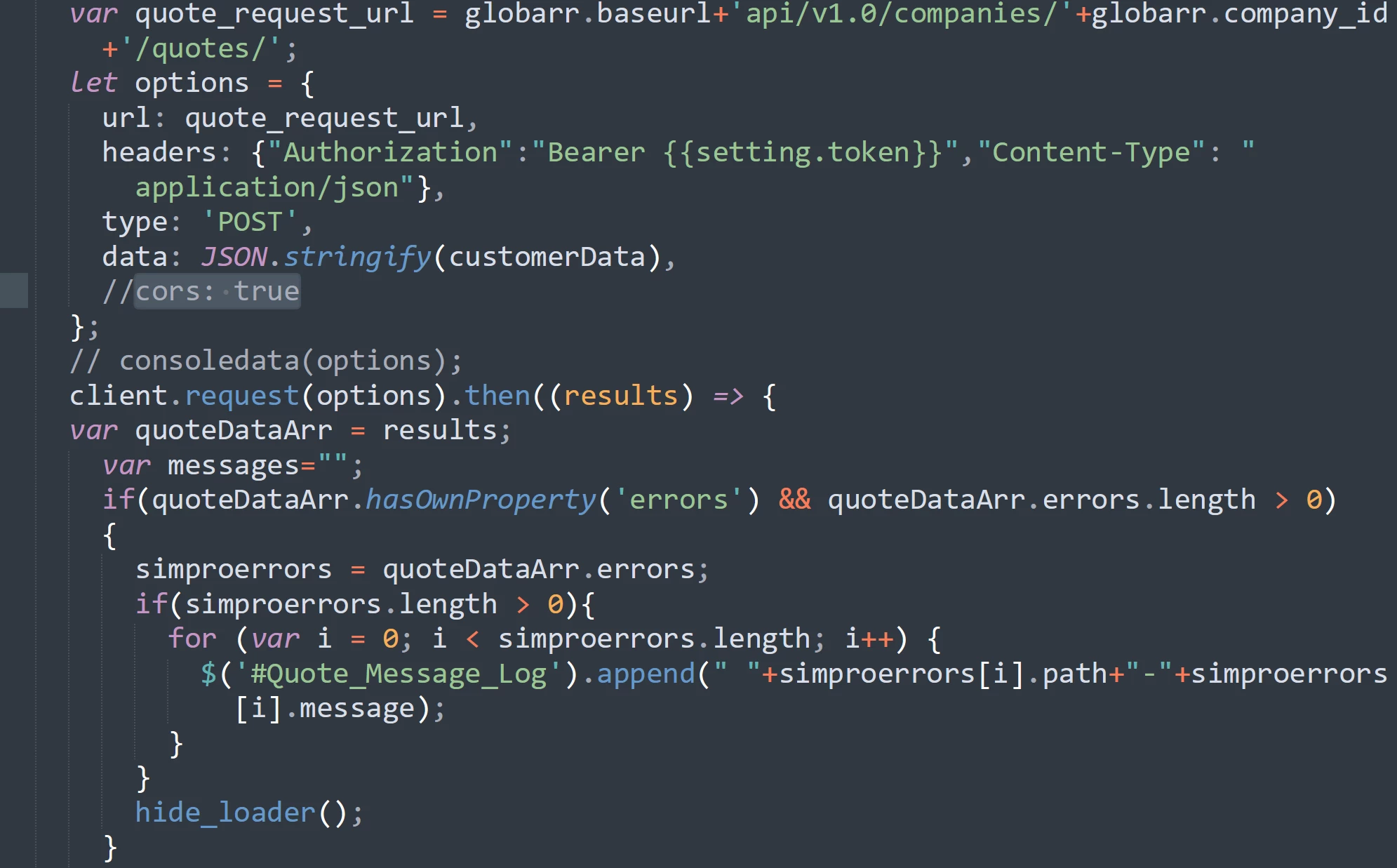
 sharing a screen shot of this. having issues accessing apis.

headers{Authorization'Bearer {{setting.token}}'Content-Type'application/json'}


I am also uploading as private app as suggested by Zendesk but still we are facing same problem.

Any help would be appreciated.
Thanks.

11 replies

Guided
  • August 16, 2022

Hey Ravi,

Does this request go through the Zendesk Proxy, with client.request() from the Zendesk Apps Framework? Because only the proxy is able to replace the secure settings.

Anyway, also try to disable CORS as I'm pretty sure this will keep the Zendesk Proxy out of play and the request will be send directly from the browser to the destination. So then the setting wouldn't be secure anymore if it would have been exposed.


  • Author
  • August 17, 2022

Thanks Sabstiaan for your reply, we are still facing issues on removing cors. Also we are using client request method to reach destination.
Without cors:
 
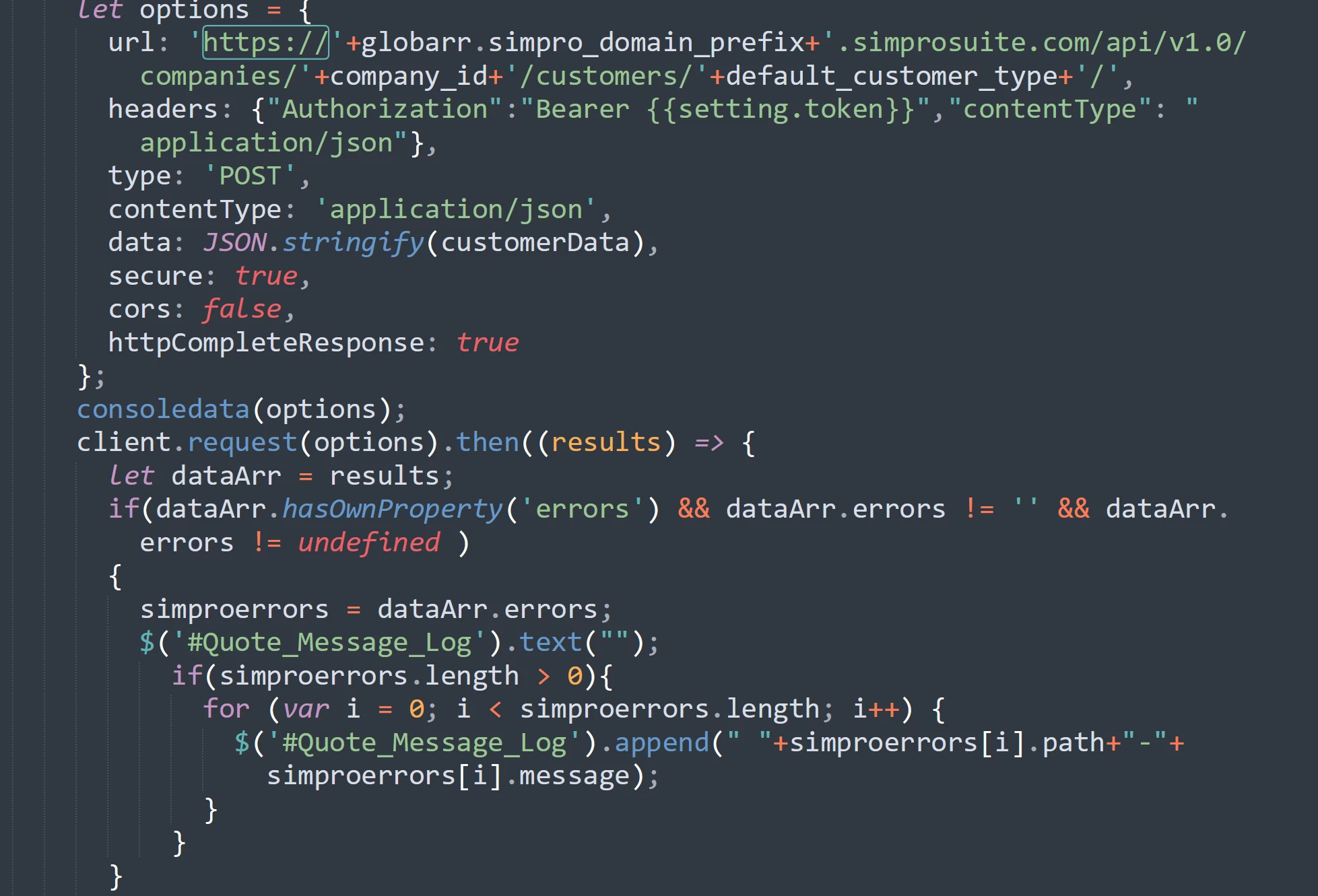
My code:

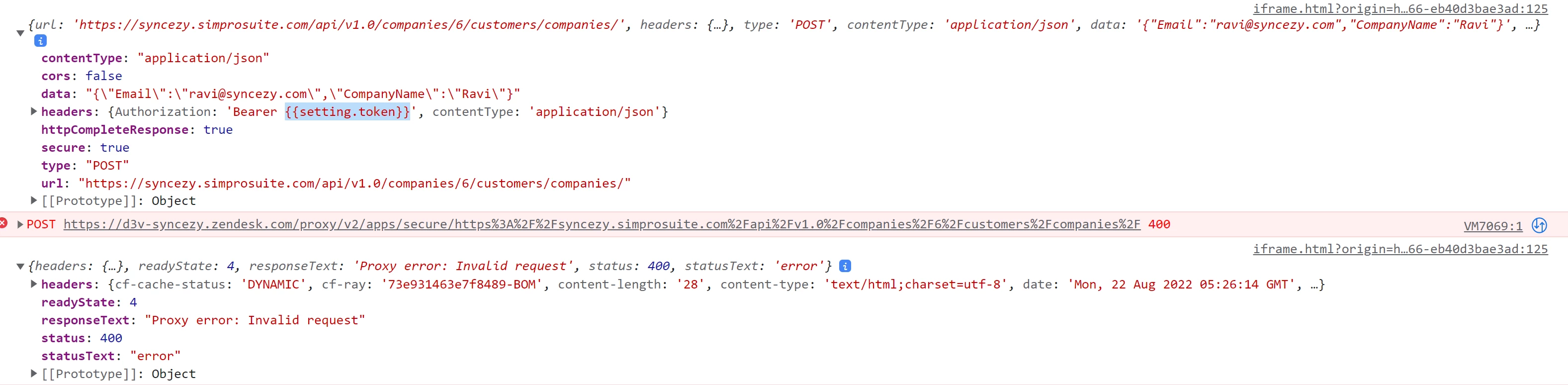
With cors false:


Guided
  • August 18, 2022

Hey Ravi,

As it's a secure setting you won't see the replacement in your browser for the outgoing request. As that would make the setting insecure. It's the proxy that's replacing it. So do you have any logging on the incoming end to check what headers are received?

You could also temporarily make use of a (free) service like webhook.site to check the incoming request if you don't have any logging at the destination of the call.


  • August 18, 2022

Hi Sebastian,

Could you elaborate on what you mean? We need to access this token behind the secure settings. This token is used to access a third party app. We do log the headers but it's giving us an error because the token is not valid and not readable. Is it possible to all to read the token once it is behind the secure setting?


Guided
  • August 18, 2022

Hey Gautam Nath,

What I mean is that you can't see the secure setting on the outgoing request in your browser. As this is the request from the browser to the Zendesk proxy.

The Zendesk proxy will then replace the secure setting for the request to the actual destination.

So to verify that the secure setting is properly replaced you need to check the incoming API call at the destination.


  • August 18, 2022

Hi Sebastian, 

Thanks that makes sense. Is there a way to access this token through the Zendesk proxy?


  • Author
  • August 25, 2022


Issue is still there. Proxy error.!!!!!!!!!!!!!!! Invalid Reqest.!!


Tipene
  • August 25, 2022

Hey Ravi,

I've gone ahead and replied to you in another thread you have about this issue.

Thanks!

Tipene


Gautham
  • March 29, 2023

Hi Tipene. I just wanted to say that the docs for "Secure Settings" do not mention the need to set `secure:true` when using client.request... only reason I found that was because of the above code. Probably good idea to add that in there if it isn't.


Greg29
  • March 29, 2023

Hi Gautham! We do cover that in this doc...is there another place that this is mentioned that's missing that information? If so, could you share that so I can get it updated? Thanks!


Gautham
  • March 30, 2023

Ah ok. That was the document I was looking at. I guess I just kept glancing over it! All good.