Hi I added this code to my web site html body (end of body)
<!-- Start of Zendesk Widget script -->
<script id="ze-snippet" src="https://static.zdassets.com/ekr/snippet.js?key=MyKey"> </script>
<!-- End of Zendesk Widget script -->
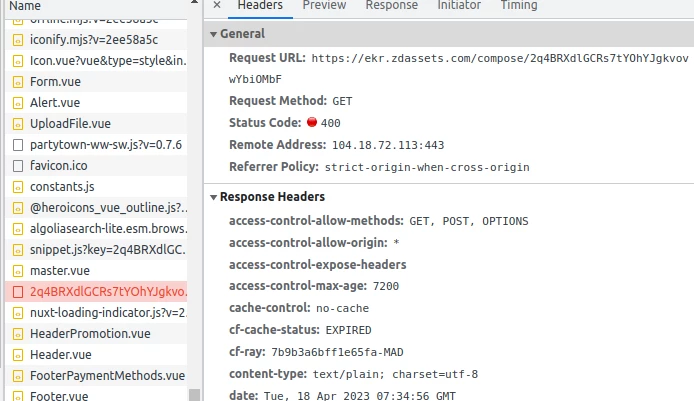
the chat is not been displayed and i keep getting error
Key is missing from snippet vendors~rollbar.noconflict.umd.min.js:1:58963
n https://static.zdassets.com/ekr/vendors~rollbar.noconflict.umd.min.js:1
oe http://static.zdassets.com/ekr/snippet.js?key=MyKey:1
c http://static.zdassets.com/ekr/snippet.js?key=MyKey:1
(Async: setTimeout handler)
_immediateFn http://static.zdassets.com/ekr/snippet.js?key=MyKey:1
c http://static.zdassets.com/ekr/snippet.js?key=MyKey:1
l http://static.zdassets.com/ekr/snippet.js?key=MyKey:1
s http://static.zdassets.com/ekr/snippet.js?key=MyKey:1
d http://static.zdassets.com/ekr/snippet.js?key=MyKey:1
re http://static.zdassets.com/ekr/snippet.js?key=MyKey:1
(Async: promise callback)
re http://static.zdassets.com/ekr/snippet.js?key=MyKey:1
d http://static.zdassets.com/ekr/snippet.js?key=MyKey:1
u http://static.zdassets.com/ekr/snippet.js?key=MyKey:1
re http://static.zdassets.com/ekr/snippet.js?key=MyKey:1
oe http://static.zdassets.com/ekr/snippet.js?key=MyKey:1
<anonymous> http://static.zdassets.com/ekr/snippet.js?key=MyKey:1
c http://static.zdassets.com/ekr/snippet.js?key=MyKey:1
(Async: setTimeout handler)
_immediateFn http://static.zdassets.com/ekr/snippet.js?key=MyKey:1
c http://static.zdassets.com/ekr/snippet.js?key=MyKey:1
l http://static.zdassets.com/ekr/snippet.js?key=MyKey:1
f http://static.zdassets.com/ekr/snippet.js?key=MyKey:1
c http://static.zdassets.com/ekr/snippet.js?key=MyKey:1
(Async: setTimeout handler)
_immediateFn http://static.zdassets.com/ekr/snippet.js?key=MyKey:1
c http://static.zdassets.com/ekr/snippet.js?key=MyKey:1
l http://static.zdassets.com/ekr/snippet.js?key=MyKey:1
f http://static.zdassets.com/ekr/snippet.js?key=MyKey:1
c http://static.zdassets.com/ekr/snippet.js?key=MyKey:1
(Async: setTimeout handler)
_immediateFn http://static.zdassets.com/ekr/snippet.js?key=MyKey:1
c http://static.zdassets.com/ekr/snippet.js?key=MyKey:1
then http://static.zdassets.com/ekr/snippet.js?key=MyKey:1
<anonymous> http://static.zdassets.com/ekr/snippet.js?key=MyKey:1
<anonymous> http://static.zdassets.com/ekr/snippet.js?key=MyKey:1
o http://static.zdassets.com/ekr/snippet.js?key=MyKey:1
<anonymous> http://static.zdassets.com/ekr/snippet.js?key=MyKey:1
<anonymous> http://static.zdassets.com/ekr/snippet.js?key=MyKey:1
How Can I fix it? what did I do wrong?

Key is missing from snippet




Login to the community
No account yet? Create an account
Enter your E-mail address. We'll send you an e-mail with instructions to reset your password.
Thanks for clarifying that. I did some testing on my end and wasn't able to replicate the issue. Let me go ahead and pull you into a ticket so I can get a better look at your code and we can figure out what's going on. Please keep an eye out for that email correspondence from me.
Best,
Erica - Dev Support