How to update a ticket on behalf of the requestor | Community
Skip to main content

How to update a ticket on behalf of the requestor

  • September 14, 2023
  • 2 replies
  • 0 views

Asim12

Hi


I am using the below code. However, it is shown in my name (Asim), not in the one below email id (Akshata),

https://mydomain.zendesk.com/api/v2/tickets/751981.json


{
    "ticket": {
      "comment": {
        "body": "This is an updated comment5 for the ticket."
      },
      "requester": {
        "name": "akshata.sali@emeritus.com",
        "email": "akshata.sali@emeritus.com"
      }
    }
  }

2 replies

Rafael20
  • September 14, 2023

Hey @asim12,

In your shared example, you'd create a proactive ticket on behalf of the customer, sent by the authenticated user (you).

To submit the ticket on behalf of the User, you could either pass that User's id to the ticket object's submitter_id property using the Tickets API, or otherwise use the Requests API and pass their User id on the Request Header X-On-Behalf-Of. Example in curl:

-H "X-On-Behalf-Of: customer@example.com"

Developer Documentation > Making API requests on behalf of end users

API Reference > Ticketing > Tickets > Requesters and submitters

API Reference > Ticketing > Requests


Asim12
  • Author
  • September 14, 2023

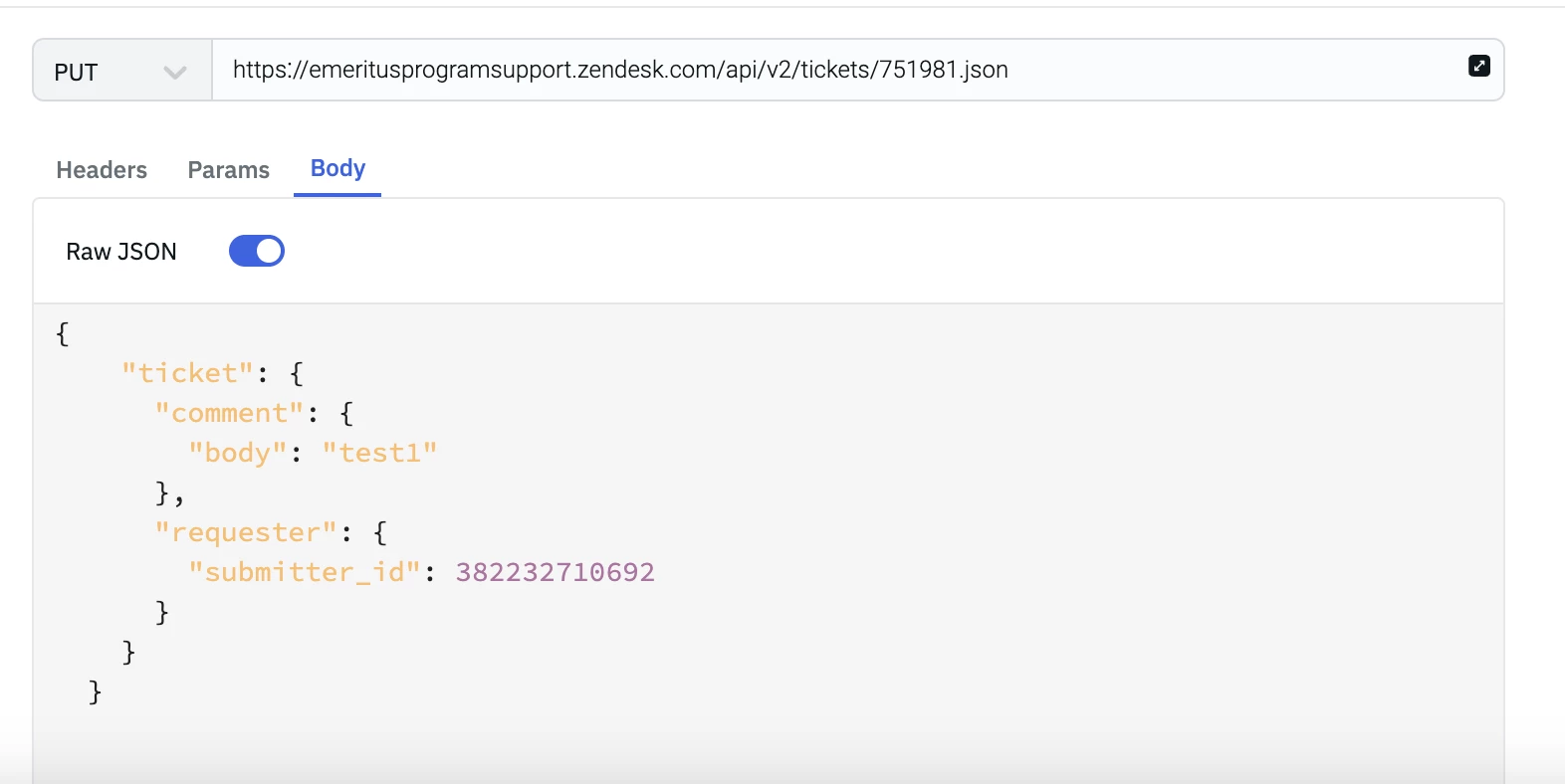
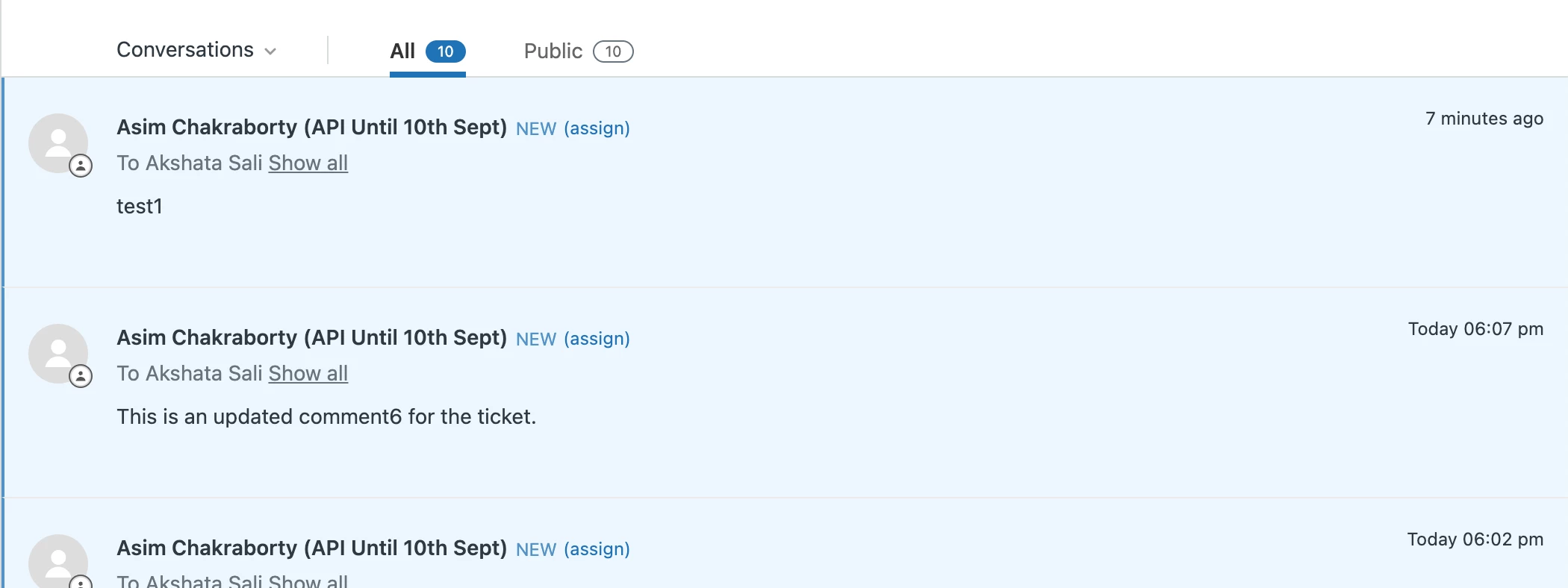
@rafael20 I tried as suggested by you below, however result is the same, it shows my user ID, it is also for updating a ticket, creation is working perfectly.

Screenshot of my request


Zendesk screenshot

Please help.