How to add tags with new zendesk widget (messenger) | Community
Skip to main content

How to add tags with new zendesk widget (messenger)

  • January 29, 2024
  • 3 replies
  • 0 views

With Zendesk Widget Classic, I can add tags with this code

zE('webWidget', 'chat:addTags', ['help_center', 'change_password'])

But How I can do that with new widget?
I already tried with this code but it didn't work

zE("messenger:set", "conversationTags", ['test'])
3 replies

  • January 29, 2024

Hello @Huy

To add tags in Messaging, you can use this format:

zE('messenger:set', 'conversationTags', conversationTags<string[]>);

As explained in the documentation: Conversation tags aren't immediately associated with a conversation when the API is called. It'll only be applied when end users start a conversation or send a message in an existing conversation from the page it's called from.

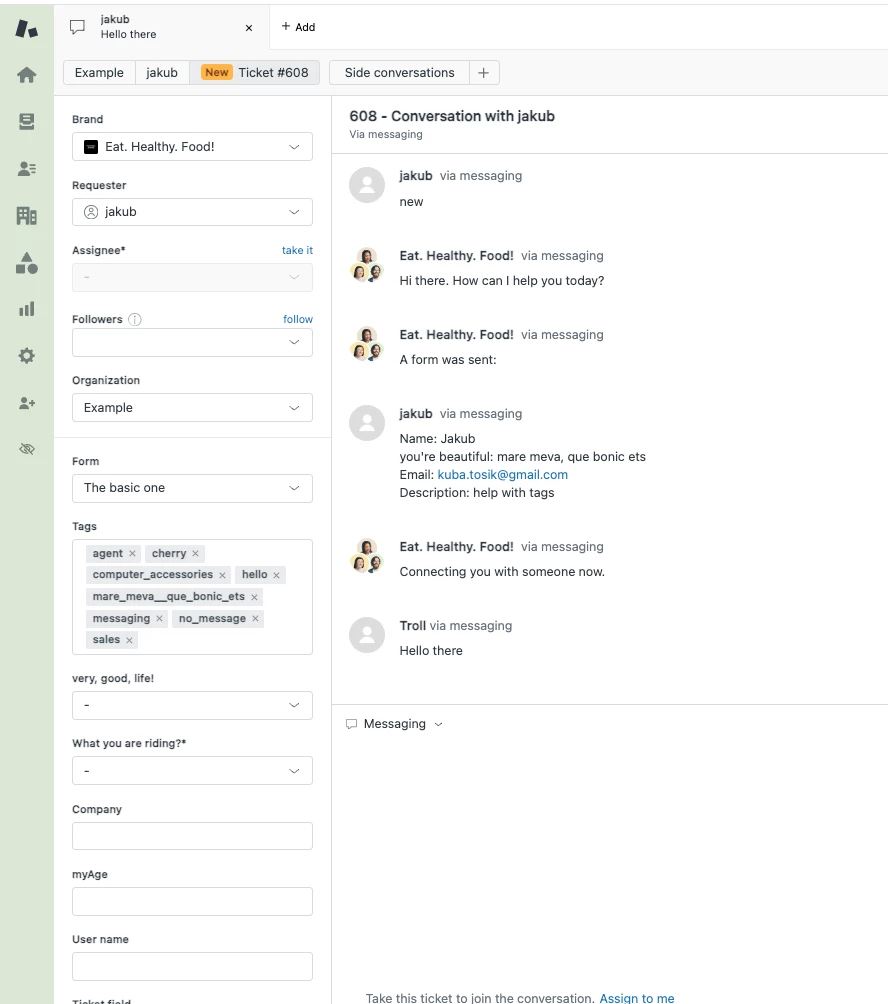
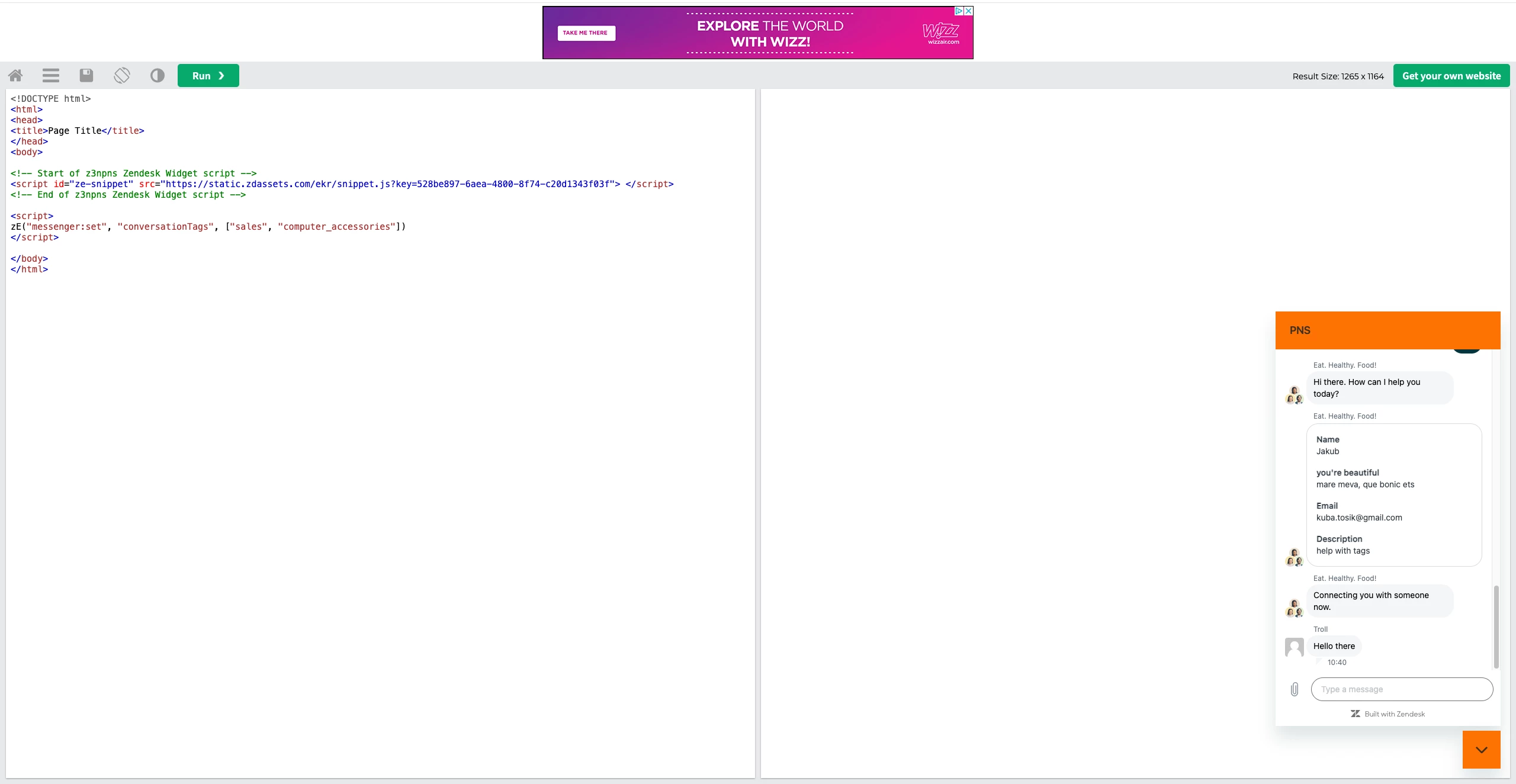
I made a test on my end and it worked as expected:

My page template:


My ticket: 


  • Author
  • January 29, 2024

Thank you so much. 
Does it have any setting to enable it?
I did the same like this but still did not work :( I don't know may be I missed something


  • January 29, 2024

There is no setting that would affect those tags, if you're able to add tags to tickets in Support this should work as demonstrated. I would highly recommend to review your setup and make sure that there is nothing that clears the tags, as for example, explained in the documentation:

"Conversation tags are cleared when the authentication API to sign-out is called."