

Hello,
I'm trying to customize our pre-chat form based on the information I've got from API documentation (https://developer.zendesk.com/api-reference/widget/settings/#departments , https://developer.zendesk.com/api-reference/widget/settings/#prechatform) and support, but it doesn't work, and the support agent advised me to ask in here.
I want to enable the departments' list and show only a specific department in the dropdown.
First, I check the settings in Chat > Settings > Widget > Forms and mark the tick to require department.
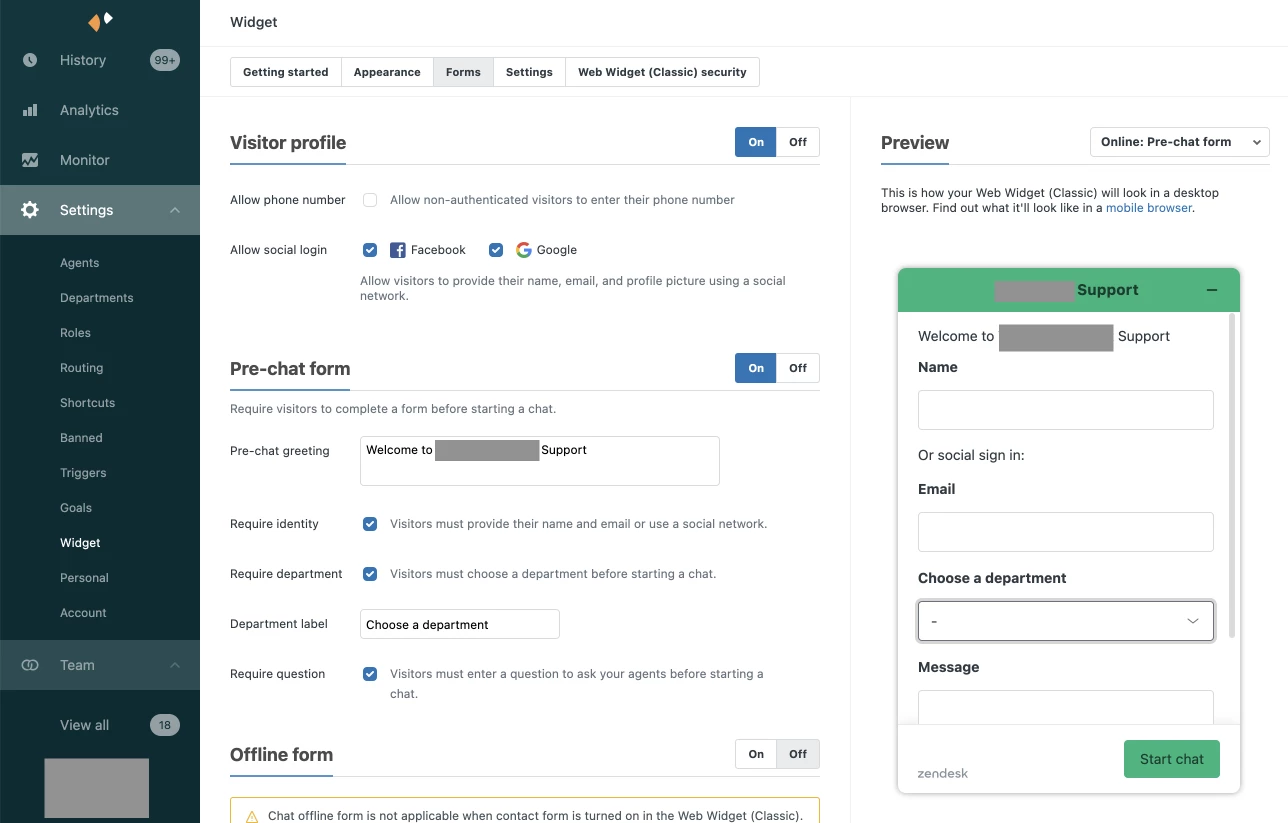
This is what I see in the pre-chat form when there is no customization in my code:
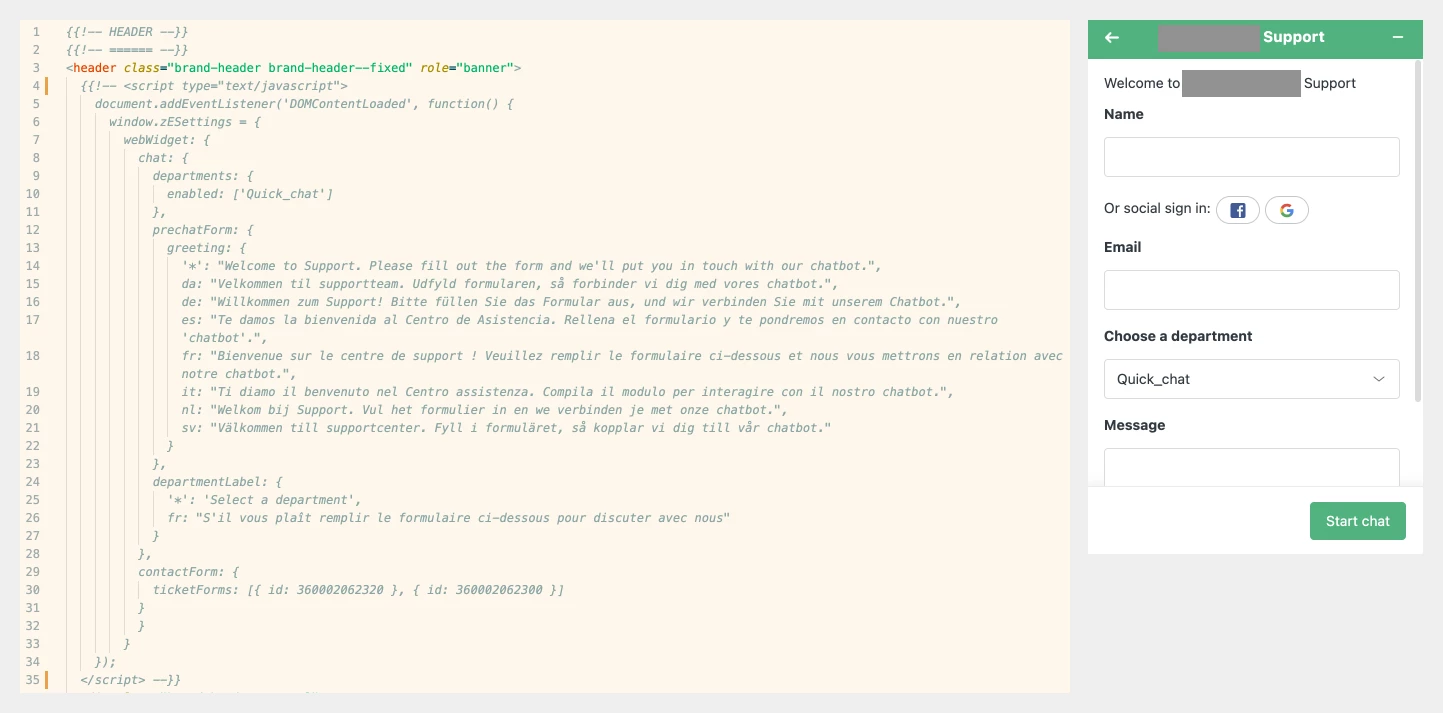
If I use my custom code, I see that the change I made in the greeting message is applied, but I don't see the departments dropdown enabled in the pre-chat form.
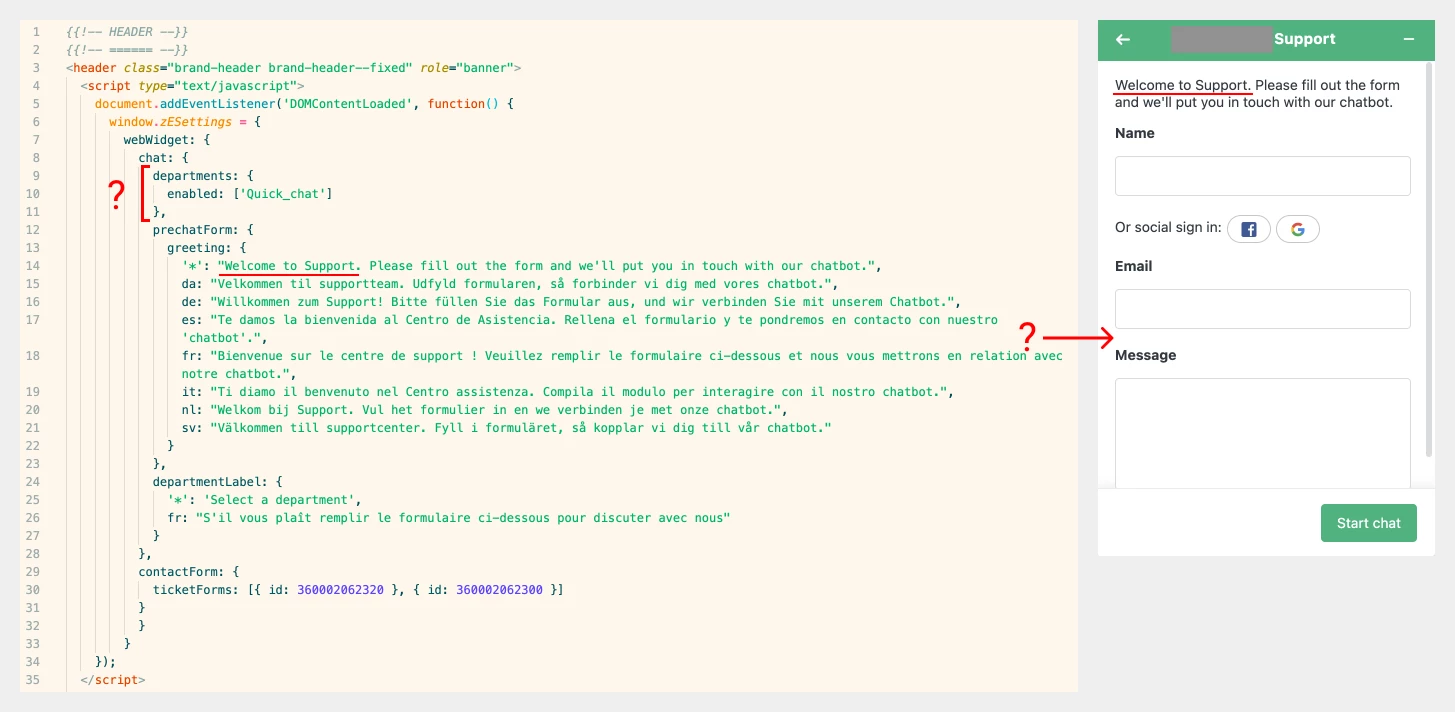
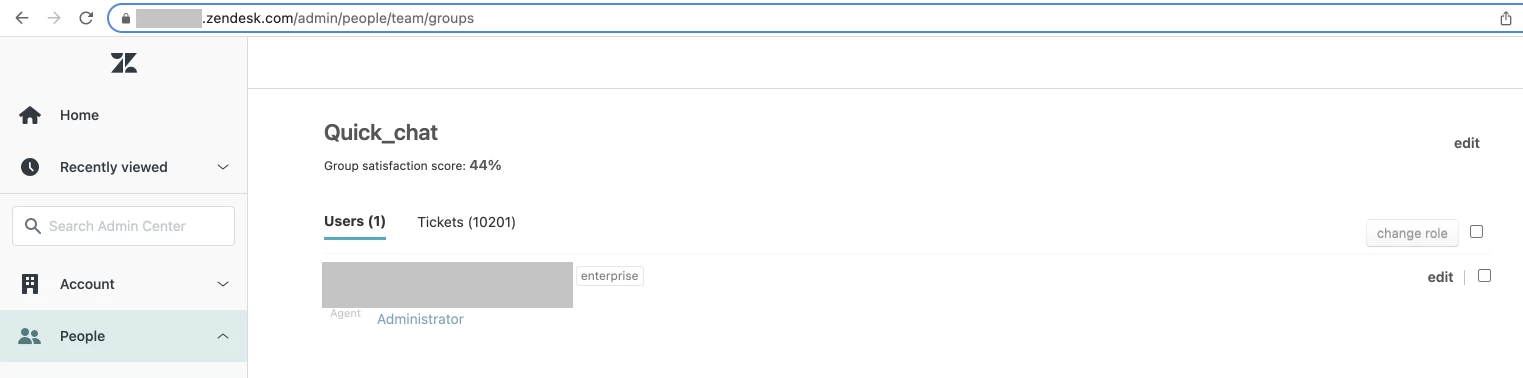
In the documentation here https://developer.zendesk.com/api-reference/widget/settings/#departmentsenabled, it says, "If the department names or ids passed in are invalid, the department dropdown menu will not show those options. If an empty array is passed, the dropdown won't appear.". But I'm sure the department name I provide is correct.
If I remove that "departments enabled" part from my custom code, I can see the dropdown appearing again, but not with my custom label, just with the default label from settings. Although my change in the greeting message is applied 🤔
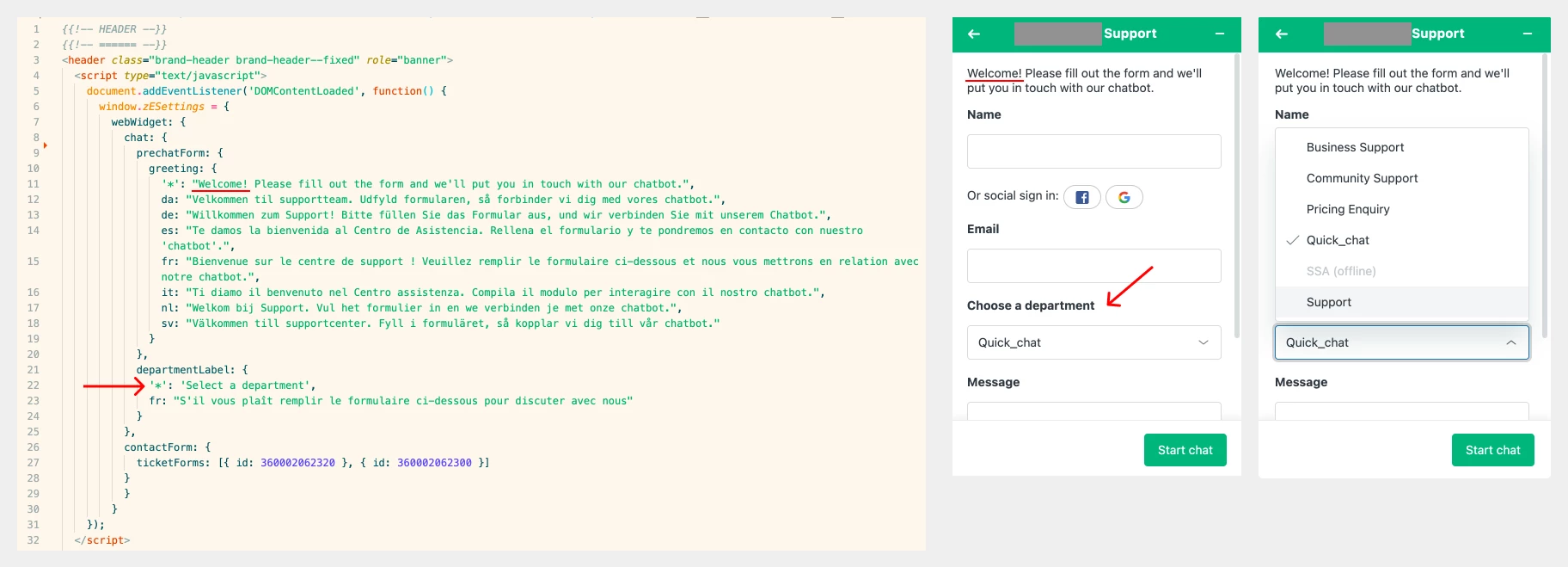
Could you please let me know how to achieve my goal here, displaying only specific departments in the pre-chat form?
Thanks in advance.
Best regards,
Gizem

