
CORS blocking internal development since Chrome 142.0.7444.60 | Community
Skip to main content

CORS blocking internal development since Chrome 142.0.7444.60

  • October 30, 2025
  • 9 replies
  • 0 views

Francesc

Hi all,


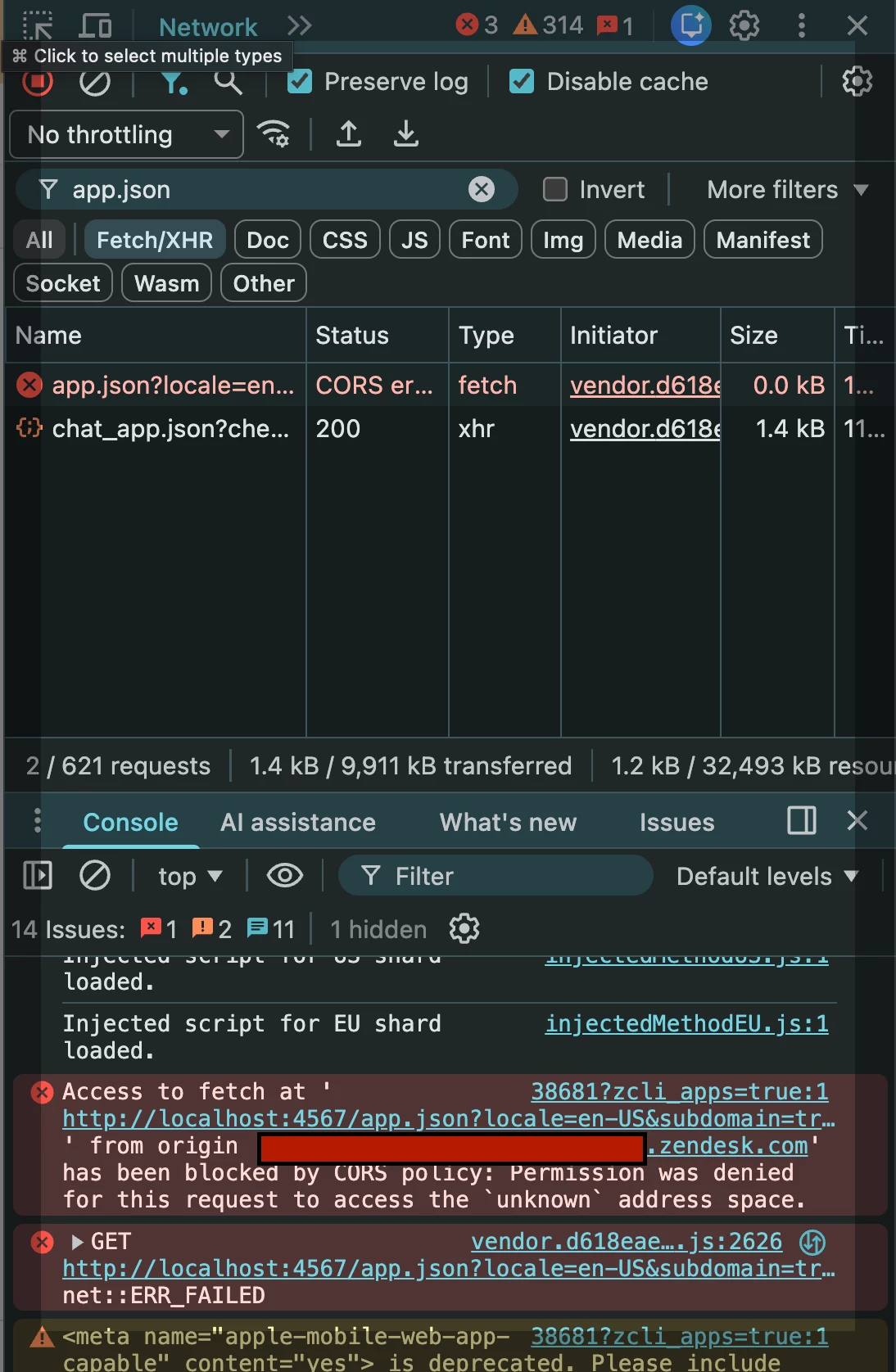
Chrome 142.0.7444.60 was updated. Since then, local development is blocked by a CORS browser restriction.
 

We have been developing a custom sidebar app for a couple of years with no problems.
zcli version @zendesk/zcli/1.0.0-beta.53

depeloping with localhost dev proxy provided `zcli apps:server dist`
 

Could you have a look please?
* Any workaround?
 

9 replies

Greg29
  • October 30, 2025

Hi and thanks for bringing this up! I wasn't aware of this feature, so I did some testing (we're running Chrome 141 here, but it is a flag that can be toggled) and I did confirm that it blocks locally run apps. I also confirmed that disabling it allowed the apps to load again, so that's what I would recommend doing for the time being. Go to chrome://flags/#local-network-access-check in your browser to disable this and let me know if you run into any issues. 

I'll also run this by some teams here internally and see if we can get some documentation published to make this a bit easier. 


Thanks again for letting us know about this!


  • November 3, 2025

We ran into similar issue as well. Our app is calling an internal service which is behind VPN. We added `Access-Control-Allow-Private-Network: true` header to API response, and also update client fetch calls to include `targetAddressSpace: "private"` option, but non worked.


Looking at this doc (released by Google): https://docs.google.com/document/d/1QQkqehw8umtAgz5z0um7THx-aoU251p705FbIQjDuGs/edit?tab=t.0

Tt seems like that Zendesk is required to include `allow="local-network-access"` in `iframe`?


  • November 4, 2025

Thanks, Greg. We have already asked our team to disable that flag as a temporary workaround. Were you able to test with setting allow="local-network-access" on the iframe?


Please take a look at “How can I make local network requests from inside an iframe?” section of the document: 

https://docs.google.com/document/d/1QQkqehw8umtAgz5z0um7THx-aoU251p705FbIQjDuGs/edit?tab=t.0#heading=h.denb9idl4lm0


Thanks,

Saeid


Fraser
  • November 5, 2025

Hi @greg29 , we are also bitten by this issue

Whilst the disabling option is a temporary fix this, naturally we'll need something more robust going forwards. Could you please let us know when Zendesk are planning to update the iFrame to restore functionality in the latest Chrome?

Many thanks,
Fraser


Manny14
  • November 6, 2025

We're also seeing the same problem. Will this be addressed by the Zendesk team? 


Greg29
  • November 11, 2025

Hi all! Just wanted to drop an update in here to keep everyone up to speed...


There are a few ways in which this update affects ZAF apps and the dev teams have been reviewing the best options to address all of them. They are hoping to have fixes in place by the end of the month and if anything changes, I'll come by with another update in here.


  • November 13, 2025

We would like the option to add `<iframe allow="local-network-access">` for our private apps, e.g. through a manifest.json directive, since our app makes requests to the local network (not just while using `zcli apps:server`).


Liam18
  • November 26, 2025

I ran into the same problem after updating Chrome. A temporary workaround is to disable the local network access check in Chrome flags (chrome://flags/#local-network-access-check). This allows your local apps to load again while waiting for a more permanent fix from Zendesk.


Greg29
  • December 1, 2025

Hi all!


We updated ZAF and the agent interface last week to include the necessary permissions for local network access, so hopefully you're all set now! We also added a command line note to the newest release of zcli when running `zcli apps:server` to help troubleshoot this issue, which will provide a link to this article.


Let me know if you run into any more issues!