
Chat Widget Auth - Forbidden - Secret invalid | Community
Skip to main content

Chat Widget Auth - Forbidden - Secret invalid

  • November 17, 2021
  • 7 replies
  • 0 views

Hi,

I am having trouble getting Authentication working for the chat widget according to these instructions: https://support.zendesk.com/hc/en-us/articles/4408838925082

I have configured the chat widget to request authentication tokens, and they are indeed being requested from our API and sent on to the authentication endpoint.

However, the call to embeddable/authenticate that the widget makes after obtaining the token is always failing with status code 403 and error response:

{"error":"Forbidden","message":"Secret invalid"}

I have verified that the secret being used for JWT generation is correct, and the JWT itself looks valid when using the debugger on jwt.io. It also contains the payload specified by the above article:
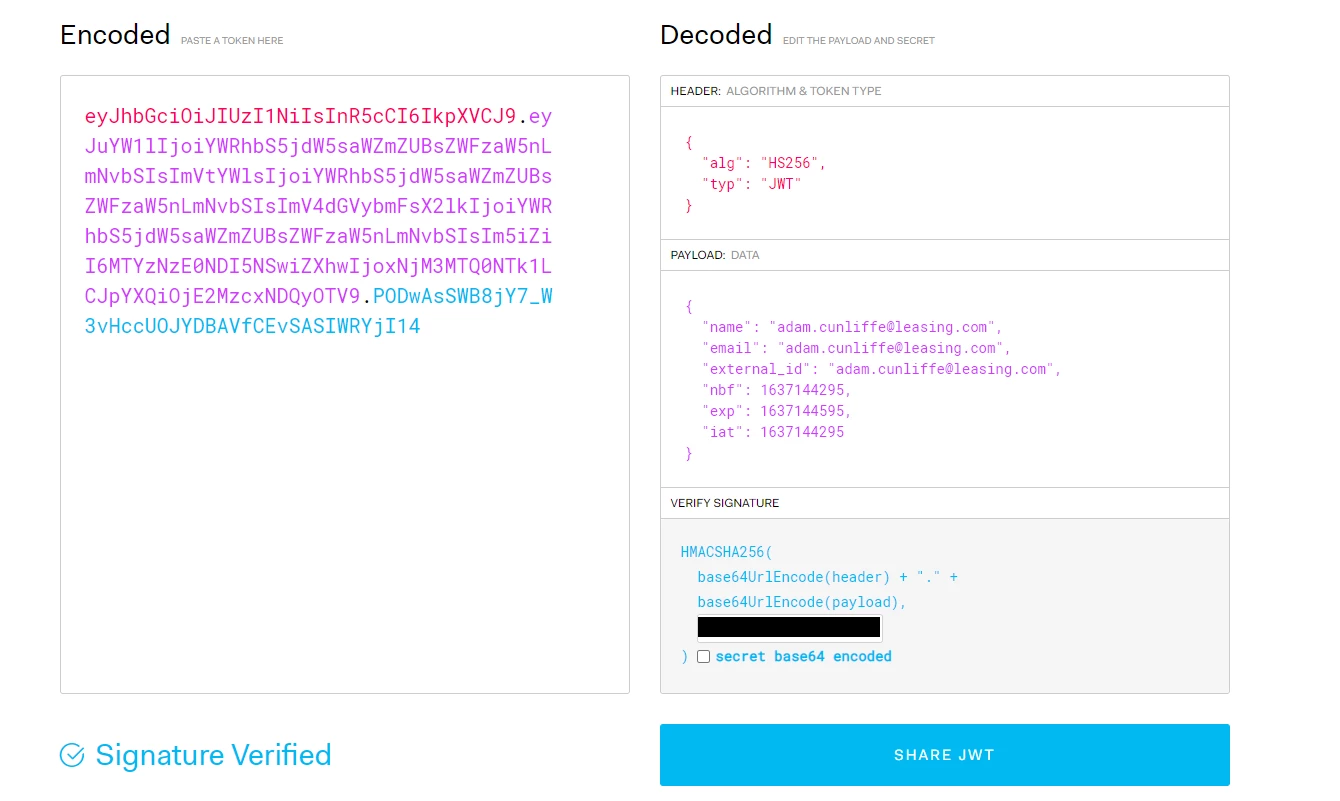

At this point I'm not sure what else to try - could you provide any guidance?

7 replies

Hi Adam,
 
Can you share the code that you're using to provide the generated JWT token to the web widget API?
 
Thanks,

  • Author
  • November 19, 2021

Certainly:

<script type="text/javascript">
window.zESettings = {
webWidget: {
authenticate: {
jwtFn: function (callback) {
$.ajax({
url: "/service/GetZendeskJsonWebToken",
method: "POST",
success: function (result) {
callback(result);
},
});
}
}
}
};
</script>

  • Author
  • November 19, 2021

And in case you're asking about the server-side JWT generation, here's that too:

// C#

private string GenerateWebToken(byte[] keyBytes, string userEmail)
{
var tokenHandler = new JwtSecurityTokenHandler();

SecurityToken token = tokenHandler.CreateToken(new SecurityTokenDescriptor
{
Subject = new ClaimsIdentity(new[]
{
new Claim("name", userEmail)),
new Claim("email", userEmail)),
new Claim("external_id", userEmail)),
},
IssuedAt = DateTime.UtcNow,
Expires = DateTime.UtcNow.AddMinutes(5),
SigningCredentials = new SigningCredentials(
new SymmetricSecurityKey(keyBytes),
SecurityAlgorithms.HmacSha256Signature)
});

return tokenHandler.WriteToken(token);
}

Thanks very much for your help!


  • Author
  • November 25, 2021

Hi @christopher53, do you have any update on this? Is there any way of getting at logging information about why the error might have been returned?


Thanks


Hi Adam,
 
Sorry for missing this reply.  Do you mind if I create a ticket on your behalf to dig into this issue with you?
 
Best,

Dave56
  • December 11, 2024

Hello. I am receiving exactly the same 403 from https://marketplacer.zendesk.com/embeddable/authenticate when using 

the below. The documentation said to add “chat" between “authenticate” and “jwtFn”, however when I do that nothing happens at all. I noticed that the javascript code specifies both so tried this. Was there a resolution to the above?

I should mention that I have tried placing this both before and after the script tag for “https://static.zdassets.com/ekr/snippet.js?key=[MYKEY]”


    window.zESettings = {
      webWidget: {
        authenticate: { // authenticate.chat
          jwtFn: function(callback) {
            fetch('/api/int/administration/zendesk_jwt/token').then(function(res) {
              res.text().then(function(jwt) {
                console.log({ jwtEz: jwt });
                callback(jwt);
              });
            });
          }
        }
      }
    };

Tipene
  • December 19, 2024
Hi Dave,
 
Would you mind sending through an example of the header and payload of your decoded JWT. Just be sure to redact any sensitive information. If you could also just double check that the shared secret is matching correctly with the one in your Zendesk instance, that'd be helpful.
 
Thanks,
 
Tipene