
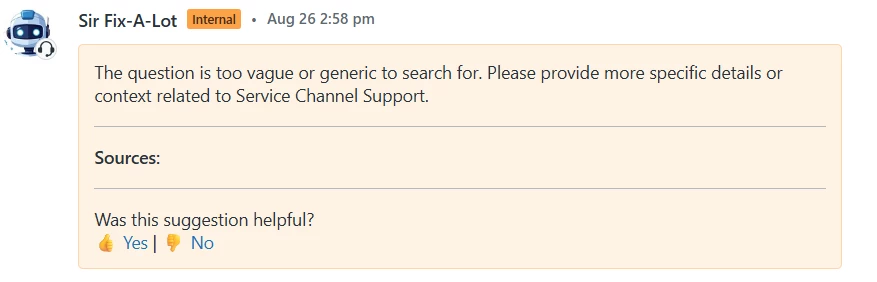
I have created a bot response in Zendesk using custom HTML code. In the response, I added thumbs-up 👍 and thumbs-down 👎 links for users to give quick feedback.
Was this suggestion helpful?
<a href="https://example.com/feedback?value=up">👍 Yes</a> |
<a href="https://example.com/feedback?value=down">👎 No</a>
Currently, I can capture the feedback value (Yes/No), but I also need to capture which user clicked on the link (for example, their Zendesk user ID or email).
Is there a way to:
- Pass the logged-in user details automatically when they click the link?
- Or capture this information via Zendesk API / placeholders (like
{{current_user.email}}) in the link?
Any guidance or best practices would be really helpful.
Are only logged in users receiving this feedback poll? If so, then just grabbing and passing the user's email to wherever you're storing the response data should be fine.