Can Zendesk automatically update the subject? | Community
Skip to main content

Can Zendesk automatically update the subject?

  • January 4, 2019
  • 11 replies
  • 0 views

I have a support form on our website that sends an email to our zendesk email address and creates a ticket automatically in Zendesk.  The problem is that I dont have access to change the subject when the emails are sent out.  I want Zendesk to be able to automatically update the ticket's subject based off key text (a specific string) in the email.  Is this possible?

11 replies

  • January 4, 2019

Hello Haroon, the simplest way I think you could do this is by creating a a trigger/target combo.  A http target can make most of the changes that are accessible in the API, including the ticket title. 

Below is some info that was given to me when starting with http targets. In your case you could replace the title/subject, or I believe you could append or prepend text if preferred.

-----------------

Setting up an http target is simple:

Url: https://domain.zendesk.com/api/v2/tickets/{{ticket.id}}.json

Method: PUT

Content Type: JSON

Then add your api authentication

Using the notification in a trigger is just a case of using the api. Perhaps some examples will inspire you.

{"ticket": {"recipient": "accounts@domain.com", "custom_fields" : [{"id":19713728, "value": true}]}}

In this example I set two fields on the "ticket" object. The first is the Recipient field which is not available through they UI. The second is a custom dropdown field. You can add as many pairs (field name, field value) as you wish to the JSON statement.

Here is another example:

{"ticket": {"comment": {"public": false, "body": "Ticket escalated to the Accounts group by {{current_user.name}}\nType of Issue: {{ticket.ticket_field_option_title_11818801}}"}}}

In this example I add a private comment to a ticket using placeholders also.

-----------------------


  • January 4, 2019

Thanks, Andrew!


  • June 26, 2019

Related to this query - is it possible to amend the rules for inbound text messages

The default subject line = "Message from: Text user XXXXXXXX"

In order for the team to be able to eyeball the messages, I'd like it to be a custom something like = {{ticket.ticket_field_ID}} {{ticket.requester.phone}} 

I can't create a trigger as there isn't an option to update Subject line, it is possible to update the subject line in a Macro for emails, but when you try applying the same logic you get a weird "----------------------------" subject line.

Any assistance is appreciated! 


Devan
  • July 2, 2019

Hello Clarie,

So this is something that would exceed the scope of what the base program can accomplish. This might be doable if custom code was involved, but as the platform stands on its own, this wouldn't be an option. I would recommend posting this request on our product feedback forums so our developers can consider adding the feature into future updates.

Support Product Feedback


  • March 31, 2021

I know this is an old ticket but I'm having a problem.

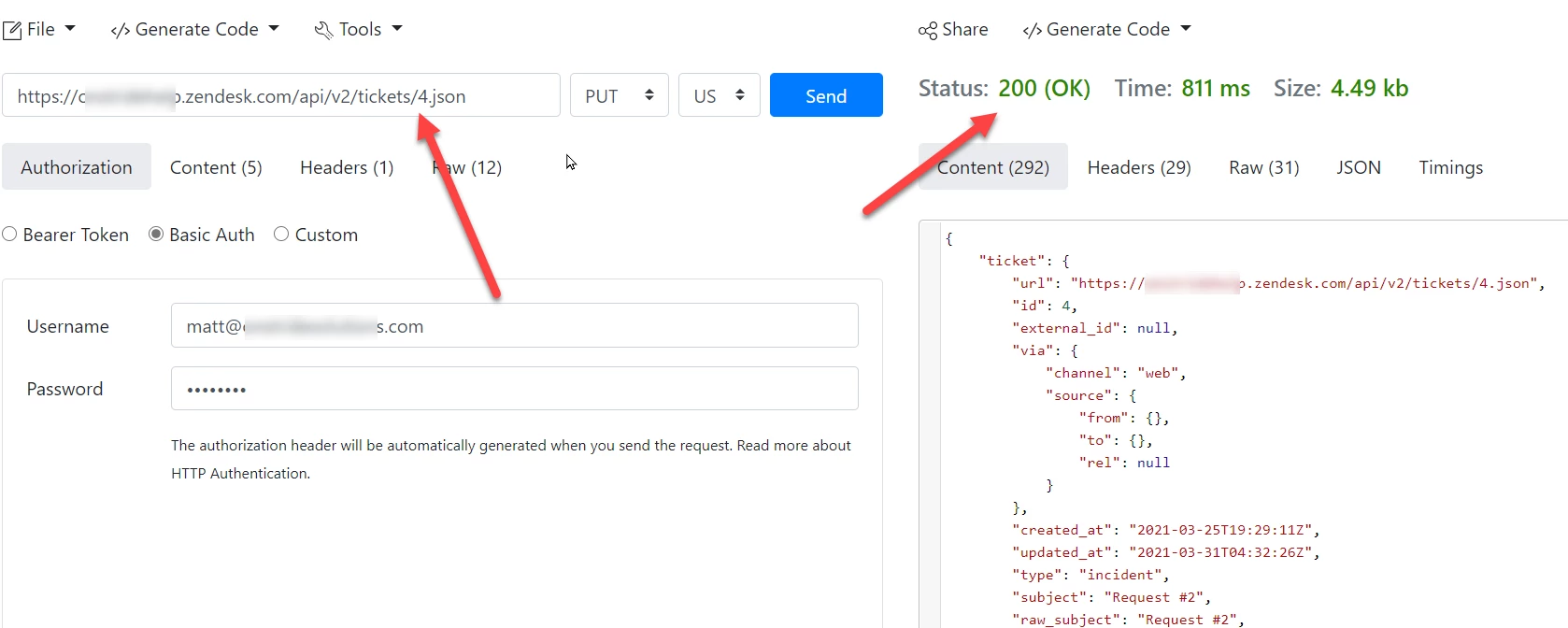
I followed these instructions exactly. YES, I used put in my Extension. I validated the extension works using a json post tool. 

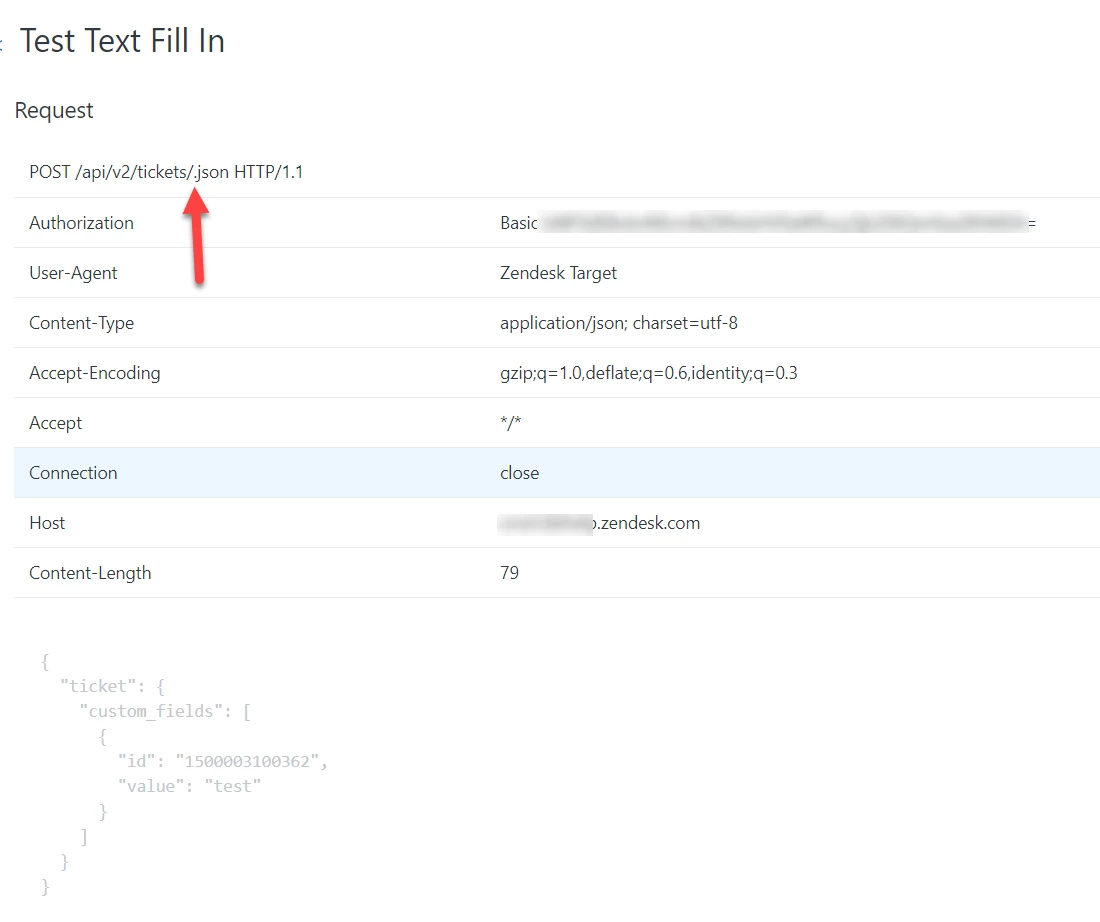
I think the problem is the Notify Action on the Trigger isn't populating the ticket_id. Here is the HTTP response :

POST /api/v2/tickets/.json HTTP/1.1


Notice, the ticket_id is not int he post url.

Thanks in advance for your help.

Matt


  • March 31, 2021

Hey Matt, can you post a screenshot of your target with all details (except blank out any personally identifiable or sensitive data)


  • March 31, 2021

Here is the error I'm getting in the API failure view

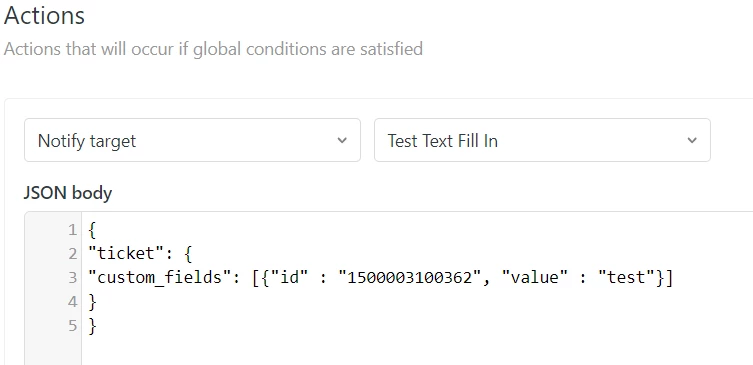
Here is the trigger:

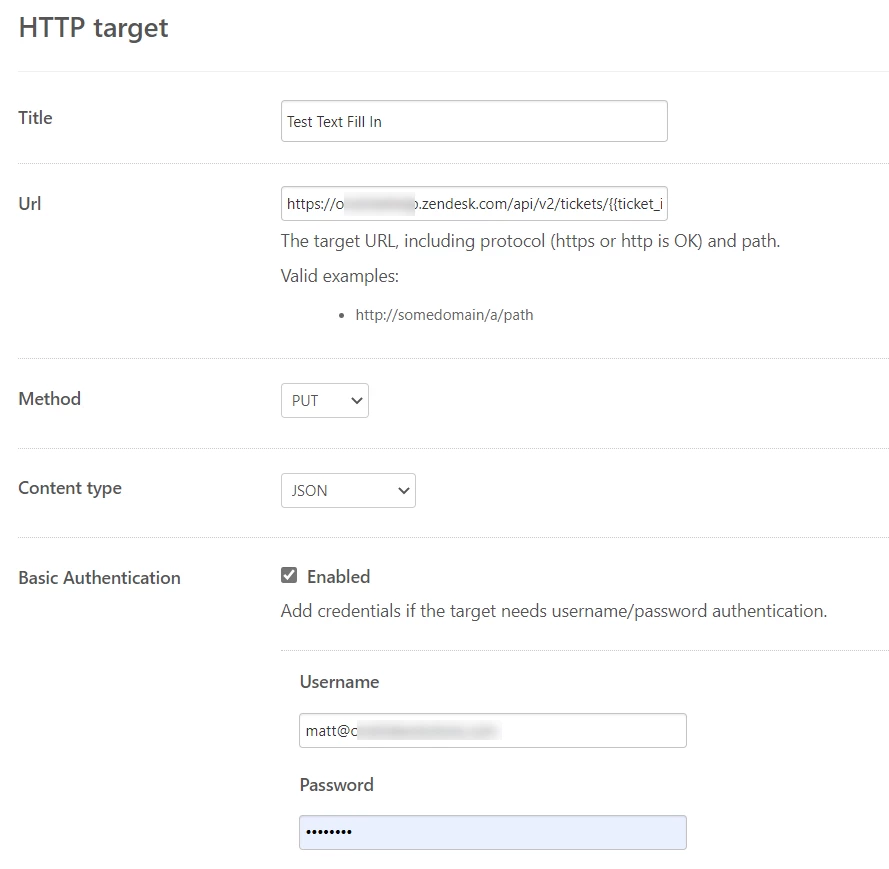
Here is the target

https://[domain].zendesk.com/api/v2/tickets/{{ticket_id}}.json


I know the target works because I tested it and the field updated fine.

Notice the ticketID is there.


  • March 31, 2021

You have ticket_id instead of ticket.id
Could that be it?


  • March 31, 2021

I could be wrong, it's a while since I did this. I am just comparing your URL to the one in my ages old comment.


  • March 31, 2021

Thanks, I can't believe I missed that. 

One more quick question. My trigger condition is "Status is Open". If I have a ticket that is currently Open, and Submit that ticket as Open, the trigger doesn't fire. Does that trigger only work if a ticket is CHANGED to Open? 

Thanks,

Matt


  • March 31, 2021

It should not require 'changed to'.
Check the event log to see what is happening.
Try triggering it differently, something like 'changed to on hold' and add action 'open', just to test it otherwise that might have unexpected results down the track.