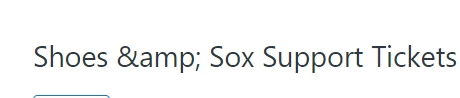
Ampersand issues | Community
Skip to main content

Ampersand issues

  • July 5, 2022
  • 9 replies
  • 0 views

Raven11

Hello!

We are having a few glitches with the "&" symbol. Its allowed as part of a name, but have seen two things:

1. When pushing it from an API call it posts "&" as the output in Ticket and Org names.
2. When using a markup in a trigger or automation email (i.e.  {{ticket.ticket_field_360034322171}} if the field has a name in it like "Dunn & Brad" then the email will read "Dunn &amp Brad"

Are there workarounds for this?

Thanks in advance!

9 replies

Tipene
  • July 6, 2022

Hey @raven11,

Thanks for reaching out!

Can you send through an example of the markup that you're using in example 2 when using triggers or automations. Also, when you're sending via the API, is the content an html_body or just a normal string?


Emily50
  • August 7, 2023

Hi @tipene, just came across this thread while looking to solve an issue I'm seeing. I have started noticing this when creating macros and changing then name of my support inbox - can you assist? 

Screenshots below:


Deleting the 'amp;' doesn't remove this text from the name as it reappears when you exit out of the field you're editing. 

Any assistance would be greatly appreciated!

Thanks :)


Tipene
  • August 16, 2023

Hey @emily50, @jakub13!

I just want to confirm - are the macros being created via API or in the Admin Center UI? 


Tipene
  • August 17, 2023

Thanks for clarifying!

I haven't been able to replicate this on my end. Are you copying across the text that includes the "&" symbol? If so, can you try manually typing it in to the name box and see if that fixes it?

Also, is it on specific devices (mobile vs web) and/or browsers that you're seeing this, or uniformly across the board?


Tipene
  • August 18, 2023

Hey Jakub,

I've requested access so I can view the file


Tipene
  • August 22, 2023

@jakub13 thanks for the access, I can see what you're saying - certainly strange!

Can you try this in a private/incognito window and see if you have the same results? I'm curious if there are any browser extensions that could be the cause.


Jakub13
  • August 23, 2023

Hello @tipene
Thank you for looking into this. I have just tested in incognito mode and the same happened. Other colleagues who working with macros experience exactly the same issue.
I believe I have seen & somewhere else in zendesk, besides in macros.

Best regards
Jakub


Tipene
  • August 25, 2023

Hmm okay that's definitely unusual! Neither myself or a few other people here have been able to replicate the issue. I'm going to check in with the team who looks after the product and see if they have any insights.


Jakub13
  • August 26, 2023

Hello @tipene
It is a bit strange, as when either of my teams wants to edit the NAME of any of the macros, the "&" always comes up where "&" was, as soon as we press the save button.

Maybe it has something to do with any settings on our (and few other customers of yours) instance?