Add Meta Title & Meta Description | Community
Skip to main content

Add Meta Title & Meta Description

  • May 2, 2023
  • 5 replies
  • 0 views

Anis

Hello all, 
Can we add Meta Title and Meta Description in our Help Center? 
if we can add that, where we can access the <head> tag in Zendesk

Thank you

5 replies

Pulkit12
  • May 2, 2023

Hi Anis F

Yes, you can add Meta Title and Meta Description, you need to look for the document_head.hbs under your theme's template folder, and there you can add the meta title and description which will appear under the <head> tag of your Help Center.

Please let me know if it solves your issue

Thank You 

Pulkit

Team Diziana


Anis
  • Author
  • May 2, 2023

Hi @pulkit12

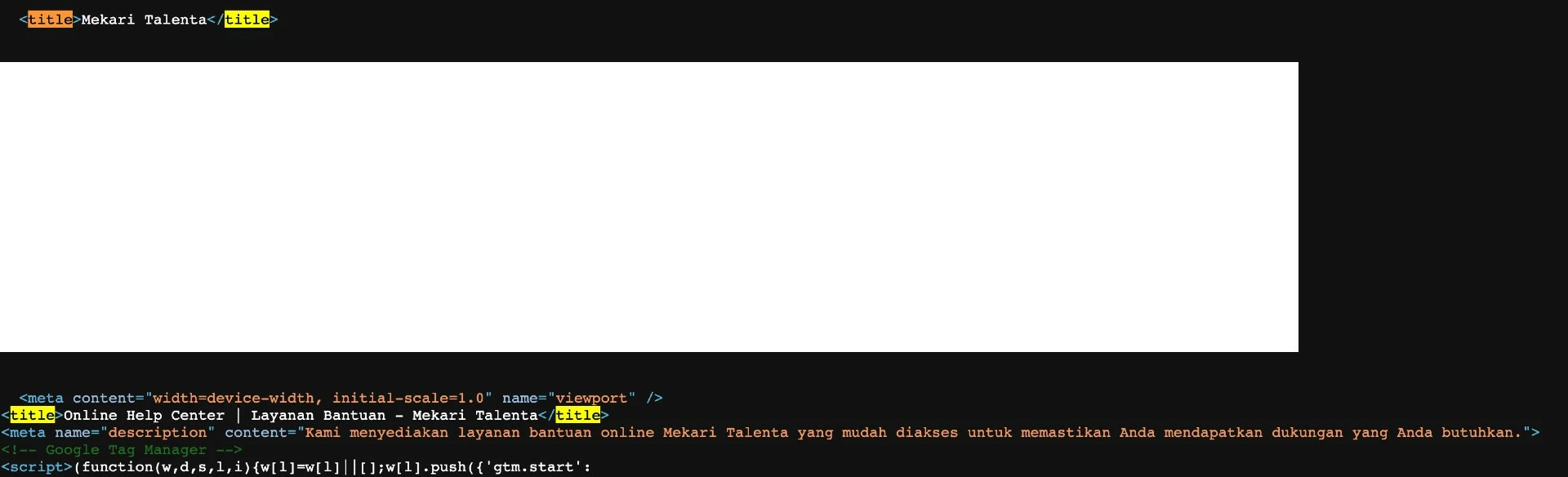
I already add a meta title and meta description in document_head.hbs. but I have another question

I add a second meta title in my screenshot, but if inspect that I have two meta titles. How to remove <title>Mekari Talenta</title>? 

because is not showing in file document_head.hbs .

Thank you 

Anis


Anis
  • Author
  • May 4, 2023

Hello Sir 

Any update for this problem?

Thank you


Anton27
  • September 13, 2024

Hey @Anis F, I was struggling with this too. I don't think Zendesk allows you to add your own meta title through the code. They generate one for you though! The format is like this: 


{Name of the article/archive} - { Name of your site }


Technically you can edit both (by editing the title and editing the site name in the admin), but obviously, it's not perfect…


Hi

I have a question related to this issue. As described in the comments, I tried adding the meta description to the document_head.hbs. It works fine for our home page. However, I now see two meta descriptions on each category and article page, the one I added and the one that is automatically created by Zendesk. The meta description that I added should only be shown on pages that don't have an automatically generated one. Is there any way to control this?

Thank you
Désirée