Howdy!
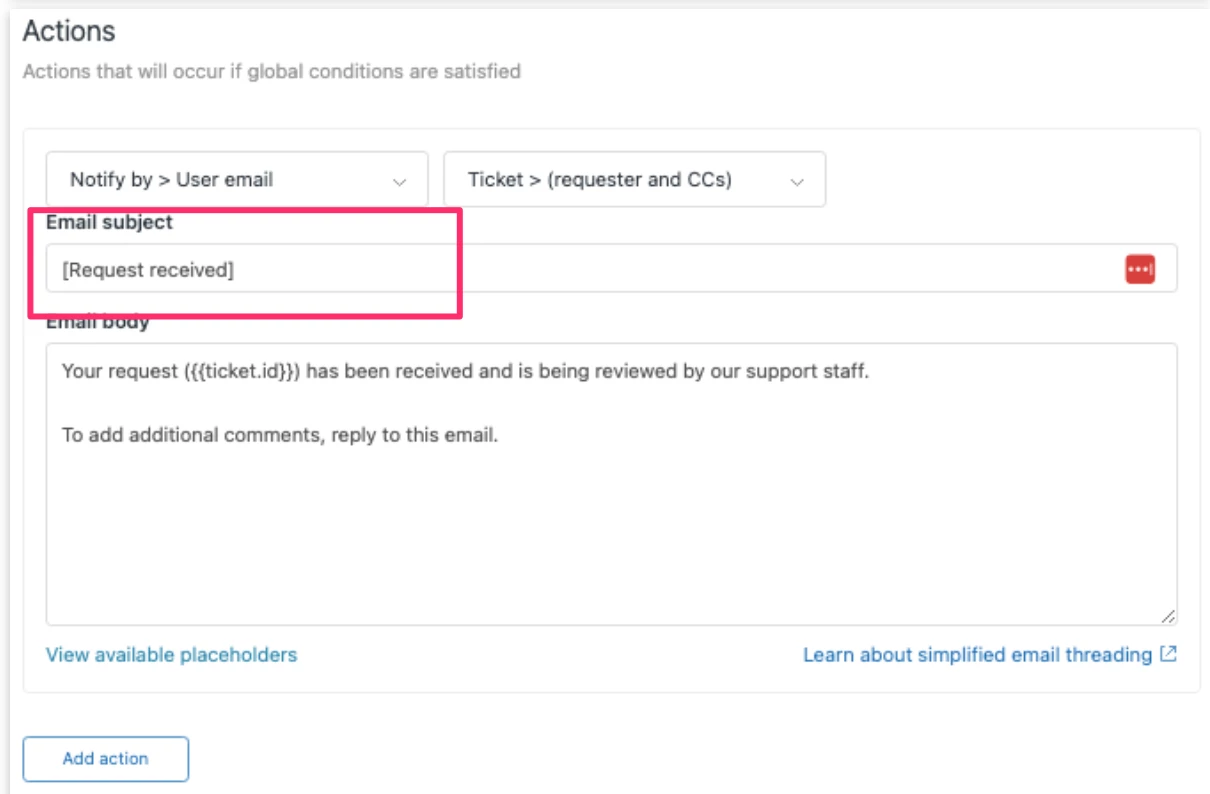
Wondering if I could get some assistance on editing the subject line when my helpdesk receives a notification when a ticket is submitted.
See screen shot below - Need to remove the [IT Help Desk] part that has the red box around it.

Howdy!
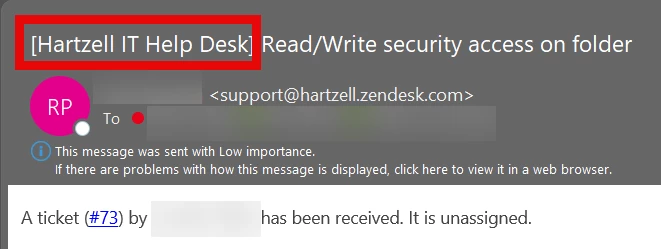
Wondering if I could get some assistance on editing the subject line when my helpdesk receives a notification when a ticket is submitted.
See screen shot below - Need to remove the [IT Help Desk] part that has the red box around it.
No account yet? Create an account
Enter your E-mail address. We'll send you an e-mail with instructions to reset your password.