Signature in the side conversation not showing up. | Community
Skip to main content

Signature in the side conversation not showing up.

  • July 12, 2023
  • 15 replies
  • 0 views

Karan12

Hi Team,

I am unable to see the signature in the side conversation all of a sudden. Earlier it was working just fine. Can someone point out to the right setting where I can correct this?


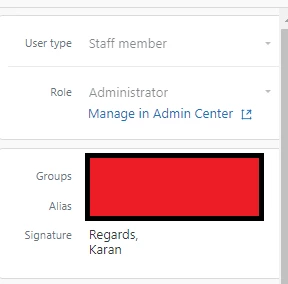
Signature is added in my profile's 'signature' section:


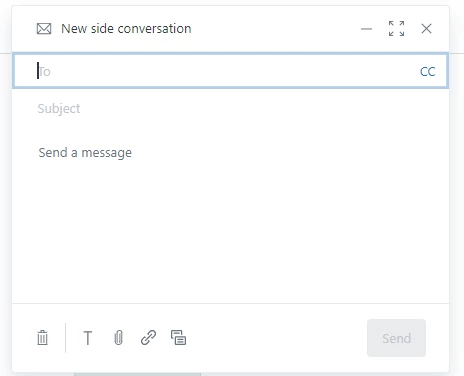
Side conversation doesn't show signature:
15 replies

Jacob20
  • July 12, 2023

Hi @karan12

I don't believe there is a setting for this. We make heavy use of markdown in agent signatures but it doesn't (or didn't) render within Side Conversations, so we asked Zendesk support to disable signatures within side conversations.

Perhaps someone in your organization made the same request? Support should be able to check this for you or determine if there is an issue.

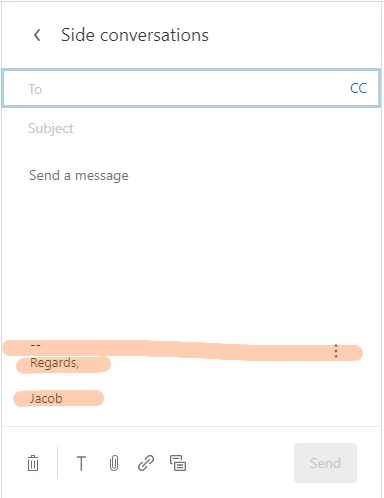
In my sandbox instance, I have support for signatures, this is what it looks like there.


Karan12
  • Author
  • July 13, 2023

I have not been able to get the resolution from the support (Chat) yet, because of delayed response.


But today this magically appeared in the instance.


@jacob20 I have, however, noticed that the signature if added with one line break (Enter button) in the profile signature, shows up with two line breaks in the actual side conversation email.


Could you please check and confirm?


Jacob20
  • July 13, 2023

Hi @karan12 - good to hear that magic made the signature appear!

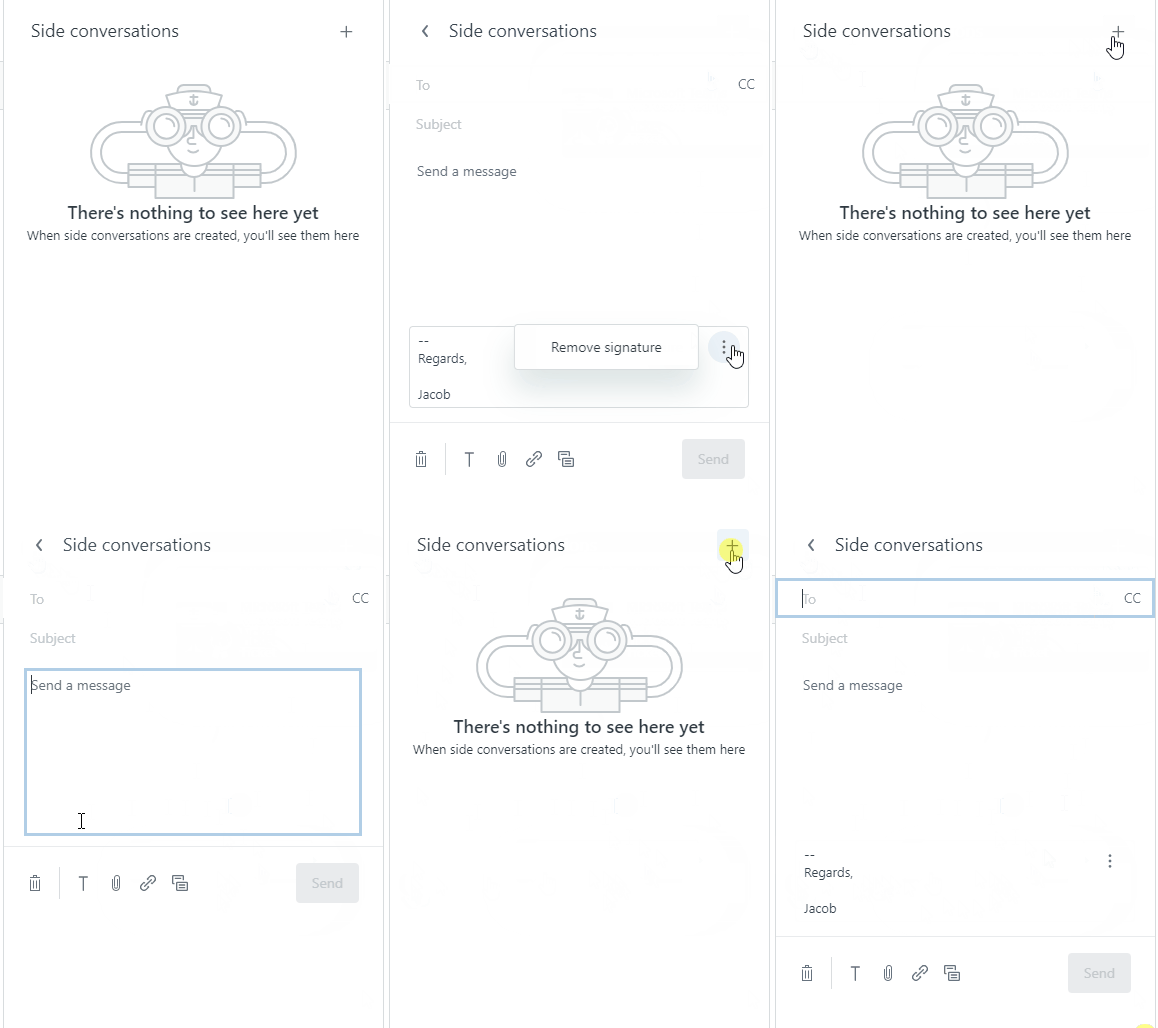
I did notice something that might explain why your signature wasn't showing, if I click the "Remove signature" option and come back to the conversation, I need to discard the conversation in order for the signature to become available again.

I tried to recreate the issue you mention with line breaks being duplicated, but I wasn't able to, it shows the signature the same for me on the profile page and in the Side conversation.


Karan12
  • Author
  • July 14, 2023

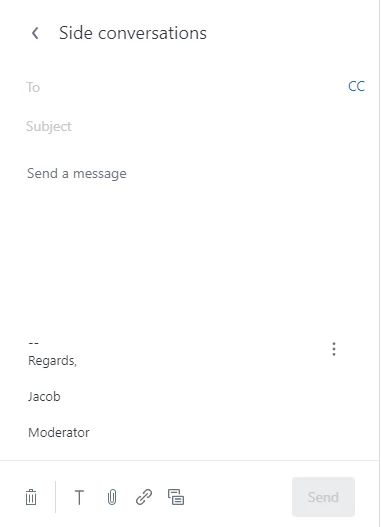
@jacob20 In the Screenshot shared above I can see an additional line break. Can you set up your signature like the following and let me know how it shows up in the side conversation?


Regards,
Jacob
Moderator


Jacob20
  • July 14, 2023

Hi Karan,

My signature from earlier had an empty line in it already. But testing with your example, I see what you mean, empty lines are indeed inserted when using Side conversations.

That does seem like a bug to me.
Have you tried using Dynamic content to hold your signature message? Not sure if that is a way to get around this.


Karan12
  • Author
  • July 14, 2023

@jacob20 I did try the dynamic content method but it also gives an additional line break.

This wasn't happening like a week ago.


Karan12
  • Author
  • August 4, 2023

Any idea who's gonna solve for this?


Anne17
  • August 11, 2023
Hello Karan,

in this case, please open a ticket with Zendesk Support, so that we can investigate the issue.

Karan12
  • Author
  • August 17, 2023

Hi @anne17 I've already raised the ticket #11704212 waiting for an update.


Stephan12
  • October 27, 2023

Hi everybody,

we are using the app Zignatures and this one is great. You can create the different signatures per group or user in case of your wishes (on HTML basis). Furthermore you can decide per message (also side-conversation) if the signature should be added or not.

Regards, Stephan


Francis14
  • October 28, 2023
Stephan, I truly appreciate you taking the time to share this information. Your input is incredibly valuable and contributes significantly to our understanding of the situation. Thank you for your contribution!

Stephan12
  • October 30, 2023

The best thing I forgot to mention. You can also create custiom fields on the organisation and user in order to show different, personalised information as well. 


Francis14
  • October 31, 2023
Stephen, I greatly appreciate the information you provided! Your insights have been valuable, and I want to express my gratitude for your assistance.

If your signature isn’t showing up in side conversations, one simple workaround is to handle it through a macro.

You can create a macro that automatically inserts your signature text or template at the end of the side conversation message. This ensures consistency across your team and avoids having to manually copy/paste the signature every time.

Here’s how to do it:

  1. Go to Admin Center → Workspaces → Macros → Add Macro.
  2. Add an action:
    • Comment → Side conversation (or “Side conversation via email”, depending on your setup).
  3. Write your message and include your signature at the bottom
  4. Save the macro and share it with your team.

Now, when you start a side conversation, simply apply the macro and your signature will be included automatically.

It’s a quick and reliable way to maintain branding and consistency while Zendesk works on improving native signature support for side conversations.

Hope that helps! ✨


Ifra
  • March 1, 2026

According to me, if it worked earlier may be you sent via email, if your are sendig via other like Teams, Slack,etc. then it won't show.


Thanks