Hi,
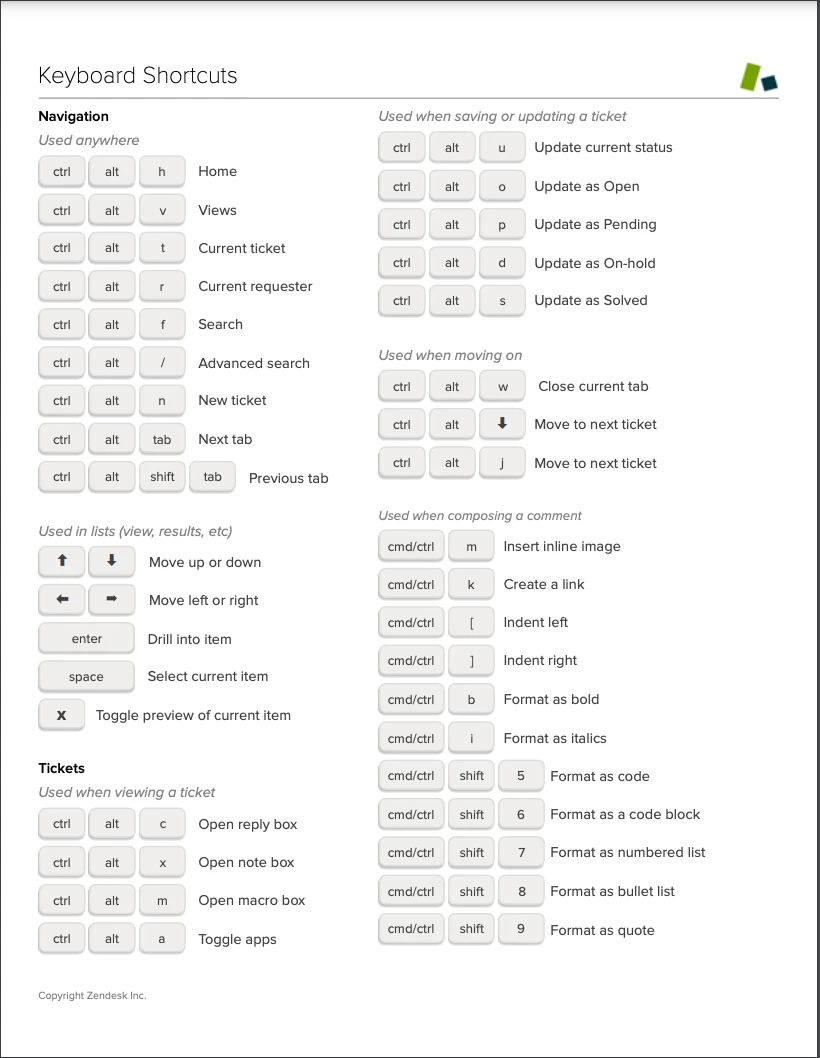
It seems that some keyboard shortcuts stopped working since the new update (with an AZERTY keyboard).
For example, in a code block, I used to use the tabulation key to reindent my code, but it's now only focusing the next element (as the browser's behaviour, and not as the code block's behaviour).
Also, the "Ctrl + Suppr" / "Ctrl + Backspace" shortcuts are now only removing 1 character at the time, while it removed all the spaces (or the full word) before.
Is it meant to work like this now? And if yes, are there new shortcuts?
Thanking you in advance ! :)