
Rogue iframe in Chrome and Edge on Zendesk Support - stops selection of Views/Home/+Add | Community
Skip to main content

Rogue iframe in Chrome and Edge on Zendesk Support - stops selection of Views/Home/+Add

  • January 28, 2022
  • 6 replies
  • 0 views

Hi team,

We have an issue in Chrome and Edge, which presents as follows:
Users are unable to select elements in the top left corner of screen. Observe the cursor remains as a pointer, whereas a selectable element will produce a hand symbol.
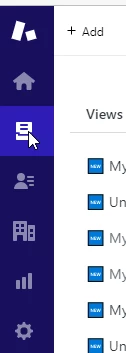
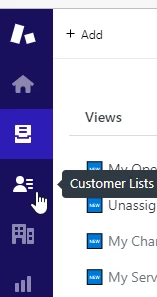
Opening DevTools, I can see there is an iframe with id="web-messenger-container", which appears to be a Zendesk Sunshine? addin - https://docs.smooch.io/guide/web-messenger/ 
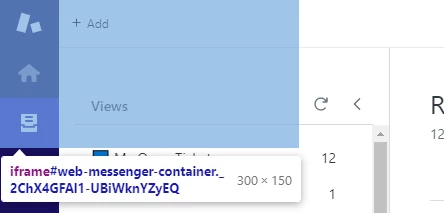


Hiding this iframe in Dev Tools lets the user select things underneath that iframe
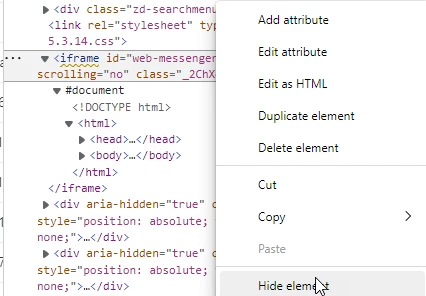
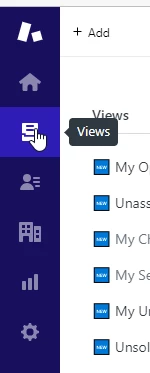


How do we permanently disable this from loading?


6 replies

Ifra
  • January 28, 2022

Hello Rhys,

It's a backend issue, you can't do it by yourself, you need to contact Zendesk.

Thanks


  • Author
  • January 30, 2022

Hi, thanks for getting back to me. This post was option 2, so I'm likely going to go around in circles. Is this a known issue?


Ifra
  • January 31, 2022

For me... it's not a known issue :)


Jeremy22
  • August 21, 2022

I've had the same issue - what was the resolution for you Rhys?


  • Author
  • August 22, 2022

I ended up blocking the element using AdBlockPlus


Jeremy22
  • August 22, 2022

Damn, not ideal at all!

Thanks!