Remove Zendesk name in brackets | Community
Skip to main content

Remove Zendesk name in brackets

  • March 29, 2016
  • 7 replies
  • 0 views

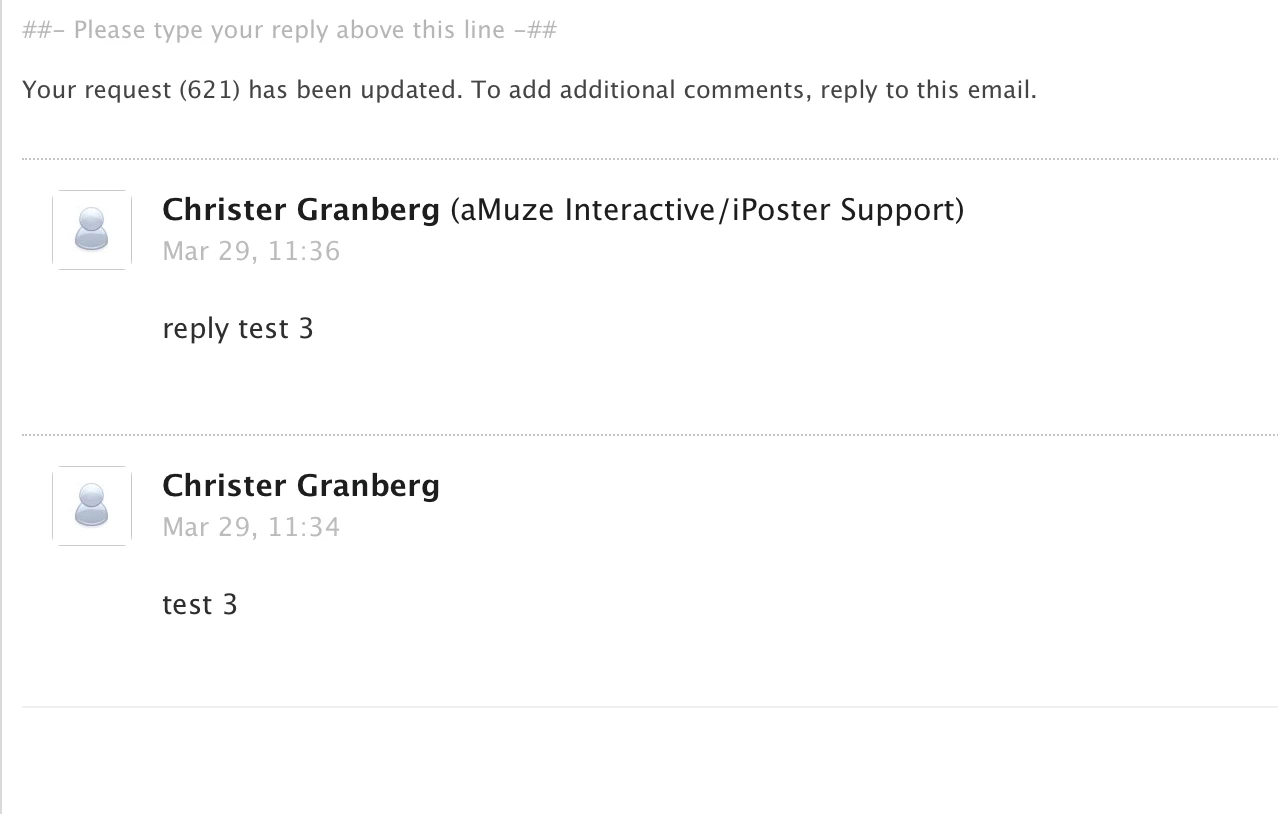
When an agent reply to a ticket, in the email that the requester receives you can see the Zendesk name (aMuze Interactive/iPoster Support) in brackets after the agents name, see attached screen shot. How can I remove this and only show the agents name, or even better, modify what's shown inside the brackets?

We're using the Essential plan.

Regards,
Christer
ipostersessions.com


This topic has been closed for replies.

7 replies

  • July 24, 2016

I'd like to know this also.


  • July 27, 2016

Hey guys! 

In your Admin settings, go to the Channels section and click Email. The very first thing you'll see is a list of your support addresses. Next to each address, on the right side of the screen, you'll see an Edit link. Click on that.

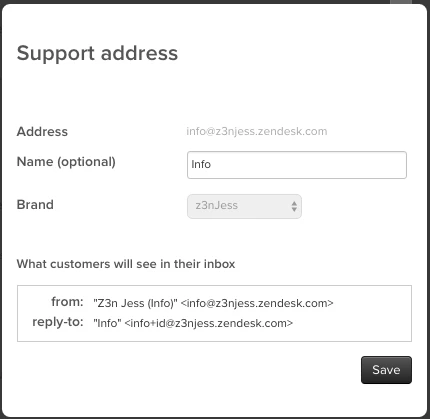
A lightbox will pop up with some options to customize how your company information is presented in the emails your customers receive. This is what it looks like when you have personalized email replies enabled: 

You'll notice that the Name is optional; if you don't want that to show in parenthesis after your agent name, just delete it. Otherwise you can change it to whatever you'd like. The box at the bottom will automatically generate a preview so you can see what it'll look like in real life.

Bear in mind that if you remove the Name and do not have personalized email replies enabled, all your customers will see is your email address.


  • August 2, 2016

Thanks Jessie, so we have a couple of support addresses we use for our different support teams.  So I have updated the Name for the different support teams but I have turned of personalised email replies.  The name in brackets on the reply emails work but the person replying still has our main support team name in brackets.  Is this name in brackets based on our zendesk domain?


  • August 4, 2016

Hey Tana!

Can you post a screenshot of what you're seeing? I want to make sure I fully understand what you're seeing.


  • Author
  • August 19, 2016

Hi Jessie

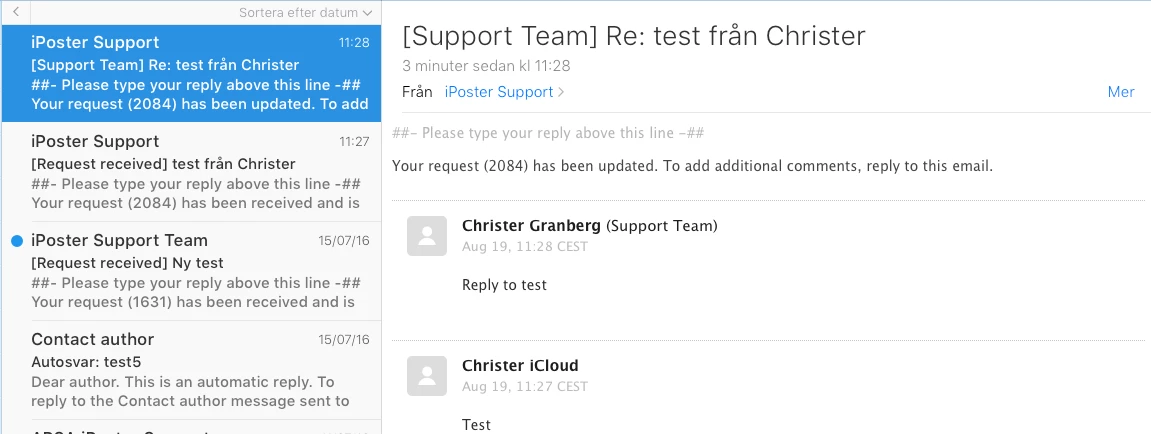
I have followed your guide but it's not working. By changing the name in the Support address settings I can indeed modify the From field (iPoster Support) in the email reply that the requester receives, BUT the name in brackets (Support Team) after the agent name in the reply is still our Zendesk account name.


  • August 24, 2016

Hi Christer!

I'm sorry, I misunderstood your initial question! It's not possible to completely remove the name that appears in parentheses after the agent name, but you can change it. 

Go to Gear icon > Settings > Account and change the name in the Your Zendesk account name field:


  • April 26, 2017

This can be removed it's in the triggers.

if you remove next from the e-mail subject line [{{ticket.account}}] Then the account name is gone from the email subject.

You need todo this on all the triggers.