Remove irrelevant fields for agents | Community
Skip to main content

Remove irrelevant fields for agents

  • December 6, 2021
  • 3 replies
  • 0 views

Hi-Rez

I'm trying to set up conditions for my agents so that they don't see all the fields on the side when there is nothing filled out there.

If an end user selects Account issue questions, I don't want the agent to see technical and billing fields on the side as well cluttering the view.

I was told you can do this with conditions but I cannot get it to work  thoughts?


3 replies

Sydney12
  • December 6, 2021

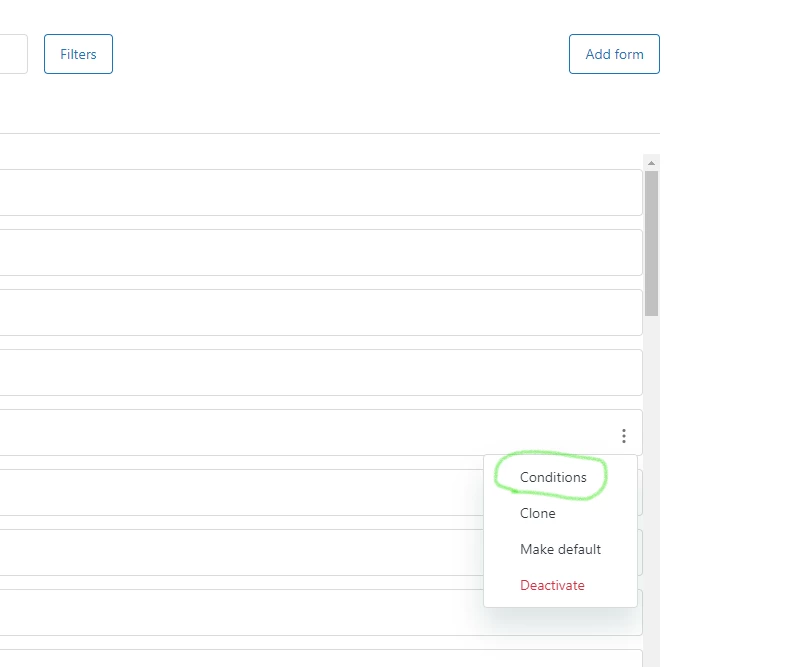
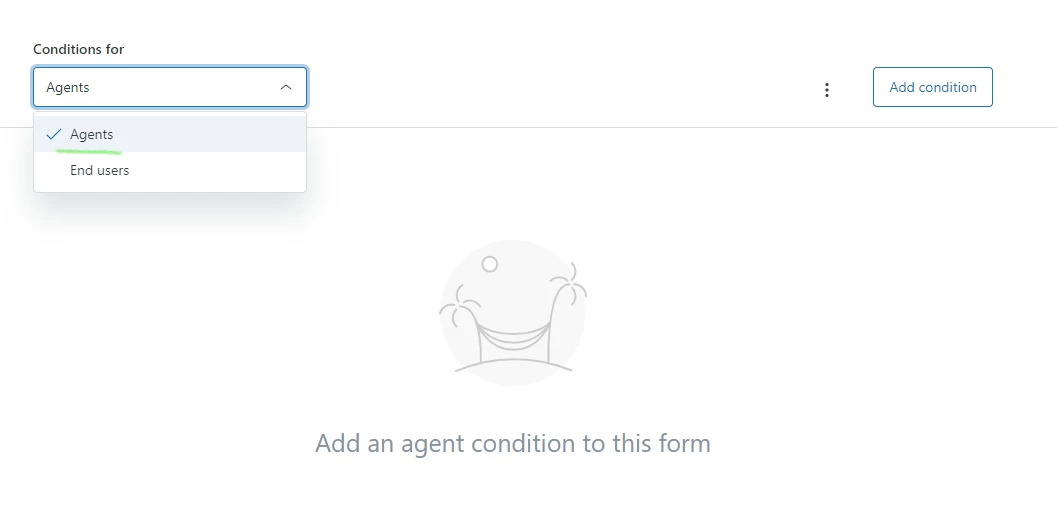
Hey Michelle! It can be a bit hard to read but there are 2 options for conditional fields. One for conditional fields on the end-user side and another for the Agent side. Hopefully my pictures help. If you don't see these options, there might be something else going on

Ensure you are on the Agent drop down for the conditional fields to work on the Agent side - and you will need to set if for each selection. For example: There is a drop down for 3 items. And each selection should show 3 different fields. I would need to set on the Agent conditional field options that when Option 1 is set, it shows the 3 fields. When Option 2 is set, it shows the 3 fields. When Option 3 is set, it shows the 3 fields.


Hi-Rez
  • Author
  • December 7, 2021

Hi Sydney! Thank you for the comment. That is what I am using and setting the fields, but it isn't working that way when I test it out with a ticket. It may just be the way we have our fields set up.

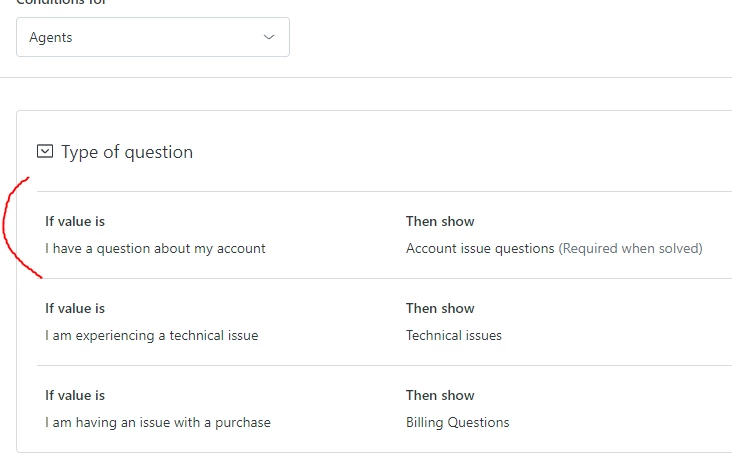
Currently I have these conditions for the agents set just testing this one out . 

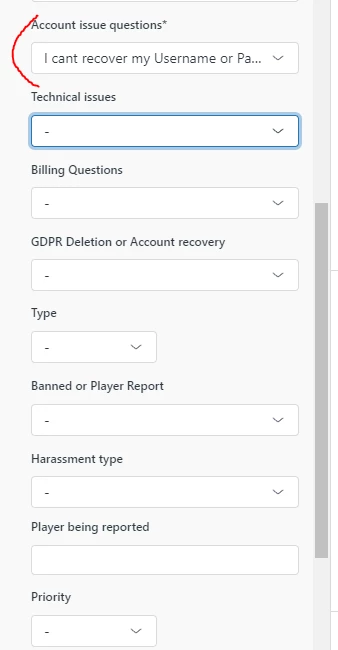
But in the ticket area, I selected an account issue)  it is still showing all these extra fields unlreated to that category.

Do I need to go in and tweak on the End User side as well? Or are there just more conditions I need to be adding? Some of the fields don't have a third option to create which is where  I am stuck.


Sydney12
  • December 7, 2021

Hey Michelle,


Thanks for the screenshot! It should work if it has been set up like that. My suggestion would be to clear the cache or refresh your page. As I know my changes don't get reflected until I refresh my page