Profile Language vs Page Language | Community
Skip to main content

Profile Language vs Page Language

  • September 26, 2023
  • 1 reply
  • 0 views

When a user lands on the page open a ticket, they can toggle the different languages at the top. This does not change the actual language on their profile. What this means, is that when an email goes out to someone who navigated the page in french, they get an english email regardless of what language they chose to navigate the page. Is there a a script that can change the language in a users profile when they toggle the language on the page so they can received the email notifications in their preferred language?

thank you.

1 reply

Zsa
  • September 27, 2023

Hello Patrick,

This is the expected behavior at the moment wherein the requester's language is detected on the first request and it will be based on the selected language of the user from the Help Center. Please refer to this article: Adding multiple languages to Zendesk Support

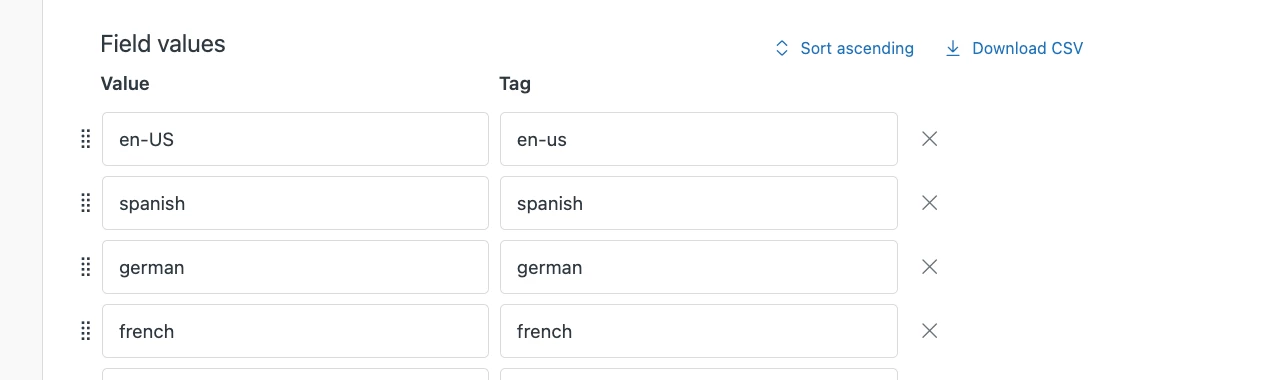
As a workaround, may I suggest adding a custom dropdown ticket field in your forms, and having it prefilled when customers submit a request? With this field, you can create a business rule to change the requester's language based on the value of the field. 

Let me provide the steps below: 

1. create a dropdown field for the requester language and make sure that it's added to your ticket form.

2. Edit your theme's JS with this code: 

 // Hide custom field
  $('.form-field.string.optional.request_custom_fields_23417384511385').hide();
  
    var htmllang = document.documentElement.lang;
  
  // Auto-populate English
  if (htmllang === "en-US") {
      $('#request_custom_fields_23417384511385').val('en-us');
  } 

  // Auto-populate German
 if (htmllang === "de") {
       $('#request_custom_fields_23417384511385').val('german');
  }
  
    // Auto-populate Spanish
 if (htmllang === "es") {
        $('#request_custom_fields_23417384511385').val('spanish');
  } 
  
      // Auto-populate French
 if (htmllang === "fr") {
        $('#request_custom_fields_23417384511385').val('french');
  } 

This code should auto-populate the custom field while being hidden in the actual form. 

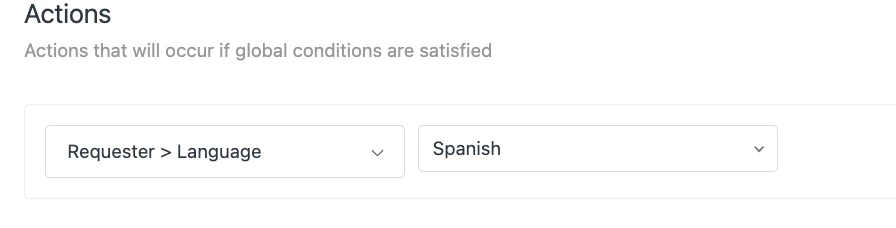
3. Create a business rule/trigger to automatically set the "Requester's language" based on the value of the drop-down field. 

I got the idea from this article here, remember to import the jQuery library as well as instructed here.