Newly created ticket gets assigned to an agent and I don't know why | Community
Skip to main content

Newly created ticket gets assigned to an agent and I don't know why

  • January 6, 2021
  • 6 replies
  • 0 views

Hello dear community,

I'm trying to troubleshoot an issue in our Zendesk instance where a few tickets are assigned to a specific agent - but I can't find out why that happens.

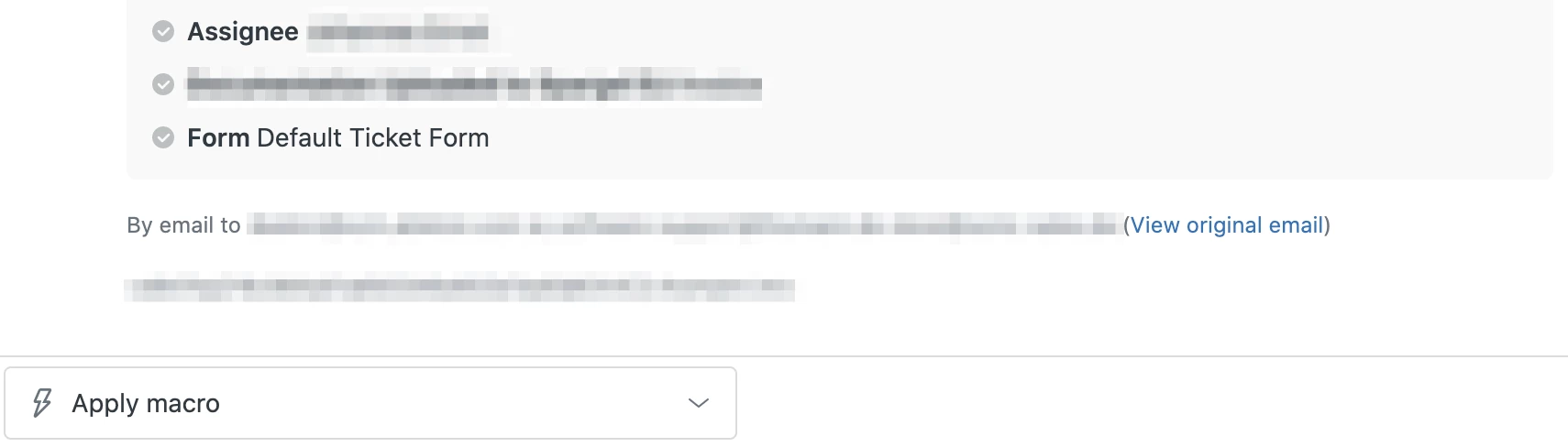
It's happening when the ticket gets created via incoming e-mail. The very first 'Event' section names the agent assignment. There's no trigger involved, as it looks like (and I also couldn't find any suspicious one).

Does that ring a bell for anyone? Let me know if you'd need some more info regarding that behavior and I'm happy to provide that.

Norman
 

6 replies

  • January 7, 2021

Best if you can provide some snippet of the events to further check. You're stating that there's no trigger involved on this one however, contradicts with the auto assignment. 


  • Author
  • January 7, 2021

Hey Jan! You're right, and I was thinking about adding a screenshot but it doesn't provide much info I guess. What one can see is the very first 'Events' section at the very bottom of the thread. And usually when a trigger is involved I can see it here. But there isn't. (The fully pixelated line is a custom ticket field)

I have to admit that it's quite a while ago that I troubleshooted Zendesk issues for my colleagues so I might oversee something very obvious.


Does that help and bring anyone to an idea where to head next?

Thanks in advance. 
Norman


ZZ55
  • January 7, 2021

Norman

All I can think of is:

  • There is only one agent
  • There is only one agent in the assigned group
  • The requester is an agent using the mail API to nominate the assignee


  • Author
  • January 7, 2021

Hey Graeme

Thanks for the input, we might come closer to the issue - there's only one agent in the group!
But that brings me to the next question: why is that group assigned (and consequently the agent)? There's no trigger doing that and the group is not the default group.


ZZ55
  • January 7, 2021

Norman

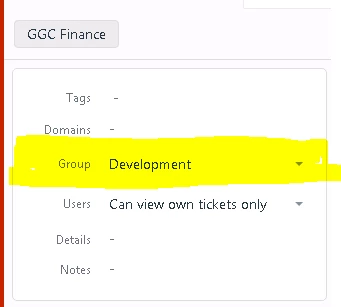
Just a guess, but it could be the requester's organisation is associated with a default group.

Check the requester's profile, then their organisation, there may be a default group here:


  • Author
  • January 8, 2021

Hey Graeme. You nailed it! It was the combination of a single-agent-in-a-group and that group assigned to the organisation. Thanks, helped a lot!

Have a good one! Norman