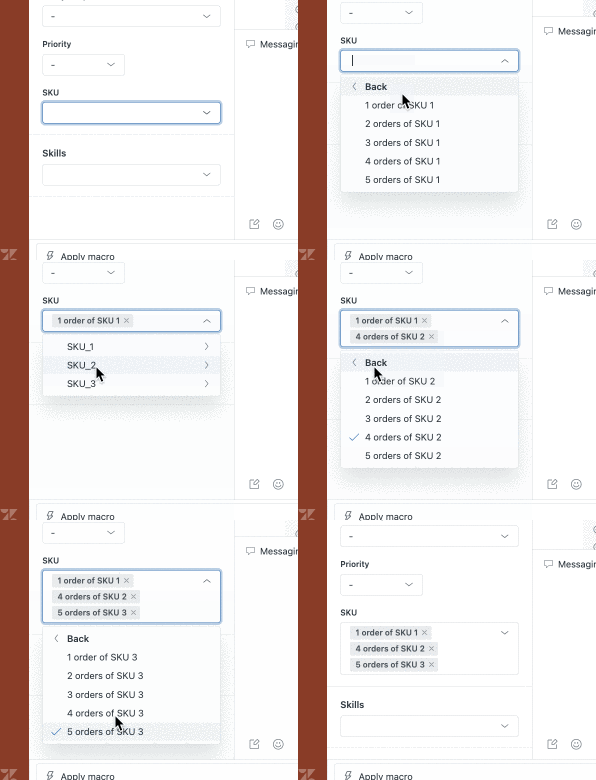
Our agents process product returns (we have 1,000s of SKUs and SKUs are being added / removed frequently). In reporting, we want to be able to see how many of each item were returned by our agents.
On a single ticket, an agent will often process a return for multiple quantities of the same product / SKU. In addition, tickets usually include more than one product / SKU for return.
I have tried several ways with multi-select and drop-down custom fields but have so far been unsuccessful finding something that will yield clean reporting and be easy to maintain as SKUs come and go. If I could apply the same tag multiple times to a ticket, this would be simple, i.e., sku1, sku1, sku1, sku2, sku3; but, it seems that is not possible. Is there a workaround?
I would very much appreciate anyone's recommendations for how this could best be done. Thanks!