Missing (not receiving) Outlook Notifications for Ticket Reopen/Reply | Community
Skip to main content

Missing (not receiving) Outlook Notifications for Ticket Reopen/Reply

  • July 10, 2024
  • 2 replies
  • 0 views

Hi guys,

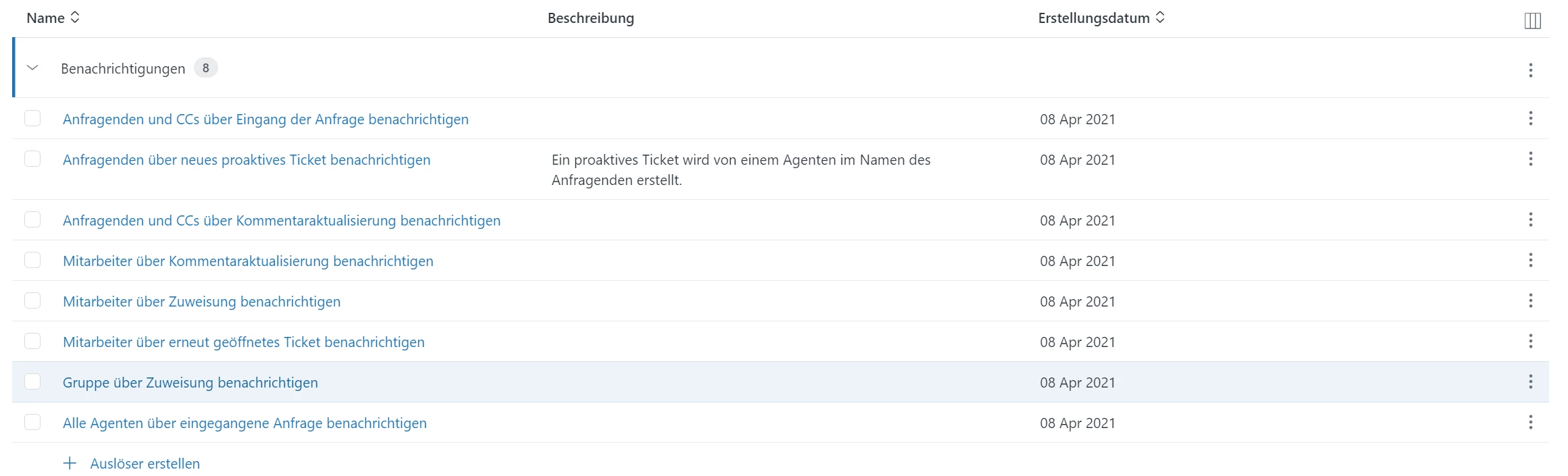
I am writing to report an issue that has been affecting me and my coworkers since January. Despite having all the correct settings, we are no longer receiving Outlook notifications when a client reopens or replies to a ticket. This has significantly impacted our workflow and responsiveness to client needs.

Here are the details:

  • Issue Description: No notifications received in Outlook when clients reopen or reply to tickets.
  • Impact: Missing crucial updates on ticket statuses, leading to delays in response.
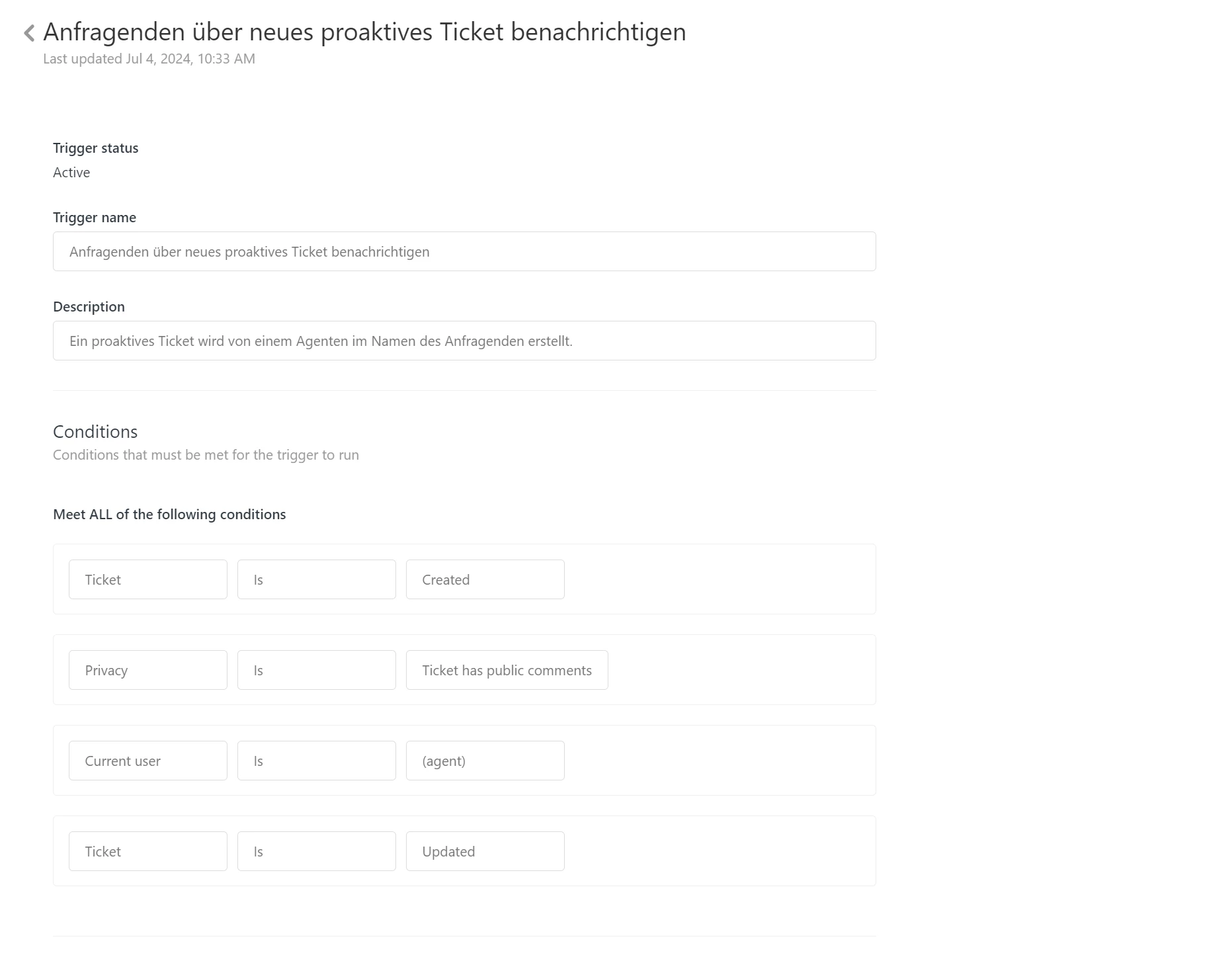
We have double-checked our notification settings in Outlook and confirmed they are correct. Given that this issue is affecting multiple users, it seems likely to be a systemic problem rather than an individual configuration issue.


2 replies

Jacob20
  • July 10, 2024

Hey Nicolette. 

I generally advice against relying on email notifications for agents workflows, favoring views sorted by SLAs, but if the agents don't do all or most of their work in Zendesk, I see how they can be useful. 


You could create a trigger that has the following conditions: 

- ticket is updated 

- current user is end user

- comment is present. 


I think that 👆 should cover the scenarios where you would want to be notified, but you should test that. 


For email actions, who do you want to notify? 

It could be:

- the assignee of the ticket, 

- all agents within the ticket group, or 

- specific agents. 


Kyle25
  • July 10, 2024

Looks like the reason is because you have “ticket > is > created” which would only fire the trigger once when that ticket is initially created. To add to what Jacob said, you could change the metrics to accommodate. Maybe remove that metric in the “meets all” section, and move it to the “meets any” section, then add something like “ticket status > changed to > Open” or something similar. 

Also, "Current user > is > agent" would mean that only tickets where agents create/update would fire this trigger. If you want to have notifications when a client re-opens a ticket, maybe have something like:

Ticket status > changed from > Solved

Current user > is not > agent 

That way, if an agent re-opens a ticket, there won't be a notification, but if the client re-opens the ticket, there would be a notification. 

Plenty of ways to achieve the same result, you just have to play around to find what works for your company's workflow, but that's where I would start. Hope this helps!