Make tables in Ticket | Community
Skip to main content

Make tables in Ticket

  • January 11, 2017
  • 13 replies
  • 0 views

Hi, 

I have been searching for a while to find a method of creating a table inside ticket but get no luck. 

I have enabled Rich Text Editor, but couldn't create a table. 

Is there a way to do this, just an simple table as an example?

FirstName  LastName

A                 B

C                 D


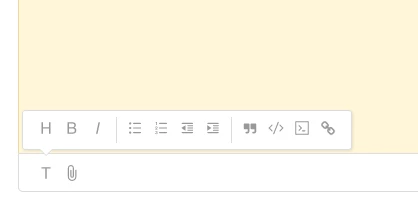
my editor in ticket looks like 
This topic has been closed for replies.

13 replies

ZZ55
  • January 13, 2017

Haipengsu

Just in case it helps.

While there is no table editor within Zendesk, if you are using the Rich Content editor (Admin>Tickets), you can paste tables into tickets. For example, if you have a table created in Excel or Word, the content should look fine if you copy\ paste from the source.


  • Author
  • January 13, 2017

Hi @Graeme, Thank you so much.

I did try pasting from excel and it works, thank you for confirming that. 

However, I would like to use the API to create tickets with tables periodically, since table is not working through editor, I will insert tables delimited by commas or semi-colons.

Thank you. 


  • March 5, 2017

With the new app location, I've created a small app that enables you to insert tables from within the editor:
https://www.zendesk.com/apps/tables/


  • Author
  • March 6, 2017

Hi @Sebastiaan, 

This is very helpful, and It does make things much easier. thank you very much. 

Is there a method to create a table from plain text editor? I aimed to create tables by using Zendesk python Api, so only plain text is supported in python. 

Thx again ..


Jennifer16

Hey Sebastiaan,

That app is so awesome! Thanks for letting us know about it.

If you'd like to add a "tip" about it in our Tips and Tricks section, that's be great. We're also going to add a note about it in our documentation about using the rich content editor in comments.


  • March 23, 2017

I just installed the Tables app and it works great

Does anyone know how to modify the number of Rows/Columns after the Table is initially created?


  • March 29, 2017

Hello Jeff,

That's currently not possible. Once it is, I'll make sure to add it to the app.

With kind regards,

Sebastiaan


  • May 26, 2017

Just wanted to add my vote of thanks for this piece of work, even though it took me 30 minutes to realise I needed to be using the rich text editor!  Senior moment.

David Stevenson


  • August 15, 2019

With the Tables Pro app you can also amend the rows and columns.

However it's hard (impossible) to manage the width of columns which sometimes doesn't look very nice.

Also, when the table is submitted by email, the table structure isn't present, the cell are just concatenated in plain text.

So yes, it's easy to create a table, but no, it's often unreadable.


  • August 19, 2019

Hello Pascal,

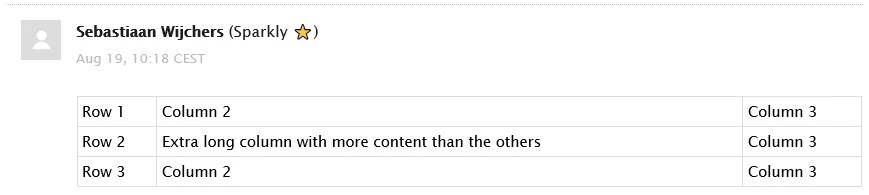
It's correct you cannot manage the width of columns, it will somewhat auto-adjust to the content of the columns. Zendesk will strip any properties that would set the width of a column, so that's currently not possible to pull off with the app.

I just did a quick test and the table remains intact in Gmail:

And Outlook (on Windows):

What email client(s) are you experiencing problems with? Does any other (native) markup like lists or quotes remain intact?

With kind regards,

Sebastiaan
Sparkly ⭐


  • September 4, 2019

Is there a way to keep the original formatting of the tables? We occassionally send these to some clients in the email text and all our tables are nicely formatted (with coloured header row, bold in certain places etc) however when we copy paste to Zendesk it looks very plain?


  • September 4, 2019

Hello Tamara,

Options are very limited, so colored text or backgrounds will be stripped. Only the basic table structure will remain.

With kind regards,

Sebastiaan
Sparkly ⭐


  • September 4, 2019

That's true but it seems a bit strange, because colors in the comments outside the tables are kept nicely.