Links aren't working in Trigger Response to Emails | Community
Skip to main content

Links aren't working in Trigger Response to Emails

  • October 19, 2021
  • 15 replies
  • 0 views

Davis12

Hi,

We have added the following <a href=""></a> tags to our trigger body (auto response trigger) and the hyperlink is not clickable or anything, it is just plain text. Please assist?

<a href="www.google.com">text here</a>

15 replies

Dave12
  • October 20, 2021

Hi Davis,

It should work if you add the protocol to the url, e.g.: <a href="https://www.google.com">text here</a>


Davis12
  • Author
  • October 20, 2021

@Dave Dyson Yes, that is exactly what we tried and it doesn't work, it comes out as plain text that you cannot click.


Davis12
  • Author
  • October 29, 2021

@Dave Dyson is there any other feedback on how to troubleshoot this? Is there some setting we need to enable?


Dave12
  • October 30, 2021
Hi Davis, thanks for your patience. I think this may require some deeper investigation – can you try contacting our support team? Contacting Zendesk Customer Support

Davis12
  • Author
  • February 15, 2022

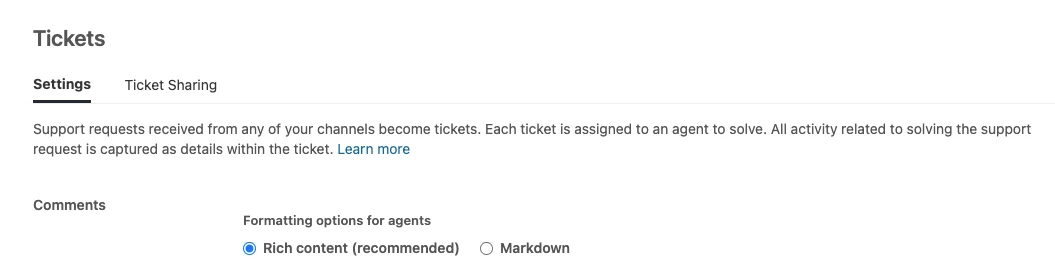
Sorry for the delay, I had to enable Rich content from Admin Settings > Tickets > Settings for <a href></a> tags to work! Cheers!


Dave12
  • February 16, 2022
Glad you got it working, Davis!

  • April 4, 2022

Hi Everyone, 

I think this is no longer working. We've been getting clients reaching out stating it no longer links to our helpcenter. 

We have rich content enabled with the same <a href=“Our Link to our Help Center”>Help Centre</a>

So it appears to be broken. 


Dane13
  • April 12, 2022

Hi Bart,

It seems that you are using an incorrect format. It should look like this.

<a href=“https://www.yourcompany.com/”>Help Centre</a>


Ivan45
  • September 16, 2022

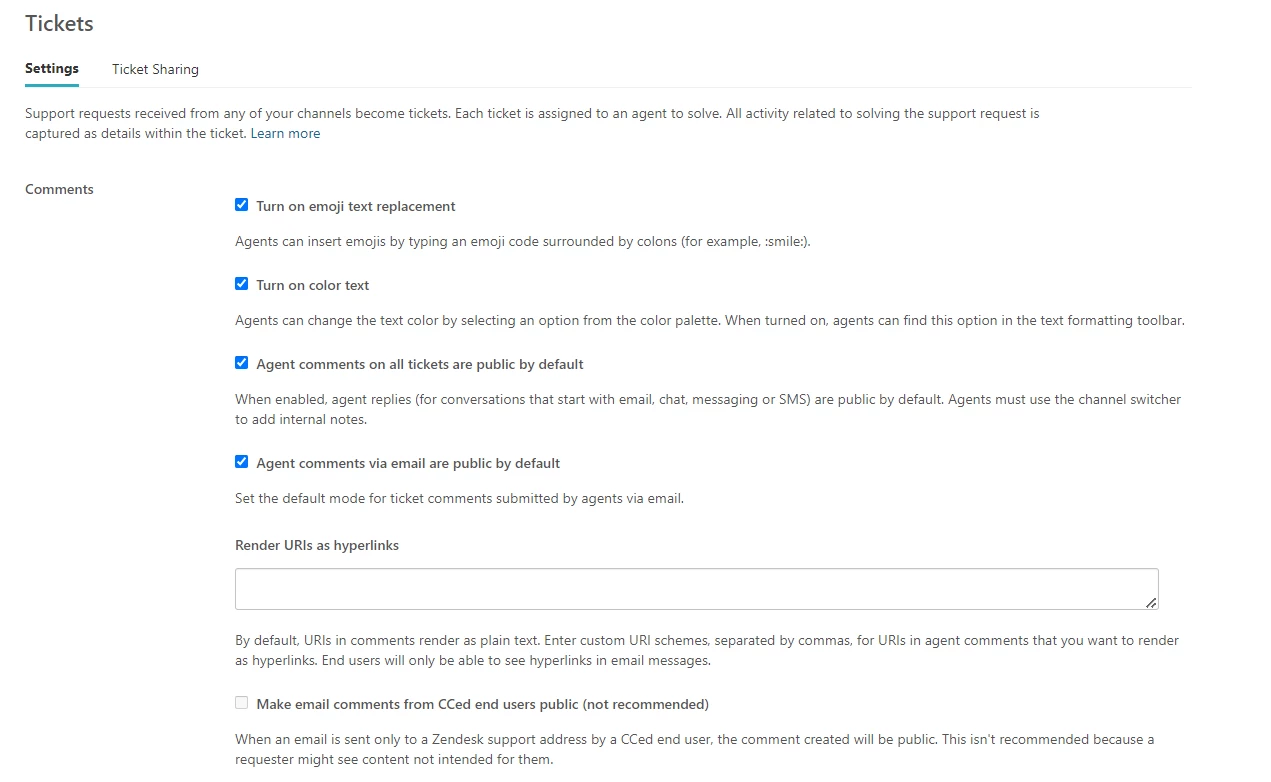
Hi, it looks like the ticket settings page has changed - we do not see an option to enable rich content anymore and can't get links to work:
Is there a workaround for this? We have enabled rich content under Channels > Email > Rich content in email


  • December 1, 2023

My links to the ticket are not coming in as links in the notification emails I have it like this: (also don't see the rich text option in admin)

Ticket - <a href="{{ticket.url}}">{{ticket.url}}</a> 

Why isn't it making a clickable link?


  • December 4, 2023
Hi Andres, 
 
You'll have to locate the notification trigger or automation and select Edit. Then modify the action or actions as needed.
 
The following placeholders insert ticket links in the email body: {{ticket.link}} or {{ticket.id}}
 
For information on working with placeholders, see Using placeholders.

  • December 5, 2023

Thanks @gab11 I will give it a shot. 


Aran
  • December 10, 2023

Same issue as @ivan45, can't find the option to enable rich content and the links are all unclickable at the moment.


Dane13
  • December 12, 2023
Hi Aran,

Please contact our support directly for us to further check this behavior.

Aran
  • December 27, 2023

@dane13 Thanks, contacted and resolved. Also updating how it was resolved:
Apparently the best way is re-type the whole code again or copy pasting the html into Notepad before pasting it to Zendesk. The reason of the issue (in my instance) is because some strange and weird code was attached to the link when copy pasting, which on the user end (our end) will seem normal.