I cannot preview the Description field when creating a new ticket. | Community
Skip to main content

I cannot preview the Description field when creating a new ticket.

  • March 21, 2023
  • 3 replies
  • 0 views

DOMINGO11

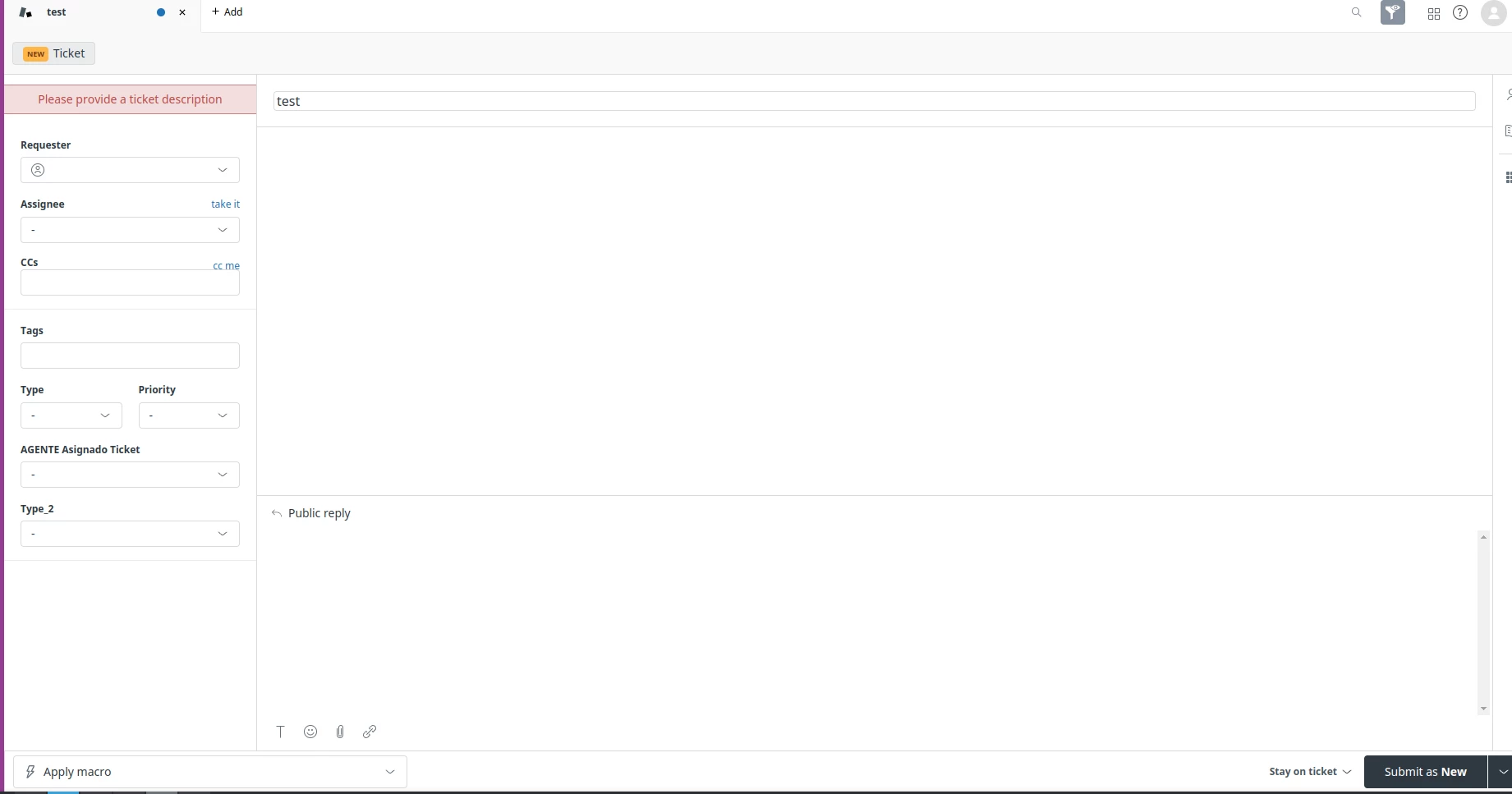
The field doesn't appears and the form show this error:

  • Please provide a ticket description.

And textarea called Public response appears. ¿Where is Description field? On settings all parameters are OK.

3 replies

Anne17
  • March 22, 2023
Hello Domingo,

I have reached out to you via Email so that we can take a closer look at this case.


Best regards,


Happy
  • August 31, 2023

@anne17 Same issue is  happening for me as well. Do you have any resolution for this yet?

Thanks

Happy


Zsa
  • September 1, 2023

Hello Happy,

The description field should be the first comment on the ticket. It could be the "Public reply" or the "Internal note" (if private ticket creation is enabled).

Per this article: About ticket fields

Description The Description field is required. This is the text of the support request. When an end user submits a support request via email, the body of the email request is used as the description. The description becomes the first comment in the ticket.