

One of the challenges many support teams face is not knowing what happens after an email is sent. You might include instructions, helpful links, or attachments, but without visibility, it’s impossible to know whether the customer actually saw your message. This uncertainty can lead to unnecessary follow-ups, delayed resolutions, and a less efficient workflow.
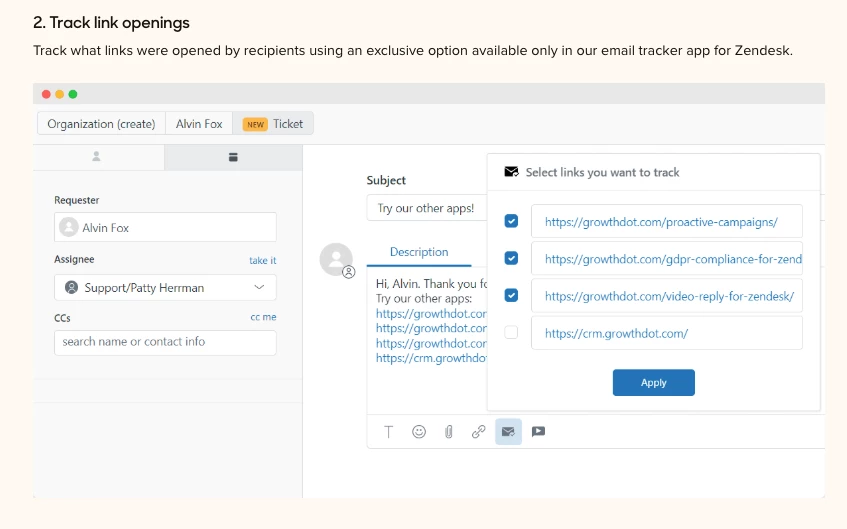
A simple solution is the Email Tracking integration for Zendesk Support. This tool helps track email opens and link clicks, and provides a clear activity log for each ticket
Tracking information is available in multiple places for convenience:
- Seen/Unseen field and ticket tags (seen / unseen)
- Seen Count field
- Read Receipts
- Push notifications (optional)
- Ticket sidebar
- In-app full statistics and mail track reports
Beyond visibility, the app can also help improve responses. It analyzes customer activity and suggests the best times to send follow-ups, helping increase reply rates and overall engagement.
Using Email Tracking, support teams can work more efficiently, reduce unnecessary follow-ups, and ensure customers receive timely, relevant communication inside Zendesk.


Thanks for sharing this helpful overview!
Visibility into whether emails are opened and links clicked is indeed crucial for support teams. The Email Tracking integration you mentioned sounds like a great solution to address this challenge by providing clear activity logs and actionable insights.
Having tracking details accessible through ticket tags, read receipts, push notifications, and detailed reports ensures teams can stay informed without switching contexts. Plus, the app’s ability to analyze customer behavior and suggest optimal follow-up times can really boost engagement and efficiency.
This kind of tool can significantly reduce unnecessary follow-ups and improve the overall support experience for both agents and customers. Appreciate you highlighting these benefits and resources!