How to get the latest agent comment from a ticket when sending a webhook event | Community
Skip to main content

How to get the latest agent comment from a ticket when sending a webhook event

  • January 9, 2025
  • 1 reply
  • 0 views

Jason35

We are trying to send a webhook event in which a webhook is triggered  when a ticket moves to closed or resolved status. In the webhook event data we would like to include the tickets last comment from an agent (or even include an additional field that indicates what type of user the last comment was sent from. E.g. support agent, or the requester for example. Is this possible.


My attempt to do this is doing the following in the body of the webhook


```

{
  "ticket_id":"{{ticket.id}}",
  "ticket_subject":"{{ticket.title}}",
  "ticket_status":"{{ticket.status}}",
  "last_agent_response":"{{ticket.latest_public_comment}}",
  "closed_at":"{{ticket.updated_at}}"
}

```


Esentially I want to store in by backend service when a zendesk ticket is closed or resolved, what was the last comment left by a zendesk admin or agent that was visible to the end user / requester

1 reply

Rj22
  • July 3, 2025

Hi @jason35 <Jason Blood>,

Please note that the placeholder "ticket.latest_public_comment" captures the latest public comment on the current ticket update or creation event. If the ticket update does not have a public comment (for example, if the update was made by a system, trigger, automation, or a team member with a private comment), this placeholder will return an empty value.
 

Currently, there is no placeholder to directly get the last public comment on a ticket, and it seems there is no native way to do this.
 

However, you can still achieve your goal by using a custom ticket field, such as a "Multi-line" text field, to store the latest public comment on the ticket. You can then retrieve this value from the custom ticket field and store it in your back-end. 
Please note that actual attachments on the ticket will not be captured, but inline attached images can be captured as Markdown format inside the "Multi-line" field.
 

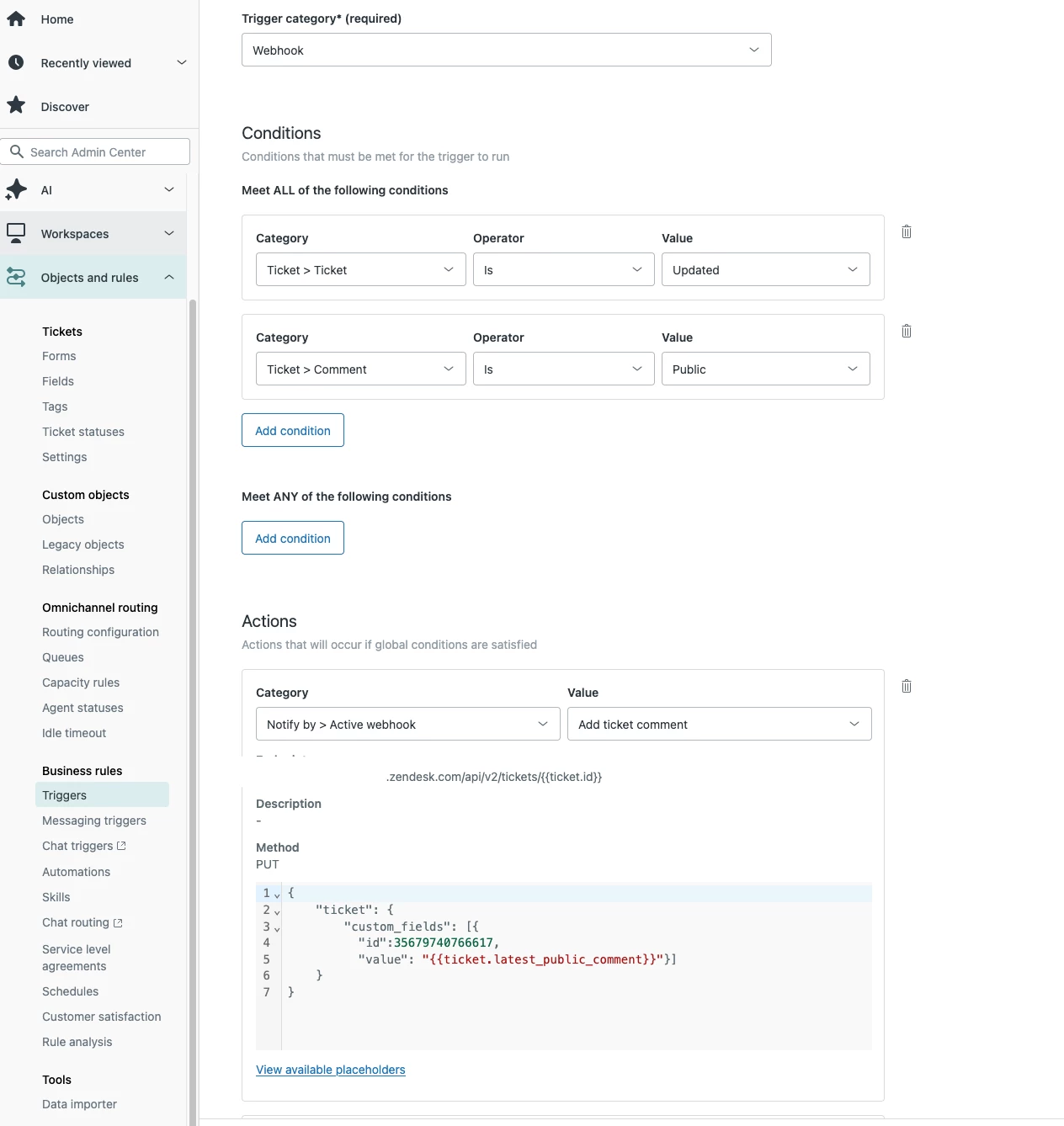
For example, you can create a trigger that saves the latest public comment to this custom field every time a ticket is updated with a public comment using a webhook. 

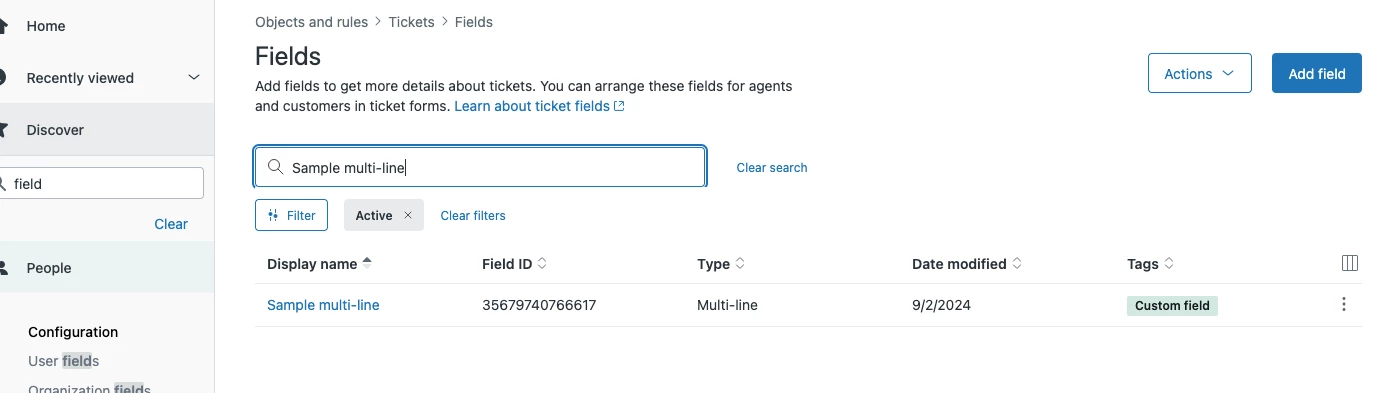
Here is a sample custom field, trigger condition and action to store latest public comment:


Then, you can then get the value from the custom multi-line ticket field using the placeholder "{{ticket.ticket_field_35679740766617}}", which contains the latest public comment.
 

I hope this helps. Thank you.