How can I add internal notes in bulk? | Community
Skip to main content

How can I add internal notes in bulk?

  • July 13, 2023
  • 6 replies
  • 0 views

Hi! How can I add internal notes in bulk to a specific ticket list?

6 replies

Audrey14
  • July 14, 2023

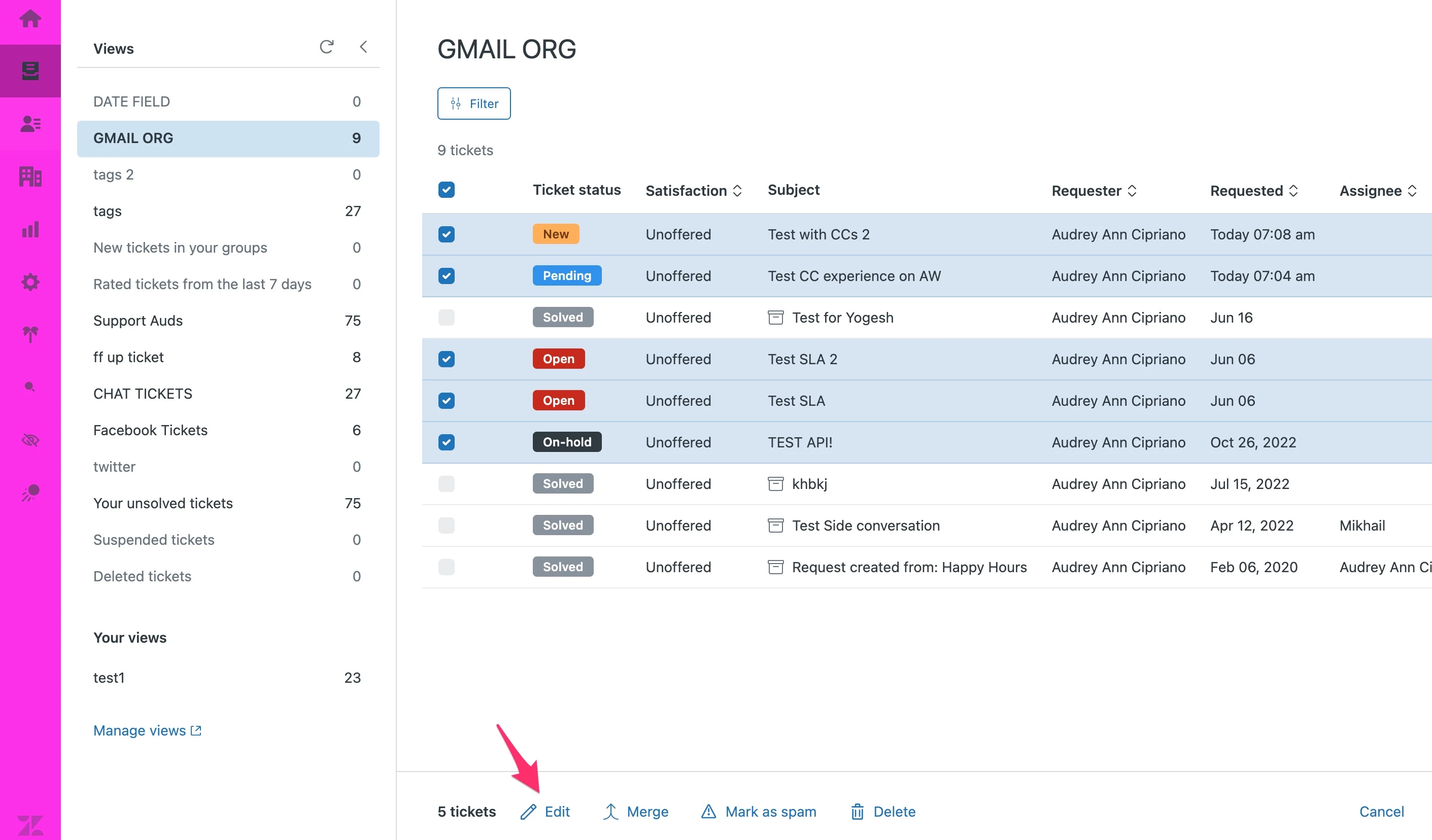
Hi @sharon17 you can select tickets you want to update by ticking on the checkbox beside the tickets in your View.

When you select one or more tickets, a toolbar appears at the bottom of the list where you can click on "Edit" button and then enter the internal note :)  


More info here as well: Bulk update Tickets

Hope this helps! :) 


  • Author
  • July 14, 2023

Thank you!


Audrey14
  • July 16, 2023

You're welcome, Sharon! :) 


Roger11
  • March 19, 2024
That's right, Audrey. Sharon, don't forget that this update is irreversible. Therefore, be careful with the other fields that will be edited.
 

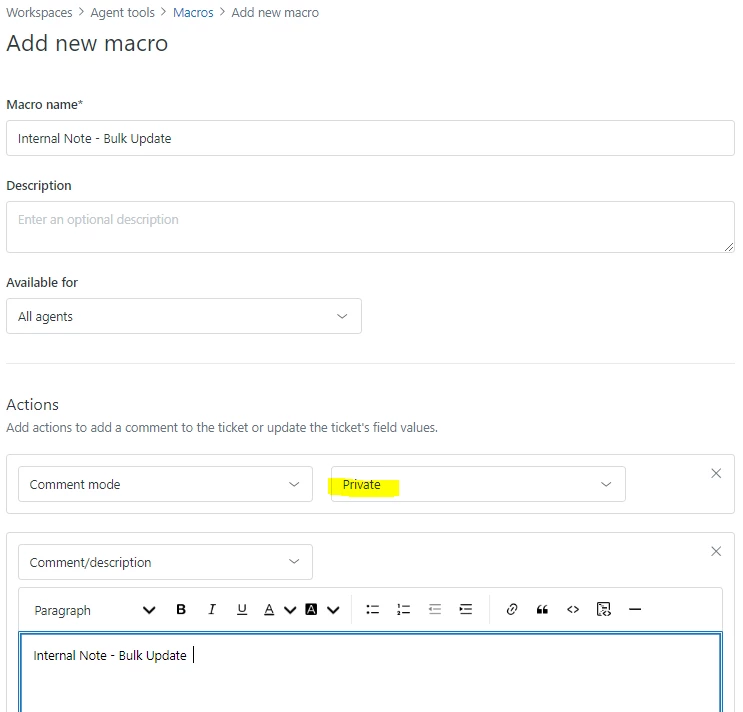
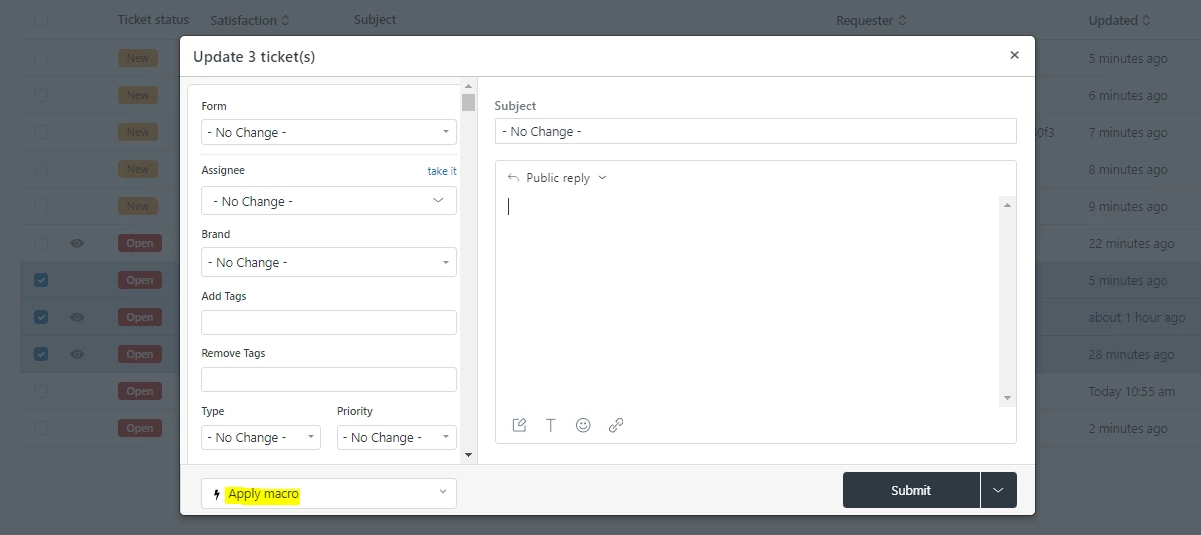
When bulk updating tickets to add an internal note, make sure you have a macro specifically set for internal notes. After selecting the tickets you want to update, choose the macro that contains the internal note to apply it to all selected tickets.


You can’t add internal notes in bulk directly from the Zendesk UI, but you can achieve it easily using Macros.


Create a new macro that adds the internal note text you need.

  • Apply it to multiple selected tickets from a view by using the “Apply macro to selected tickets” option.
  • The macro will add the same internal note to all selected tickets.