Change the title of a tab | Community
Skip to main content

Change the title of a tab

  • June 16, 2016
  • 6 replies
  • 0 views

Hi there,

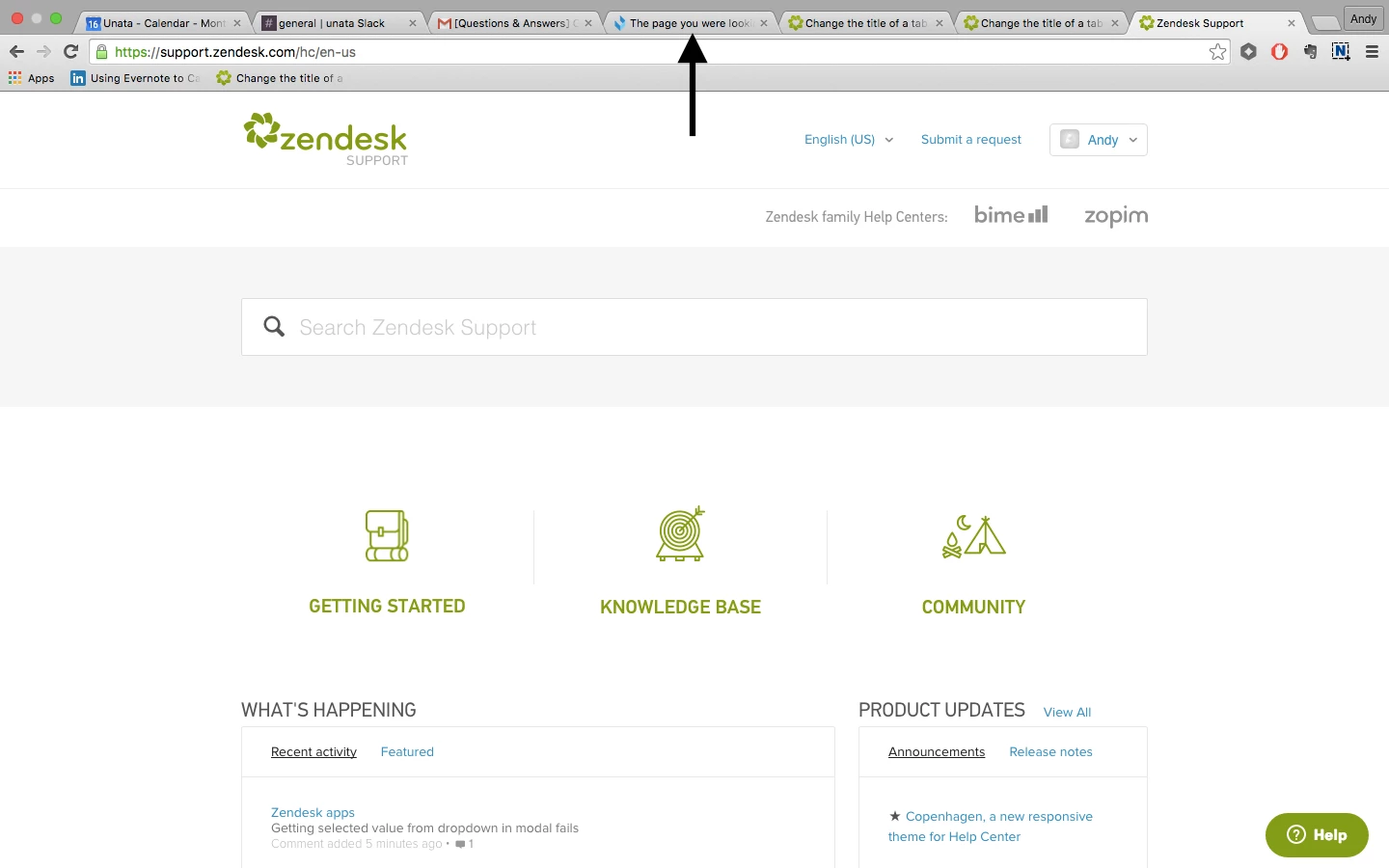
I modified the error page completely but would also like to change the title so that the tab does not show "The page you are looking for doesn't exist".

How can I do this?

Thanks

This topic has been closed for replies.

6 replies

ModeratorWes

@Andy - Can you give me a screenshot of exactly what you are referring to as I think you are referring to the page title but wanted to make sure.

Thanks.


  • Author
  • June 16, 2016

Here is the title of the tab I am trying to change:


ModeratorWes

@Andy - This should work for you.  On the JS tab insert the code below right below the $(document.ready) function

if ($(".error-page").length > 0){
document.title = 'Sorry - Try again!';
}

By default the error page has a class associated to it called error-page.  If you have customized that page then use another class that you only used on that page.


  • Author
  • June 17, 2016

Thank you Wes, it worked! 


  • March 12, 2018

Hello, 

I am looking to do this for the Submit a request page. I believe that the title of the page is .request-container, but it still does not work. Can you provide any insight?

Thank you, 


Vladan
  • March 13, 2018

Hi Kevin, you can achieve that if you can just paste this little modified Wes's code on the top of your Submit a request page template:

<script>
document.title = 'YOUR NEW TITLE HERE';
</script>