How do I provide feedback for the Forecast Scenarios? | Community
Skip to main content

How do I provide feedback for the Forecast Scenarios?

  • November 13, 2025
  • 12 replies
  • 0 views

Rita12

Join Our Community Forum for Forecast Scenarios EAP Feedback

We’re excited about our community forum, a hub for engaging discussions and valuable feedback. We encourage you to join in, follow the latest topics, share your insights, or pose questions. When there’s buzz around a specific topic, especially related to the new Forecast Scenarios EAP, we’ll highlight it to gather diverse perspectives. Your thoughts and questions are welcome anytime, helping us shape this EAP together.


How to Provide Impactful Feedback

Your input is crucial, covering the good, the concerns, and suggestions for improvement. To foster a forum brimming with productive dialogue, we need a sprinkle of effort from everyone involved. Just leave a comment below.

Make your feedback impactful by considering these steps:

  • If something about the Forecast Scenarios doesn't sit right with you or you see room for enhancement, take a note. Reflect a little before sharing.
  • Aim for clarity in your feedback. Explain what you like or dislike and how things might be fine-tuned.
  • Patience is appreciated as we respond to queries and comments.
  • Civility is our cornerstone—avoid sarcasm, disrespect, and offensive language. We're here to ensure discussions stay respectful.

Our goal is to make this forum the ideal place for all customers to share and discuss feedback specifically on the Forecast Scenarios EAP. We’re looking for a mix of formal insight and casual exchange to create a welcoming and productive environment.
12 replies

  • November 27, 2025

Hi Rita,


I started exploring the Forecast scenarios. For now, this is a great addition overall. 

I see there is the possibility to export CSVs of the different scenarios, but there is no possibility to import them. I think it would be very useful to have, as I also create scenarios programatically already, but would like to be able to import them to then use all the scenarios capabilities in Tymeshift (especially the visualization).

On top of that, a comparison tool between scenarios would be helpful. The ability to select a certain amount of scenarios, and see the differences in volumes and staffing required.

Finally, for scenarios on a date range where there already is a published roster, a delta comparison between required and actuals based on the scenario.


Best,

Franck


  • December 4, 2025

Hey all, 


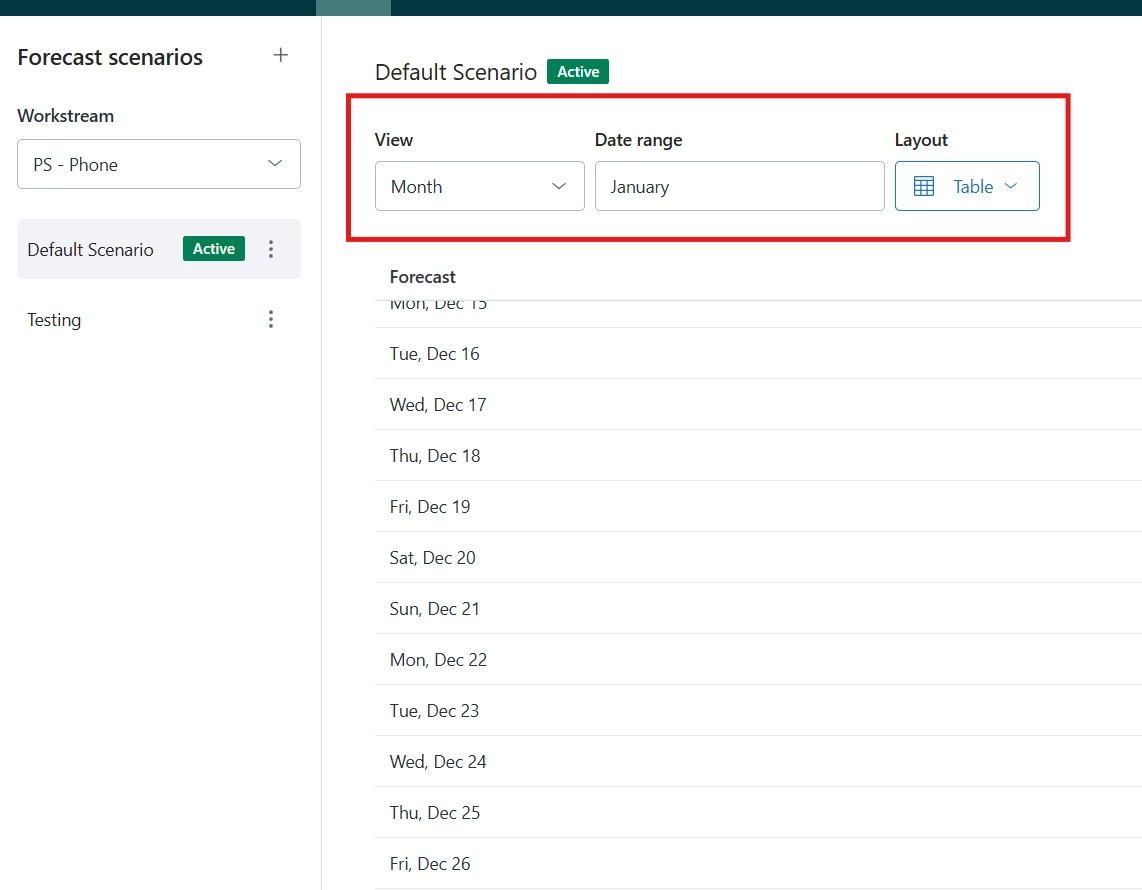
I believe i found a bug, at least on our instance anyway. In order to get the current month to show correctly i need to choose the next month for the date range. Screenshot below. Happy to give more info if needed.


  • December 4, 2025

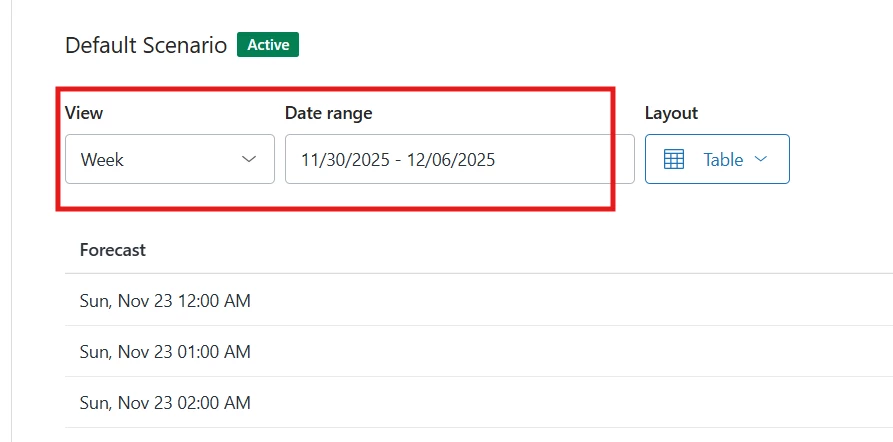
Weekly date filter is showing the previous week and not the selected one. See below for screenshot. 


  • December 8, 2025
Hello AJ, 
 
Thank you for writing your feedback here. 
 
I'll go ahead and create a separate ticket on your behalf so I can get more account-specific details to troubleshoot this issue. You may expect an email shortly with the ticket information.
 
Thank you. 

Rita12
  • Author
  • December 10, 2025

Hi @franck14,


Thank you for your feedback. We are pleased to hear that the new functionality is providing value to you.


Regarding the feature to import forecasted inbound volume and FTE, this is the next item planned on our forecast roadmap.


Additionally, the capability to support multiple active scenarios with defined time ranges is planned to be developed next year.


for scenarios on a date range where there already is a published roster, a delta comparison between required and actuals based on the scenario.

Could you kindly provide further details? We would like to better understand the specific use case you are aiming to address.


We look forward to your response.


  • December 10, 2025

@rita12 Hi,
 

- “Regarding the feature to import forecasted inbound volume and FTE, this is the next item planned on our forecast roadmap.”


This is fantastic to hear, as I know that would bring a lot of value to my workflows.

- “Could you kindly provide further details? We would like to better understand the specific use case you are aiming to address.”

Yes of course, let me try to explain better:
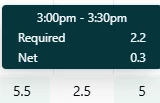
Let's say I have a scenario for my Voice workstream. I am happy with that forecast and that scenario is active. Now, if I want to check my actual staffing versus those requirements (in order to identify where I have gaps), I have to go to the schedules to check the deltas for that workstream such as follows:

It would be great to be able to see those different deltas ("Scheduled staffing", “Required staffing”, “Net staffing”) directly in the Forecast scenario module instead of going back and forth to the schedules, giving a better bigger picture on how that new scenario would impact staffing before even activating it.

- “Additionally, the capability to support multiple active scenarios with defined time ranges is planned to be developed next year.” 


Just a small clarification here: my point was not specifically related to the possibility of having multiple active scenarios. It was more about the fact that if I create two scenarios for the same Voice workstream and date range now, but with different parameters, I would like to be able to compare at a glance the required staffing computed by both scenarios, to help in decision making if I want to activate one or the other, if that makes sense.


Best,

Franck


  • January 12, 2026

Hi all,


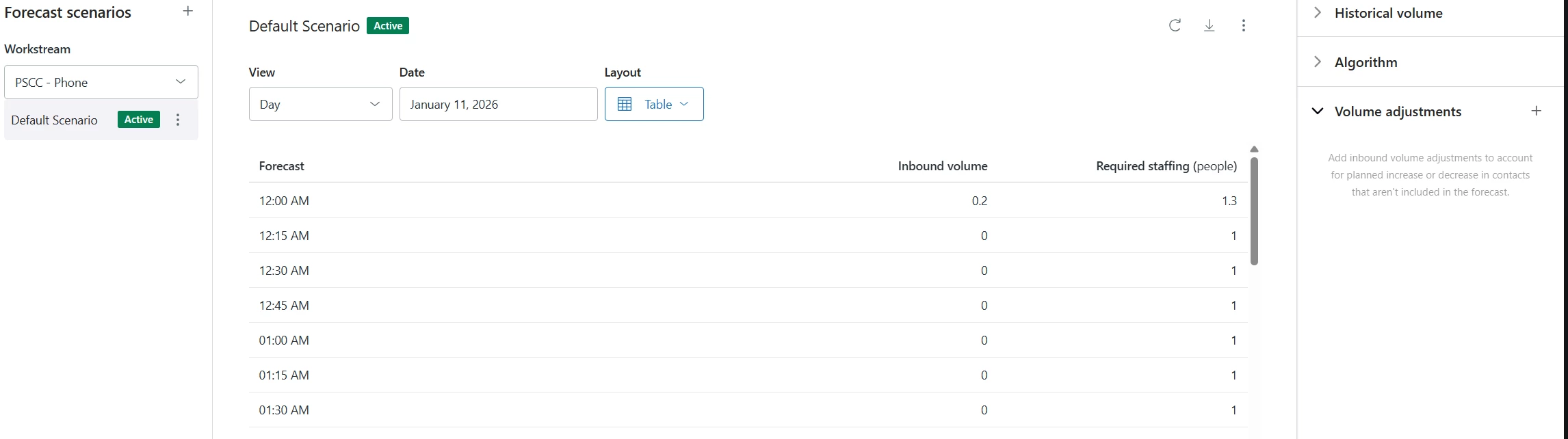
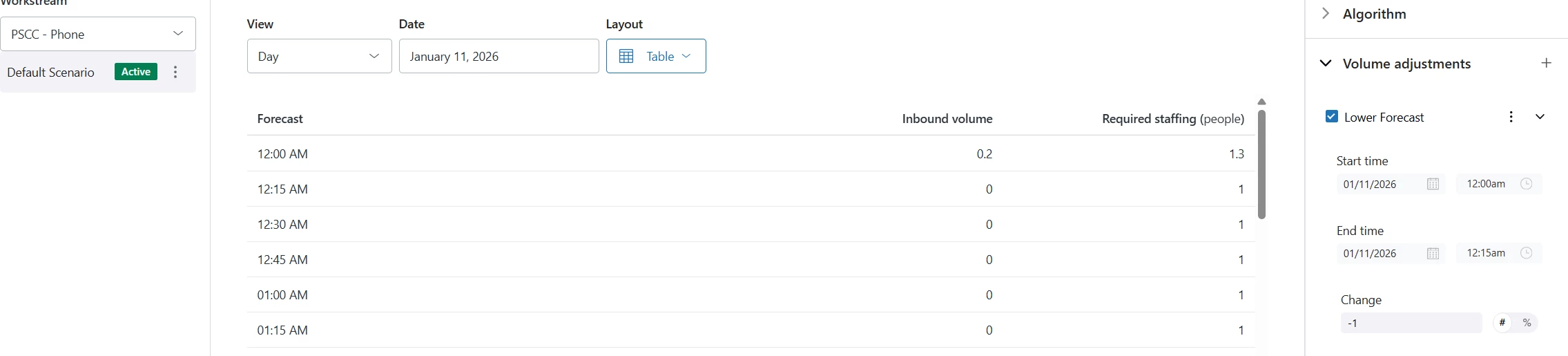
Our volume adjustments are not reflecting correctly in the forecast. Can someone help with this urgently? Its causing problems for our WFM team. 


Thanks


Francis14
  • January 13, 2026
Hi Aj,
 
I understand how critical accurate volume adjustments are for your Workforce Management forecasting and the challenges it’s causing for your team. To assist you urgently, could you please share a few more details such as how the adjustments were made, when they were applied, and if you are seeing any errors or discrepancies in Zendesk’s WFM dashboard? This will help us identify the root cause quickly. In the meantime, please ensure that the adjustments are applied to the correct dates and channels and that the forecast data has been refreshed. We’re committed to helping you resolve this as soon as possible and look forward to your reply.

  • January 13, 2026

@francis14 
Thanks for checking back. Below is an example of what we are running into.
before adjustment

after adjustment 


Francis14
  • January 20, 2026
Hello Aj,
 
I'll go ahead and coordinate this with our WFM team and will update you accordingly. 

Francis14
  • January 22, 2026

Hi Aj!
 
I’ve created a ticket to look into this for you. Keep an eye on your inbox for an email from us, and let’s continue our conversation there. Looking forward to helping you!


Rita12
  • Author
  • February 6, 2026

The issues reported in this thread have been all fixed. Thanks everyone for sharing feedback and for your cooperation.