Zendesk always popup in new tab from window.open() | Community
Skip to main content

Zendesk always popup in new tab from window.open()

  • April 12, 2018
  • 28 replies
  • 0 views

CTI in our telephony system, use window.open() to pop-up to zendesk ticket page after agent received a call because Zendesk does not allow iframe to Zendesk.

But even we specified a window name in window.open(), Zendesk would always popup in new tab for each call. So we've got a lot of tab of Zendesk in browser.

Any suggestion to solve this problem?
How CTI can popup to Zendesk in same tab for every calls?

Thank you very much.

This topic has been closed for replies.
28 replies

  • April 17, 2018

Hi Niyom! Welcome to the Community!

Do you mean that they're opening in new browser tabs, or in new tabs in the agent interface?

If they're browser tabs (and you're using Chrome), check out Zendesk Quicktab. It's an extension that will detect Zendesk URLs with /agent and merge them with the existing tab where Zendesk is already open. It makes life MUCH easier!


  • July 28, 2020

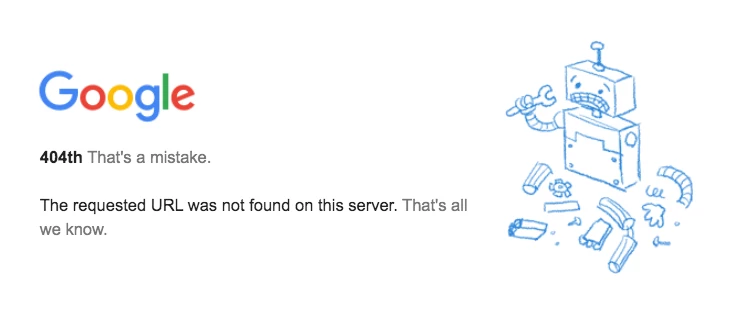
It seems Quicktab is no longer an available extension in the Webstore. When following the link I just get "The requested URL was not found on this server. That's all we know." 

I do already have the extension installed and it is still working but we are unable to have our new hires install the extension. Is something coming out to replace Quicktab or is there a bug currently?

Thanks in advance!


Nicole17
  • July 28, 2020

Hi Bridget - 

Google removed Quicktab from the Webstore. We're still trying to figure out why, and whether one of our product teams will be able to replace it. Nothing definitive yet. 


Yikes! Thankfully they haven't gone so far as to disable it in my Chromes -- I would go nuts without it!


Nicole, on Tymeshift's page https://support.tymeshift.com/hc/en-us/articles/360003993613-Install-Zendesk-Quicktab-Chrome-Extension

There is the announcement:

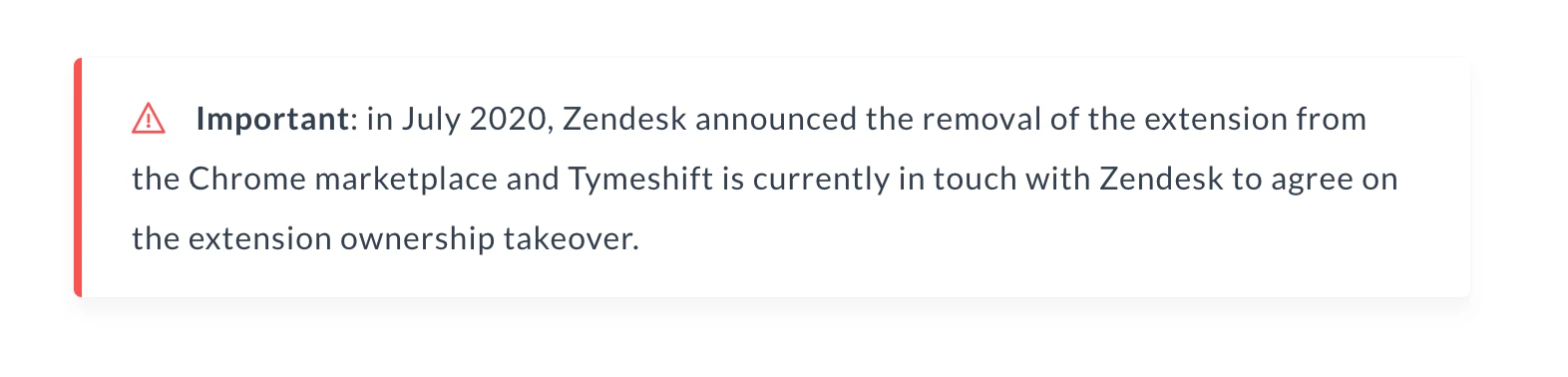
> Important: in July 2020, Zendesk announced the removal of the extension from the Chrome marketplace and Tymeshift is currently in touch with Zendesk to agree on the extension ownership takeover.

Could you help to explain the apparent discrepancy between these two narratives?

Thanks!


  • August 4, 2020

  • August 5, 2020

@Bridget Callaghan


well, it's still up on github


https://github.com/zendesklabs/QuickTab


  • August 5, 2020

And doesnt work, tried that


  • August 5, 2020

Frick, what happens? 


does my crx packed version work? https://easyupload.io/wqndvl


  • August 5, 2020

nothing....


  • August 6, 2020

ok try being less laconic when someone's trying to help you


  • August 7, 2020

FWIW; I lost the QuickTab extension about a month ago and Zendesk support redirected me to Tymeshift. I was able to install the extension (from github) but it still doesn't do what it was designed to do?
My Chrome browser is managed by my Corp IT department so they may have applied a policy that's broken this for me :-(

In case it's useful information this is the version of Chrome I'm running (on Windows 10) - Version 84.0.4147.105 (Official Build) (64-bit)

The proliferation of browser tabs is  truly driving me mental (can't understand why Zendesk 'dropped' this extension.

Cheers,

Finbarr 


I didn't even know about that extension all these years, so I've been, instead, avoiding clicking ticket links, and just entering the ticket numbers into the search box in my existing ZD browser tab, to open them!  Thank you, Jonathan March, for telling me about this... now I'm super-anxious for it to be available again so I can finally use it! :)


Justin13
  • August 10, 2020

I am considering making the move to the new MS Edge browser. Noticed that the extension no longer exists in the Chrome Store.

I really need this as I have Explore reports and other external apps that list the ticket links and I would open so many tabs.


Sergei13
  • August 11, 2020

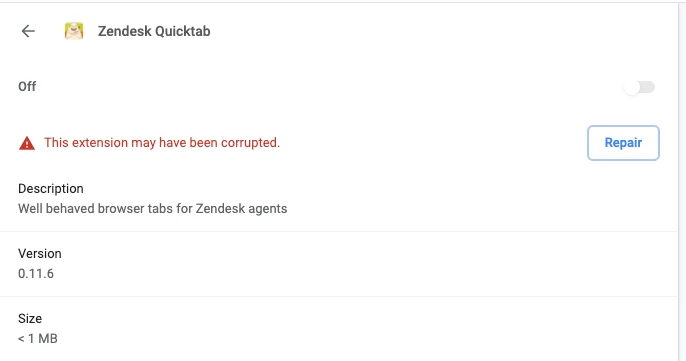
366951918228 - I tried your CRX file but it's not working saying that the extension is corrupted. When clicking on "Repair" nothing happens either :( ... 


Dan28
  • August 12, 2020

For those of you trying to get QuickTab to work from one of the Github repos, there is a good step by step flow documented in the Issues of the zendesklabs/QuickTab Github repository that worked for me. 

  1. Download the QuickTab repo from TymeShift's Github repository: https://github.com/Tymeshift/QuickTab
  2. Unpack the zip file
  3. Unpack the zip file from the releases folder
  4. Open chrome://extensions in Google Chrome
  5. Drag the unpacked folder structure into a your Chrome window

This works today, but since this seems to be in transition to TymeShift, I'd expect this to hopefully move back to the Chrome web store, but for now the two repositories are the same code.


Sergei13
  • August 12, 2020

@Dan Cooper - thank you! This has indeed worked!

I didn't know you could drop a folder structure like that to extensions in Chrome. Good to know. Thx again!


Same here--worked, and didn't know you could drag and drop into Chrome like that!  Very cool.  Thanks, Dan!


  • August 12, 2020

@Dan Cooper - adding my thanks to the list. Zendesk just got a lot less frustrating. Back in business


  • August 12, 2020

Tried those steps, doesn't work if you have agent workspaces on


Justin13
  • August 20, 2020

Got this working now on MS Edge. Thanks for the steps @Dan Cooper!


Robby13
  • August 27, 2020

I had to load it by turning on developer mode in the extensions page, but I got it working now.  Thank you so much!


  • September 16, 2020

Workaround is working for me, but it's ridiculous that this is necessary. IMHO, with as much of a memory hog the Zendesk web app is, Zendesk should make the functionality of this extension part of the standard stack. Don't implement your own tab system if you can't play nicely with the browser tab system.


  • September 30, 2020

Hello everyone!

I tried Dan Cooper's work around, but it did not work for me. I tried switching to developer mode and gave me the following error:

Using "pack extension":

Pack extension error
A private key for specified extension already exists. Reuse that key or delete it first.
 
Using "Load unpacked":
 
ErrorManifest file is missing or unreadable
Could not load manifest.
 
Thank you in advance to anyone's help.
 
Regards,

Dan28
  • September 30, 2020

Hi @Jose Ceppi, 

I kind of stumbled on the solution I posted, but if I recall correctly, I wasn't able to load the extension using the buttons you called out either.  It was a drag and drop of the unpacked folder structure into the extensions window.  Hope this helps.