Zendesk and PowerBI | Community
Skip to main content

Zendesk and PowerBI

  • January 25, 2018
  • 12 replies
  • 0 views

Hi Guys,


trying to play around and build some new views .... 
can someone help with how to build "tickets opened today" sorted by Prio & status


thnx for help!

Oren

This topic has been closed for replies.

12 replies

  • April 23, 2018

Is there a dataset available to link Power BI to Zendesk?


  • April 27, 2018

Hey Don!

I'm not sure exactly what you'd need for this, but have you checked out our API documentation?


  • March 30, 2019

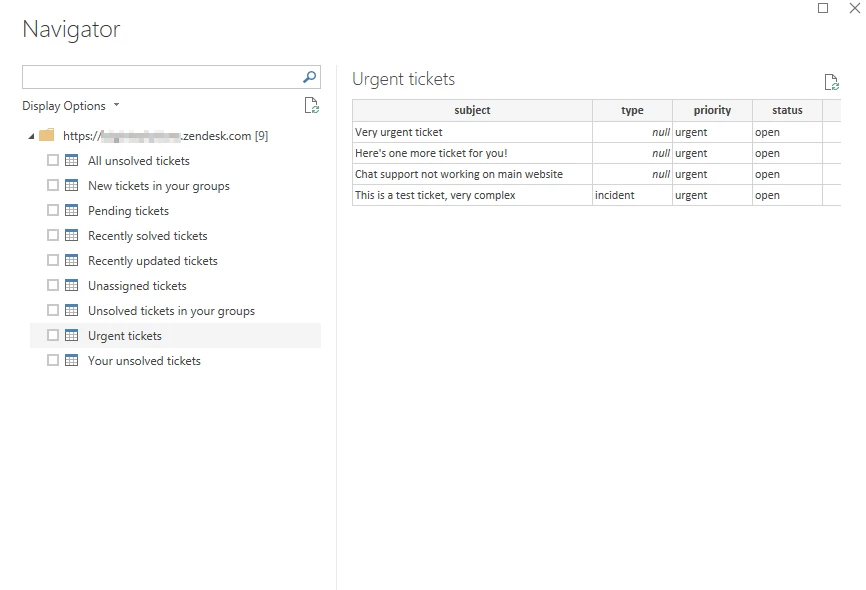
Yes, you can either use the default connector provided by Microsoft Power BI or you can try our custom connector available on our public GitHub Page.

Our custom connector is extremely useful to fetch Zendesk Support views and tickets information from Zendesk. The connector uses OAuth 2.0 to access your Zendesk's account data.

https://github.com/ranmax123/powerbi-custom-connectors#the-zendesk-support-tickets-connector


  • March 30, 2019

There is a Zendesk data source still in beta, once you have connected to that I would do all the filtering in the "Edit Query" section of Power BI. If you click on Advanced editor you could use this as a starting point:

let
Source = Zendesk.Tables("https://SUBDOMAIN.zendesk.com"),
tickets = Source{[Key="tickets"]}[Data],
#"Filtered Rows" = Table.SelectRows(tickets, each Date.IsInCurrentDay([created_at])),
#"Sorted Rows" = Table.Sort(#"Filtered Rows",{{"status", Order.Ascending}, {"priority", Order.Ascending}})
in
#"Sorted Rows"

This should grab everything created Today and sort them by status and priority. 


  • June 5, 2019

where can I find the channels tickets are created from in the tables?


Brett13
  • Community Manager
  • June 7, 2019

Hi Nick,

Are you using the connector form the GitHub page referenced above? If so, you may want to post your question directly on the GitHub page for the creators to take a look at.

Since this is an unsupported integration I'm afraid we're rather limited with what we can assist with on our end at Zendesk.

Cheers!


  • July 17, 2019

Hi Brett, 

I can't follow your link to GitHub (I get redirected to Zendesk's support center).

Do you have a new link? I'm facing the same trouble to connect Zendesk to PowerBI.

Thanks, 


  • July 17, 2019

Brett13
  • Community Manager
  • July 17, 2019

Thanks for sharing Ranbeer!


  • August 25, 2019

Hi Brett,


we are currently using the zendesk APP for Power BI.

There are a lot of measures available. Is there any kind of documentation, what is the exact meaning of the measure?

For Example: Avg. First Resolution Time or Avg. Reply Time?


Thanks a lot

Andy


Brett13
  • Community Manager
  • August 26, 2019

Hey Andreas,

Since this is a 3rd party integration you'll want to take a look at the documentation for PowerBI located on Microsofts website: Connect to Zendesk with Power BI

The metrics you're referencing could be similar to the Insights metrics listed here Insights Metrics Reference

I hope this points you in the right direction!


  • September 2, 2020

Hi!


What's the pro's and con's by using Microsofts PowerBI connector vs using Zendesks?

Is there any difference?