Custom User Field Permissions EAP allows you to apply permissions to custom user fields based on agent role. This means:
- Department Spaces and Custom User Field permissions work together to give you precise control over agent access to end user data.
- This lets you protect sensitive information by limiting visibility based on department and agent role.
- With these features, you can confidently meet your organization’s security and compliance needs while keeping the right information accessible to the right people.
- Ultimately, it helps you deliver better, more secure support tailored to your business structure.
As an early access feature, there are some limitations to our partial end user separation EAP that you should be aware of when utilizing this feature:
- Explore: Permissions around viewing custom user fields are not automatically honored in Explore. To restrict access to Explore, use the custom role permissions for each agent role.
- Placeholders: Placeholders may still expose custom user fields regardless of permissions. This will be tackled for general release for all customers.
- Business Rules: Business rules configuration pages that may allow setting conditions that reference custom user field values
- Tag Limitations: When a dropdown, multi-select or checkbox is being created/updated, tags can expose custom user field values. If you’d like to turn off tags, go to Admin Center > Tickets > Settings. Uncheck the box ‘Enable tags on tickets’.
- Triggers: Triggers may run that automatically add tags to end user records. Since tags do not have permissions, these triggers may expose sensitive information. Trigger definition/configuration UI and API may reveal values of user custom fields, specifically dropdown and multi-select field types.
To Access the feature:
1. Go to Admin Center
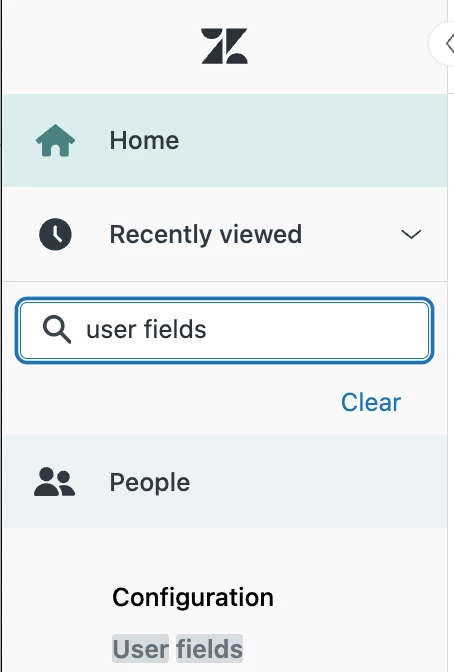
2. User Fields
3. Add a new field or open up an existing field
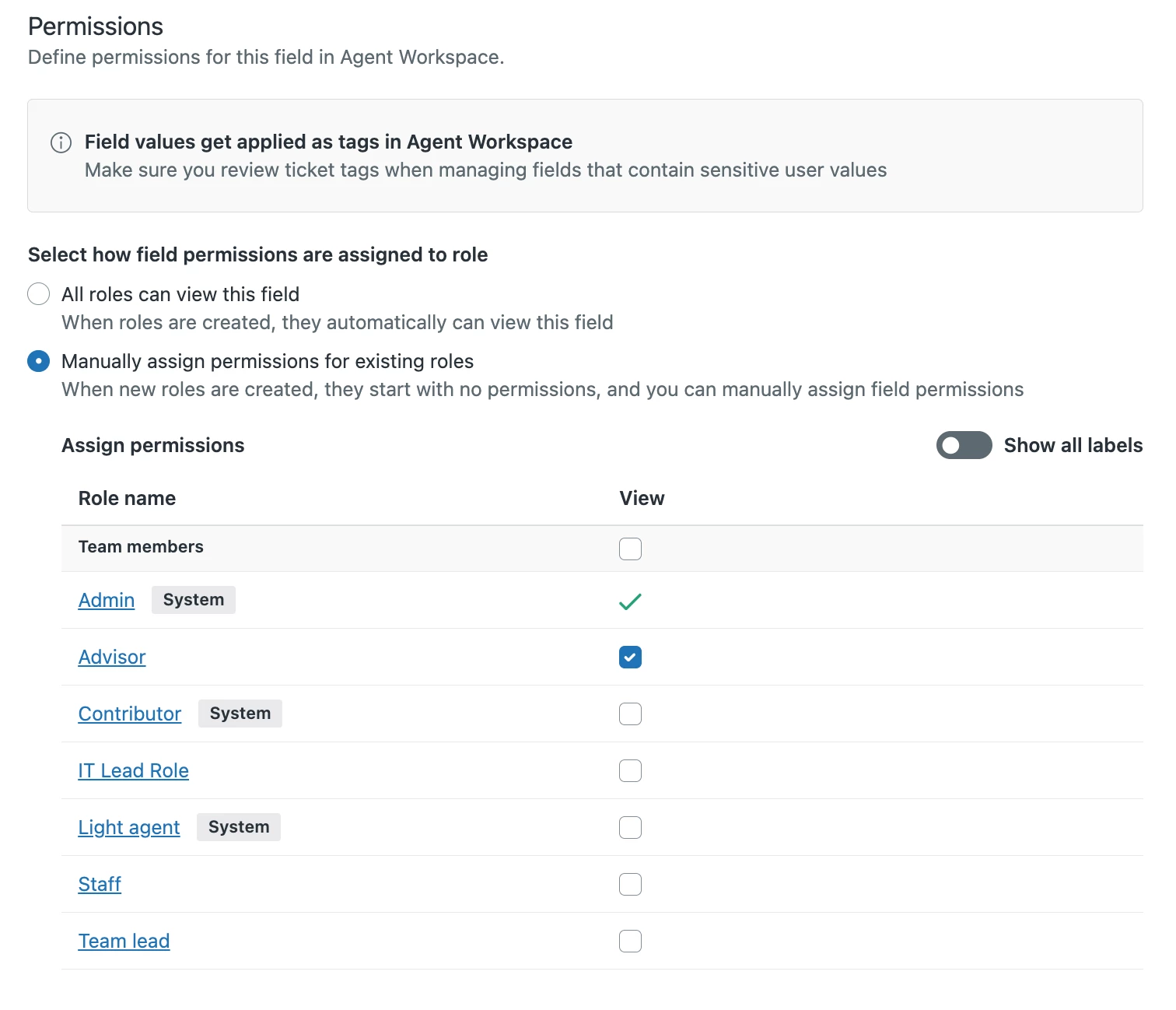
4. Eligible fields will have a new permissions view available
5. These permissions apply to agents in these custom roles on the end user record