Side conversations are useful for reaching out to the people who need to be involved in the solving of tickets, from subject matter experts in your company and approvers in other departments, to external vendors. However, initiating the conversations with these folks has always been a manual process, initiated by agents after reviewing tickets and determining the best next step. Macros have been able to start these conversations, greatly reducing the overhead for kicking them off, but those still need to be initiated by an agent.
Usually, this is fine. However, some processes don’t require any sort of manual review and could benefit from reaching out to people as quickly as possible. For example, if a process exists at a coworking space whenever a new client onboards to get them a badge, register them in the private intranet app, and prep their new office, it usually requires someone to review the initial ticket and then spawn the sub tasks to all the right folks. Macros would make this easier, but for something this straightforward, it would be even better if it could just happen automatically.
That’s where the new side conversation trigger actions come in.
With the new side conversation trigger actions, side conversations can be created immediately based on ticket criteria. In the above example, if the initial ticket to onboard a new client has a special ticket form that is filled out with the relevant information, the new side conversations trigger action could be used a few times in a trigger to kick things off. For example, the following could be created immediately:
- A child ticket side conversation assigned to the finance groups that includes the new customer info and start date so they get them set up for billing
- An email side conversation to the building maintenance team to get a deep cleaning scheduled for their office before the move in date
- A slack message to the location’s internal Slack channel to let the employees know a new tenant will be moving in soon
Each of these side conversations are repeatable, templated interactions that lend themselves to being automatically created via trigger.
Setting Things Up
Getting things set up with the new trigger actions is relatively straightforward. If you’ve set up side conversation macros it will look very familiar:
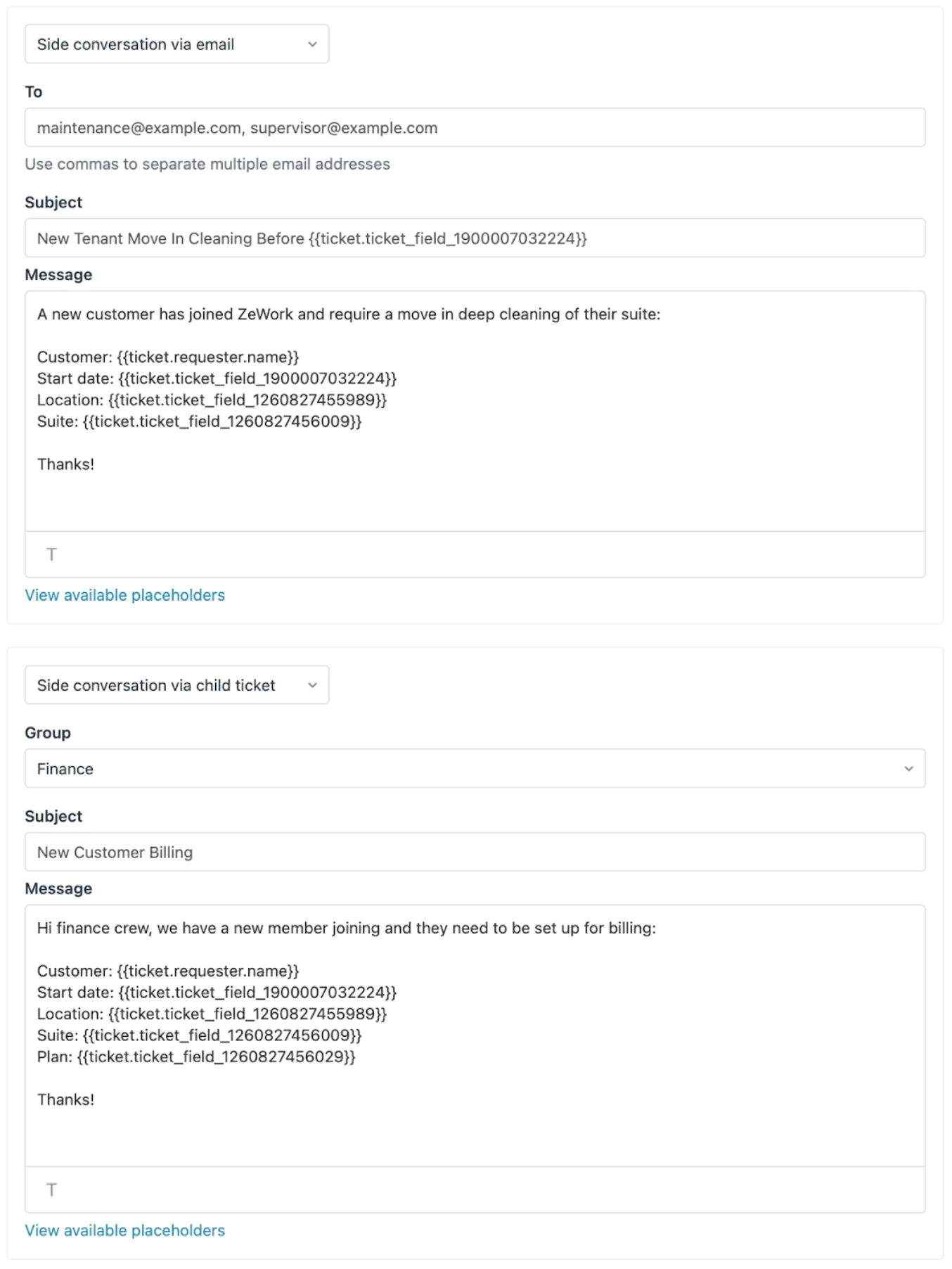
There are new actions to send a side conversation via email or child ticket, with Slack coming in the future. Just fill out the fields using plain text and placeholders and they’ll get sent off when the trigger runs.
Things to keep in mind
While it’s pretty straightforward and similar to setting up macros, there are a few things to keep in mind:
-
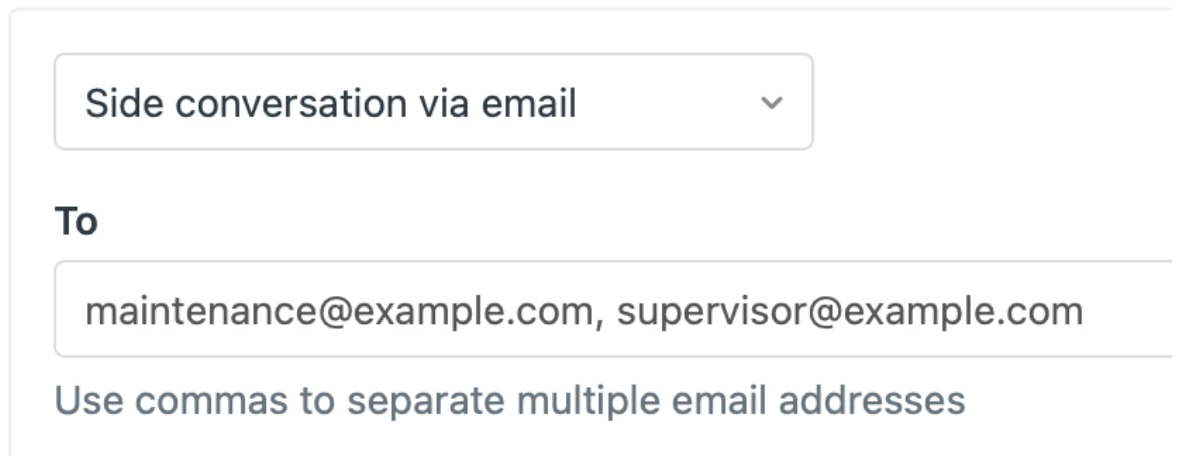
Valid recipient(s) required – while macros simply initialize a new side conversation with templated information, the trigger action is actually creating and sending them. That means a macro can leave the recipient field blank so the agent can provide it manually, but a trigger action needs a valid recipient to send to. This is especially important with email trigger actions since they must be typed in correctly. There is currently no indication that a triggered side conversation wasn’t sent, so be sure to test this out thoroughly to ensure they have the correct recipient(s).
-
Ticket assignee encouraged for email side convos – because side conversations need an author, that presents a bit of a problem when they’re created automatically. With this in mind, the assignee of the ticket will be used as the author. If the ticket does not have an assignee when the email side conversation trigger action runs, a generic Zendesk system user will be used. Adding an action to the trigger to ensure an assignee is present is an easy way to ensure the side conversation actions will be able to successfully run.

- Assignee required for child tickets – if there is no assignee available to make the requester on a child ticket, the trigger action will not run. We are working on a way around this, but child tickets work best when the requesting agent is the requester on the child ticket. Again, adding an assignee action to the trigger will ensure the child ticket can be created.
-
Conditions are important – you don’t want side conversations to be created and sent when they shouldn’t be, so ensure that the conditions on triggers that include side conversation actions are pretty strict. A common trick is to set a condition that ensures a tag is not present, and then setting that tag as part of the trigger.
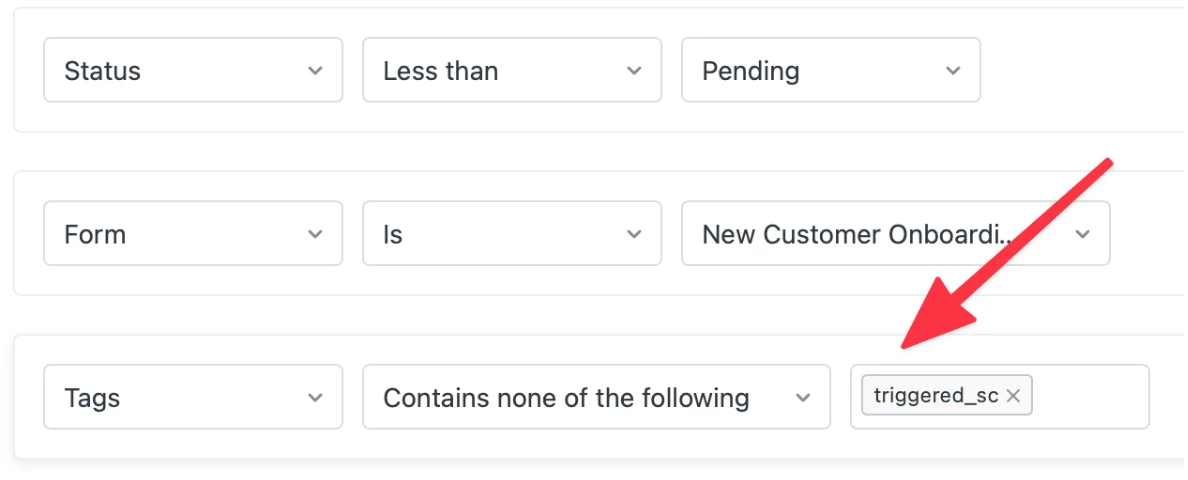 and the corresponding action:
- Don’t count on existing side conversation creation trigger conditions – in order to prevent nasty trigger loops, the existing side conversation creation trigger condition will be suppressed when created via trigger. If you normally rely on something like a trigger that sets a ticket status to on-hold whenever a side conversation is created, you’ll need to add that status change to the trigger that creates the side conversation(s) itself.
How do I get started with the EAP?
First, sign up! :-) We plan to get new accounts going as soon as we can, as we expect this to be a relatively short EAP.
Once you get confirmation that you've been enrolled in the EAP and you have email and/or child ticket side conversations enabled, you’ll be able to use the new action(s) in your triggers.
Who can sign up for the EAP?
This EAP is available to all customers with access to side conversations and email and/or child ticket side conversations enabled.
We would love your feedback!
This is an Early Access Program and we expect that there may be some bugs in the system. We'd appreciate any feedback and reproduction steps if you run into unexpected issues.
If you have any thoughts, wishes, dreams or any other side conversations related feedback please leave it in this community forum. We are looking forward to it!