Today group membership and ticket access are tightly coupled. This doesn’t reflect reality. Some groups need high security (security, human resources, vip customers), but most don’t. We will implement private groups to allow you to leave some groups open while keeping others members only.
This early access program will allow you to get early access to Private Groups prior to general release. There may be issues, bugs, and improvements that will notice. This is expected as part of an EAP. We will use this feedback to prioritize our roadmap.
What are Private Groups?
- Public Group: A group whose tickets are accessible to non-members.
- Private Group: A group whose tickets are only accessible to members.
This supports “multi department” customers by allowing them to have unfettered access across more public groups (support, returns, billing) but still protect sensitive groups (HR, security, legal). Creating an option to build “private groups” and “public groups” will satisfy two customer needs:
- A way to protect access to a category of tickets without fully restricting agent access to tickets within their groups.
- Provide access to some groups of tickets without granting membership to those groups and all that entails (views, macros, etc).
Private Group Feature Limitations
This release will not include all possible functionality and does not yet cover the entire potential workflow of private groups. We hope this limited release will create our next set of features for our roadmap work.
- All admin can see all tickets, regardless of their group membership
- Closed tickets can not change status. So for example, if you convert a public group to private AND that public group has closed tickets in it, those closed tickets will continue to stay public.
- Collaborators and followers will still be able to see private comments on tickets in Private Groups when explicitly added to the ticket
- Will not include a new permission type in roles: ability to create / edit private ticket groups
- Will not include a new permission type in roles: ability to archive private ticket group
- Today, when you move a ticket from one group to another, the followers are kept on the ticket. For the limited release, we will keep the same functionality as it exists today. A ticket is moved from a public to private, the followers will be kept on the ticket.
- If a ticket is forwarded using email, the ticket may end up suspended. There is a less than 1% chance that this would happen, but something to keep in mind. Suspended tickets can be retrieved.
- We have removed the ability to convert public groups to private due to the following:
- When converting a public group to private, ‘Closed’ and ‘archived’ tickets do not receive the new private label. That means that ‘closed’ and ‘archived’ tickets are treated as public and will be searchable/viewable by non-members.
What will it look like?
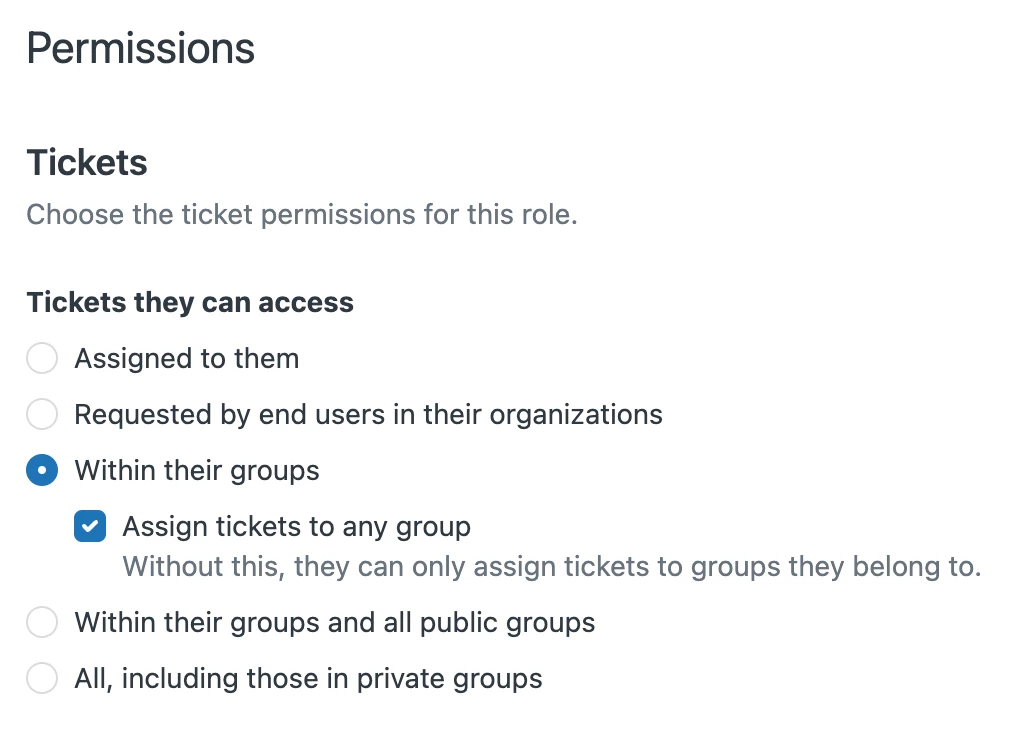
- New option under roles permissions which will enable you to select roles to have both access to public and private groups
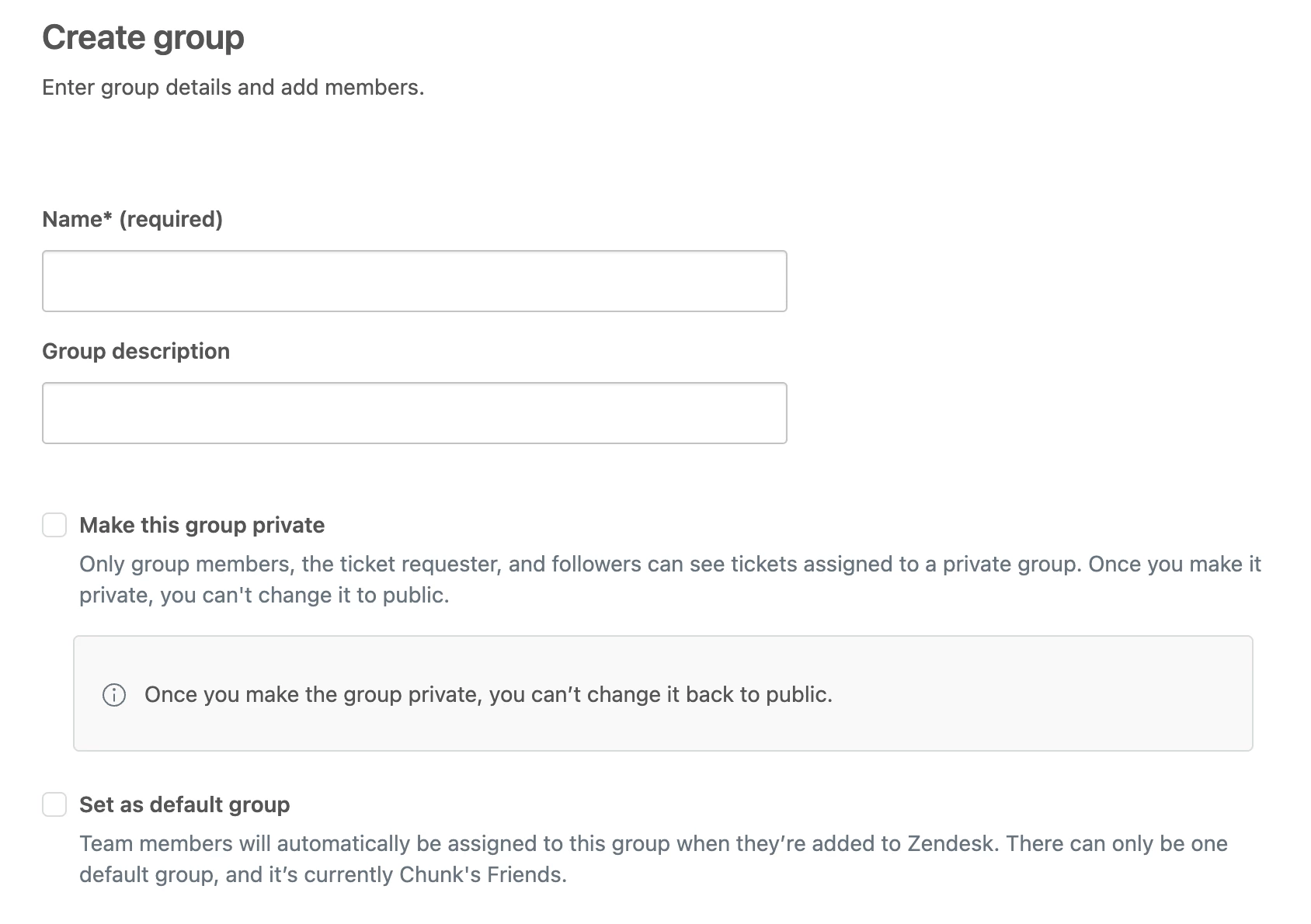
- New option under group creation to designate a group as private
- Designation on agent workspace when in a private group
- Agents who are not part of a private group will not be able to search / find tickets within that group
Getting Started
- To create a new private group, go to Admin Center > People > Groups. Click 'Create Group'. On this page, you'll see the ability to create a private group.
- To convert an existing group, go to Admin Center > People > Groups. Click on the 'Edit' button next to the group you'd like to convert to a private group. Select 'Make this group private' and hit 'Save'.
- Go to Admin Center > People > Roles to change ticket access type for roles to access public groups.